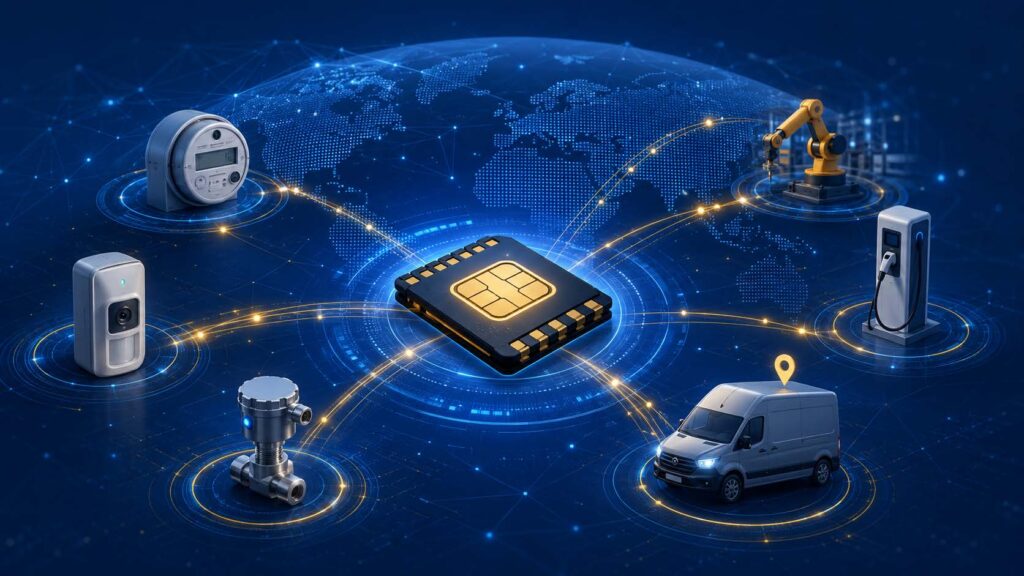
Securing IoT SIM Deployments: IMEI Locking, Private APNs, and Fraud Prevention

Securing IoT SIM Deployments: IMEI Locking, Private APNs, and Fraud Prevention

An IoT deployment is only as secure as its weakest connection—and for cellular devices, that connection runs through the SIM. A SIM is a credential. Left unprotected, it can be removed and reused, hijacked to run up data charges, or used as a doorway into systems it was never meant to reach. The good news is that securing SIMs doesn’t require exotic tools. It requires a handful of well-understood controls, applied deliberately.

Here are the core defenses every IoT deployment should consider—what they do, when they matter, and how they fit together into a layered defense.

Why IoT SIMs Are a Target

Consumer phones get swapped, upgraded, and watched over constantly. IoT devices are the opposite: they’re deployed by the thousands, left unattended for years, and often sit in physically accessible places—a parking lot, a utility pole, a vending machine, a shipping container. That combination of accessibility and non-attended makes them attractive.

The threats are concrete. A stolen SIM can be dropped into a phone or modem to get free connectivity on your account. A compromised or malfunctioning device can burn through a data pool and inflate your bill. And a poorly isolated device can become an entry point into back-end systems. Each of these has a specific countermeasure.

IMEI Locking: Binding a SIM to Its Device

Every cellular device has an IMEI (International Mobile Equipment Identifier)—a unique hardware identifier. IMEI locking ties a SIM to a specific IMEI, so the SIM will only work in the device it was issued for.

The value is immediate. If someone pulls a, IoT SIM out of your field asset and installs it into a phone, laptop dongle, or any other device, the network sees a mismatched IMEI and refuses the connection. The stolen SIM is worthless. This single control neutralizes the most common form of IoT SIM theft—physical removal and reuse—and it’s especially valuable for unattended devices in accessible locations.

IMEI locking does require a little operational discipline: if you legitimately replace a device, you need to update the allowed IMEI for that SIM. A good management platform makes that a quick change rather than a support ticket. For example, OneSimCard IoT’s OSCAR portal allows this in just 2 clicks

Private APNs: Keeping Traffic Off the Public Internet

An APN (Access Point Name) is the gateway between the cellular network and the wider internet. By default, many SIMs use a public APN, which means your device traffic mingles with everything else and your devices are reachable—at least in principle—from the open internet.

A private APN carves out a dedicated, isolated path for your devices. Traffic travels from your SIMs into a private network segment instead of the public internet, dramatically reducing the attack surface. Your devices aren’t exposed to internet-wide scanning and probing, and you gain tighter control over exactly where their traffic can go.

Private APNs are frequently paired with a static IP address, which gives each device a fixed, known address for secure remote access, whitelisting, and reliable VPN connections. It’s worth knowing the practical constraints up front: a private APN typically requires a static IP assignment, and an account generally operates a single private APN. Planned for at the design stage, a private APN becomes the backbone of a genuinely private, controllable IoT network.

Usage Caps and Anomaly Alerts: Containing the Damage

Not every threat is an intruder. Sometimes the problem is a device that malfunctions, gets stuck in a loop, or is quietly compromised and starts behaving abnormally. The defense here is containment.

Usage caps/limits set a hard ceiling on how much data a SIM can consume in a given period (usually monthly). If a device suddenly starts transmitting more than it should, the cap suspends it automatically—turning a potential runaway bill into a contained, non-event.

Anomaly alerts/Alarms notify you when a SIM does something out of character: exceeding its normal data pattern, connecting from an unexpected location, or registering on a network it shouldn’t be on. Catching these early is often the first sign that a device has been tampered with or compromised. Together, caps and alerts mean a single bad actor—or a single faulty unit—can’t quietly drain your budget or run unchecked.

Layering the Controls

None of these measures is a complete solution on its own. Their strength is in combination:

– IMEI locking stops a stolen SIM from working elsewhere.

– A private APN with a static IP keeps device traffic isolated from the public internet and under your control.

– Usage caps contain the financial damage of a runaway or hijacked device.

– Anomaly alerts give you early warning that something is wrong.

Stack them and you cover the main failure modes: physical theft, network exposure, bill shock, and undetected compromise. A SIM that’s IMEI-locked, running on a private APN with a static IP, capped at a sensible data limit, and monitored for anomalies is a genuinely hard target.

A Practical Security Checklist

When planning a deployment, work through these questions:

1. Are my SIMs IMEI-locked to their devices—especially those in accessible locations?

2. Do my devices need a private APN and static IP for isolation and secure remote access?

3. Have I set usage caps that reflect each device’s normal consumption?

4. Are anomaly and usage alerts configured so I hear about problems early?

5. Can my connectivity platform enforce all of the above from one place?

If you can answer yes to these, you’ve closed the gaps that account for the vast majority of IoT connectivity incidents.

Security Starts at the Connectivity Layer

It’s tempting to think of IoT security as purely a device-software problem—firmware, encryption, patching. All of that matters. But the connectivity layer is where some of the most practical, high-impact controls live, and it’s often the easiest place to make real gains.

At OneSimCard IoT/M2M, IoT SIMs support IMEI locking, private APNs with static IPs, and configurable usage caps and alerts through the OSCAR management platform— you can build these protections from day one and manage them across your entire fleet from a single dashboard. Secure the SIM, and you’ve secured the foundation everything else is built on.
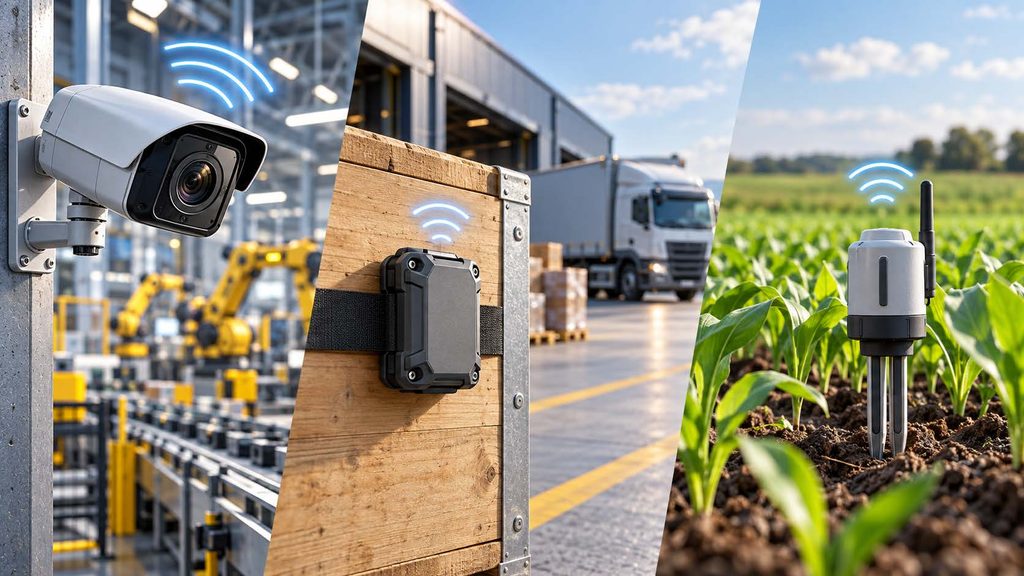
5G, LTE-M, and NB-IoT: Choosing the Right Connectivity for Your Device

Security camera using 5G, Asset tracker using Cat-M, Soil monitor using NB-IoT

Not every IoT device/solution needs fast connectivity. In fact, most don’t. A soil-moisture sensor that sends a few bytes twice a day and a 4K security camera streaming around the clock live at opposite ends of the connectivity spectrum—and pairing either one with the wrong cellular technology means wasted battery, wasted money, or a device that simply can’t do its job.

Cellular IoT gives you three main options, each engineered for a different kind of device: 5G, LTE-M, and NB-IoT. Choosing well comes down to matching four things—data throughput, power consumption, latency, and mobility—to what your device actually does. Here’s how the three compare, and how to pick.

The Three Technologies at a Glance

5G is the high-performance tier: massive bandwidth, lower latency, and support for huge numbers of connected devices in dense areas. It’s built for data-hungry, real-time applications.

LTE-M (LTE Cat-M1) is a low-power wide-area (LPWA) technology tuned for IoT. It offers modest data speeds, solid coverage, good battery life, and—importantly—the ability to handle mobility. It’s the versatile middle ground.

NB-IoT (Narrowband IoT) is the ultra-low-power, ultra-low-bandwidth specialist. It sends small amounts of data infrequently, reaches deep indoors and underground, and can run for years on a single battery. It trades speed and mobility for reach and endurance.

Think of them as a spectrum: NB-IoT for tiny, patient, stationary sensors; LTE-M for mobile, responsive, moderate-data devices; and 5G for everything that needs real speed.

Factor 1: Data Throughput

Start with how much data your device moves.

If your device streams video, transfers large files, or pushes rich real-time telemetry, you need 5G (or at minimum LTE). Nothing in the LPWA tier can carry that load.

If your device sends moderate data—periodic images, firmware updates, or sensor batches —LTE-M is a strong fit. Its speeds (typically up to a few hundred kbps to low single-digit Mbps depending on category and network) cover a wide range of practical IoT jobs.

If your device sends tiny, infrequent messages—a meter reading, a status ping, a fill level—NB-IoT is purpose-built for it. Throughput is measured in tens of kbps, which is plenty for a payload the size of a text message, and inadequate for almost anything larger.

Rule of thumb: don’t overbuy bandwidth. A sensor that sends 50 bytes a day gains nothing from 5G and pays for it in cost and power.

Factor 2: Power Consumption and Battery Life

For battery-powered devices, power draw often decides everything.

NB-IoT is the endurance champion. Its power-saving features (PSM and eDRX) let a device sleep deeply between transmissions, stretching a single battery to 10 years or more in the right application. For devices installed somewhere you’ll rarely, if ever, revisit—buried water meters, remote environmental sensors—this is transformative.

LTE-M also supports the same power-saving modes and delivers excellent battery life, though its higher capability generally means somewhat more consumption than NB-IoT. For a mobile or moderate-data device that still needs to last years, it’s the sweet spot.

5G is the most power-hungry of the three by a wide margin. It’s designed for devices with reliable power or frequent charging—vehicles, gateways, cameras, industrial equipment—not for something meant to sip a coin cell for a decade.

Factor 3: Latency and Real-Time Response

How fast does your device need to react?

5G delivers ultra-low latency, which is essential for anything where split-second response matters: autonomous systems, remote control of machinery, real-time video analytics, or safety-critical automation.

LTE-M offers low-to-moderate latency—good enough for most interactive and near-real-time applications, like fleet telematics, alarms, or asset tracking that needs timely updates.

NB-IoT has higher latency and isn’t designed for real-time interaction at all. It’s built for “send data when there’s data to send,” where a delay of seconds—or intentionally much longer—is perfectly acceptable.

Factor 4: Mobility and Coverage

Where your device lives, and whether it moves, is the last major consideration.

Mobility: LTE-M handles movement well, maintaining connections as a device travels between cell towers—ideal for vehicles, wearables, and tracked assets. NB-IoT, by contrast, is optimized for stationary devices and handles handover between towers poorly, so it’s a weak choice for anything that moves. 5G supports mobility fully.

Deep coverage: NB-IoT’s narrowband signal penetrates exceptionally well into basements, tunnels, and dense buildings—places where other technologies struggle. If your device sits deep inside a structure or underground, NB-IoT’s reach is a genuine advantage.

Availability: 5G coverage continues to expand but isn’t universal, especially outside urban areas. LTE-M and NB-IoT availability varies by region and carrier. This is where a multi-network provider matters: coverage for any of these technologies depends heavily on which networks your SIM can actually reach.

A Simple Way to Decide

Match your device to the profile that fits:

  • Choose NB-IoT for stationary, battery-powered devices sending small amounts of data infrequently, especially in hard-to-reach indoor or underground locations. Think utility meters, environmental sensors, and smart-city infrastructure.
  • Choose LTE-M for mobile or moderate-data devices that need good battery life, timely response, or voice—like asset trackers, fleet telematics, wearables, and alarm panels. It’s the most versatile all-rounder.
  • Choose 5G for high-bandwidth, low-latency, powered applications: video, gateways, connected vehicles, robotics, and real-time industrial automation.

One more consideration for long-lived deployments: the older 2G and 3G networks that many legacy IoT devices relied on are being switched off worldwide. If you’re designing hardware today, building on LTE-M, NB-IoT, or 5G future-proofs it against those sunsets. Although, it should be noted that the future of NB-IoT may be dubious. Recently, we have seen major networks like AT&T end support for NB-IoT. This may be a step towards a new standard called 5G RedCap (Reduced Capacity).

Getting the Connectivity Right

The best connectivity choice isn’t the fastest or the newest—it’s the one that matches your device’s real workload. Overbuild and you waste battery and budget; underbuild and your device can’t perform. Weigh throughput, power, latency, and mobility against what your device genuinely needs, and the right technology stands out.

At OneSimCard IoT, IoT SIMs run across multiple networks and support LTE-M, NB-IoT, and broader 2G/3G, 4G LTE/5G connectivity, so you can deploy the right technology for each device and reach the widest possible coverage from a single platform. Start with what your device does—then let that decide the network.

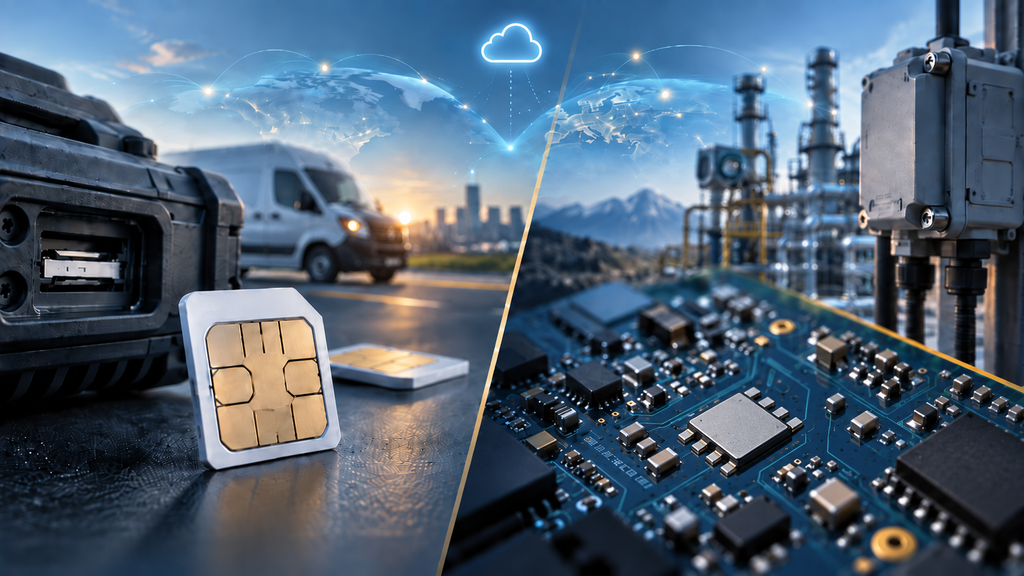
eSIM vs. Physical SIM for IoT: Which One Actually Fits Your Deployment?

“eSIM or physical SIM?” is how the question usually gets asked—but it’s a muddled way to frame a hardware decision, because “eSIM” has become a catch-all that means different things to different people. Sometimes it means a soldered chip. Sometimes it means the ability to switch carriers over the air. Those are two separate things, and conflating them is how deployments end up with the wrong hardware.

So let’s reframe it cleanly. The actual physical choice is between a removable plastic SIM (the familiar card, in 2FF, 3FF, or 4FF sizes) and a soldered SIM (an MFF2 chip fixed to the board). Whether either one can switch carriers remotely is a separate capability—eUICC, or remote provisioning—that can ride on top of both form factors. Keep those two questions apart and the decision gets much simpler.

This is a decision framework, not a verdict. Weigh your deployment against four factors—form factor, remote provisioning, ruggedization, and lifecycle cost—and the right hardware usually becomes obvious.

First, a Quick Definition

Removable plastic SIM (2FF / 3FF / 4FF). The card you already know, in three shrinking sizes: 2FF (mini), 3FF (micro), and 4FF (nano). It drops into a tray or slot and can be pulled and swapped by hand.

Soldered SIM (MFF2). A small chip soldered directly onto the device’s circuit board. It’s permanent—no slot, no card to remove.

A note on “eSIM” and eUICC. What most people mean by “eSIM” is remote provisioning: the eUICC technology that lets a SIM download and switch carrier profiles over the air. Crucially, eUICC is not a form factor. An eUICC-capable SIM can be a soldered MFF2 chip or a removable plastic card. So “should it be soldered or removable?” and “should it support remote provisioning?” are two independent questions—and this article keeps them that way.

Factor 1: Form Factor

Where and how your device is built matters more than almost anything else.

Choose a soldered SIM (MFF2) when your device is sealed, compact, or exposed to vibration and shock. Fixed to the board, it can’t rattle loose, can’t be stolen, and takes up minimal space. This is why automotive telematics, industrial machinery, and wearables lean heavily on MFF2.

Choose a removable plastic SIM (2FF/3FF/4FF) when you need field-swappable connectivity, when the device is assembled by hand at lower volumes, or when someone may need to change SIMs on-site. A slot keeps your options open and simplifies repair. Among the plastic sizes, 4FF (nano) suits compact modern hardware, while 2FF (mini) still shows up in rugged industrial gear where a larger, easier-to-handle card is an advantage.

Quick test: if a technician will never realistically open the device again, solder it. If someone might need to change the SIM in the field, keep the slot.

Factor 2: Remote Provisioning

This is the factor most often mislabeled as “eSIM,” so be precise: the question here is whether you need eUICC remote provisioning—and it applies to plastic and soldered SIMs alike.

If you’re shipping devices across borders, a single fixed carrier profile forces a choice: pre-load one carrier and accept roaming, or physically install a local SIM in each destination. Neither scales across thousands of units. A eUICC-capable SIM—whether MFF2 or plastic—lets you provision the right profile over the air after deployment, and reprovision later if a carrier relationship changes or a network is sunset.

For a handful of devices in one country, remote provisioning is a nice-to-have. For a global fleet—or any deployment where devices ship before their destination is known—it can be the deciding capability.

That said, many plastic SIMs from a good provider (like OneSimCard IoT) already include multi-network roaming, which solves a large share of “our devices move around” problems without eUICC at all. If a roaming SIM covers your regions, you may not need remote provisioning—on either form factor.

Factor 3: Ruggedization and Environment

Environment can override every other consideration, and here the form factor itself is what matters.

Soldered MFF2 wins decisively in harsh conditions. With no slot, no exposed contacts to corrode, and no card to work loose, it tolerates extreme temperatures, moisture, dust, and constant vibration far better than a card in a tray. For vehicles, heavy equipment, outdoor enclosures, or anything shaken, soaked, or baked, a soldered SIM is a reliability upgrade, not just a convenience.

Removable plastic SIMs are perfectly reliable in controlled environments—indoors, climate-stable, low-vibration. But every slot is a potential point of failure and an entry point for the elements. If your device lives somewhere unforgiving, that matters.

There’s a security dimension too: a soldered SIM can’t be pulled out and dropped into another device, which reduces theft and SIM-swap fraud on unattended field assets. (Note: We always suggest using an IMEI lock to prevent misuse of removable SIMs).

Factor 4: Lifecycle Cost

Look past unit price to total cost over the device’s life.

Removable plastic SIMs usually have the lowest upfront cost and no added infrastructure. For short-lived devices, small fleets, or single-country deployments, they’re often the most economical choice. The hidden cost shows up only if you later need to swap carriers at scale—truck rolls and manual labor.

Soldered MFF2 costs a bit more to place on the board, and adding eUICC remote provisioning brings its own platform overhead. But for long-lived or widely distributed fleets, that combination can dramatically lower lifecycle cost. When a device runs for 5–10 years in a hard-to-reach spot, switching carriers remotely—no site visits, adapting to changing network availability, renegotiating connectivity without replacing hardware—often pays for itself many times over.

Rule of thumb: the longer a device lives and the harder it is to reach, the more a soldered, remotely provisionable SIM justifies its upfront premium.

Putting It Together

Run your deployment through the four factors and a pattern emerges—remembering that form factor and remote provisioning are separate choices:

– Lean soldered MFF2 if your devices are sealed, rugged, hard to reach, long-lived, or high-volume (MFF2 SIMs typically have a 500 MOQ).

– Lean removable plastic (2FF/3FF/4FF) if your devices are indoor, lower-volume, field-serviceable, short-lived, or single-region.

– Add eUICC remote provisioning—on whichever form factor you chose—if your devices cross borders, ship before their destination is known, or must outlive their original carrier deals. And if a multi-network roaming SIM already covers your regions, you may not need it at all.

Many real fleets mix all of this—soldered, eUICC-capable SIMs in the harsh, high-volume, long-life products, and simple plastic SIMs in the accessible, lower-volume ones. That’s not indecision; it’s matching the hardware to the job.

You don’t have to make the call alone. At OneSimCard IoT, plastic SIMs, soldered MFF2, and Multi-carrier support on all of our SIM cards are available. We also offer eUICC remote provisioning if needed for additional costs. You can pick the right form factor and capability per product line—and manage all of it from one place. Start from your deployment’s real constraints, weigh the four factors, and the SIM that fits will make itself clear.

How IoT SIM Data Plans Really Work: Pooled Data, Rate Limits, and Hidden Fees

How do IoT plans work, and what are the associated costs.

Shopping for an IoT data plan looks simple at first. You compare a few per-SIM prices, pick the cheapest one that covers your expected usage, and move on. Then the first invoice arrives—and it doesn’t match the sticker price you signed up for.

The truth is that IoT connectivity pricing has its own logic, one that’s very different from the consumer phone plans most people are used to. Understanding how these plans work—how data gets pooled, where rate limits kick in, and which fees hide below the headline rate—is the difference between a predictable budget and a monthly surprise. Here’s what’s really going on under the hood.

Pay As You Go (PAYG) vs. Pooled Data

The first fork in the road is how your data is allocated.

With a PAYG plan each uses data on a per MB usage model where the account balance is reduced by every bit of data used. There are also either monthly minimum usage requirements or a monthly active SIM card fee. PAYG plans are typically used when there are wide variations in the amount of data a SIM card uses, or every SIM card uses different amounts of data. These plans are also good if there is a wide variation in the countries where services are required, because of differing tariffs across numerous countries.

With Pooled Data, all your SIMs draw from one shared bucket. Buy 100 SIMs with a 500 MB pool each, and you get 50 GB of shared data that any device can pull from. A device that uses 900 MB is perfectly fine as long as another device only used 100 MB. The pool absorbs the variation. For most real-world fleets, pooling can be the smarter choice. Devices in an organization tend to use similar amounts of data and the pool created will offset any minor differences.

Rate Limits and Throttling

Beyond the size of your allowance, pay close attention to how fast you’re allowed to use it. This is where rate limits come in, and they take a few forms.

Speed throttling slows a SIM’s connection once it crosses a threshold—either after hitting a data cap or as a baseline on lower-tier plans. Many IoT plans deliberately cap throughput because most sensors and trackers send tiny bursts of data and never need high speed. That’s fine for a temperature sensor, but a problem for a video camera or a device pushing firmware updates. Match the speed tier for what your device is designed.

Daily or session caps limit how much a single SIM can consume in a defined window. These are often a safeguard: if a device malfunctions and starts looping, the cap stops it from draining your entire pool overnight. Enforced caps that suspend or throttle a runaway SIM automatically are a feature worth having, not a limitation to avoid.

Connection or session limits can restrict how frequently a device establishes new network sessions. Chatty devices that reconnect constantly can bump into these, so it’s worth checking if your hardware behaves that way.

The Fees That Hide Below the Headline Rate

The advertised per-megabyte or per-SIM price is rarely the whole story. Several other charges commonly appear on IoT invoices, and knowing them in advance keeps your total cost of ownership honest.

– Activation and provisioning fees.Some providers charge a one-time fee to activate each SIM. At fleet scale, a few dollars per SIM adds up quickly.

– Monthly access or platform fees. A recurring per-SIM charge separate from data—often the cost of keeping the SIM connected and manageable, whether or not it transmits anything that month.

– Overage rates. The price of data beyond your allowance is frequently far higher than your in-plan rate. Always ask what happens when you exceed the pool, not just what the pool costs.

– Inactive or idle SIM fees. Even a SIM sending zero data may incur a small monthly charge to remain active on the network. This surprises teams who assume unused devices are free.

– Roaming and cross-border surcharges. A SIM that works globally may be billed differently depending on which country’s network it connects to. Multi-network roaming SIMs are enormously convenient, but confirm whether pricing is flat worldwide or tiered by region.

– SMS and command charges. If your devices receive control commands or SMS triggers, those may be billed separately from data.

– Reactivation and lifecycle fees. Suspending and later reactivating a SIM can carry its own charge on some plans.

None of these are inherently unfair—they reflect real network costs—but they’re easy to overlook when you’re comparing headline prices. A plan that looks cheaper per megabyte can end up more expensive once access fees and overage rates are factored in.

How to Compare Plans Honestly

To cut through the noise, evaluate plans on total cost of ownership rather than the front-page number. A few questions do most of the work:

1. Is the data per-SIM or pooled, and does unused data roll over?

2. What is the overage rate once I exceed my allowance?

3. Are there activation, monthly (or annual) portal access, or idle-SIM fees?

4. What speed tier do I get, and where does throttling kick in?

5. How is roaming priced across the regions where my devices live?

6. Can I set usage caps and alerts to prevent runaway charges?

Run your realistic usage—not your best-case usage—through those answers, and the genuinely least expensive plan usually looks different from the one with the lowest sticker price.

The Bottom Line

IoT data plans reward buyers who read past the headline rate. Pooled data protects you from uneven device consumption, rate limits keep faulty devices from draining your budget, and understanding the fee structure means no surprises when the invoice lands. The best providers make all of this transparent and pair it with tools—usage caps, alerts, and clear reporting—that let you stay in control.

At OneSimCard IoT, data plans are built around PAYG or pooled flexibility and multi-network capabilites, with the visibility and controls you need to keep spending predictable as your fleet grows. When you understand how the pricing really works, you can size your plan correctly, avoid the hidden costs, and scale with confidence.

IoT SIM Management 101: What a Good Connectivity Platform Should Do

Deploying cellular IoT devices is the easy part. Managing them once they’re in the field—scattered across cities, warehouses, vehicles, or remote sites—is where connectivity projects succeed or quietly fall apart. A single misbehaving SIM can rack up overage charges, a silent device can go undetected for weeks, and a stalled activation can hold up an entire product launch.

That’s why the connectivity platform behind your SIMs matters just as much as the SIMs themselves. A good IoT SIM management platform is the control room for your entire fleet: the place where you provision, monitor, troubleshoot, and control every device from one screen. Here’s what separates a capable platform from a spreadsheet and a support ticket.

Fast, Flexible Activation

Everything starts with activation. A strong platform lets you turn SIMs on and off on your own schedule—individually or in bulk—without waiting on a carrier’s business hours. You should be able to activate a batch of SIMs not just one at a time, block/suspend a device that’s between deployments, and reactivate it later.

Look for lifecycle states that match how hardware actually moves through the world: test, active, blocked/suspended, and retired. The ability to run SIMs through a free or low-cost testing phase during prototype phase—then flip them live only when the device reaches a customer—can save real money at scale.

Real-Time Monitoring and Usage Visibility

Once devices are live, you need to see what they’re doing. Good platforms give you a dashboard that answers the basic questions at a glance: How many SIMs are active? How much data is the fleet consuming? Which devices are online right now, and which have gone quiet?

The best systems go deeper, showing per-SIM data usage, session history, and connection status in near real time. That visibility is what lets you catch a runaway device before it burns through a data pool, or spot a batch of units that never phoned home after installation.

Alerts and Usage Caps

Visibility only helps if you’re actually watching—and nobody watches a dashboard around the clock. That’s why automated alerts and hard usage caps are essential.

A capable platform lets you set thresholds and get notified when a SIM crosses them: approaching its data limit, exceeding a daily ceiling, or connecting from an unexpected location. Even more valuable are enforceable caps that automatically suspend a SIM once it hits a defined limit. For fleets, this is the difference between a predictable monthly bill and a nasty surprise caused by one faulty or compromised device.

Troubleshooting Tools That Actually Diagnose

When a device won’t connect, the platform should help you figure out why—not just tell you something is wrong. Strong troubleshooting tools surface diagnostic information like the SIM’s network registration status, recent connection attempts, last known session, and any errors reported by the network.

The goal is to resolve issues remotely instead of dispatching a technician. Being able to see that a SIM is registered but not passing data—versus not registered at all—points you toward completely different fixes, and saves hours of guesswork.

Location and Reporting

Many IoT deployments benefit from knowing where their devices are, at least approximately. Network-based location—derived from the cell tower a SIM is connected to—gives you a rough position without adding GPS hardware to every unit. It’s useful for asset tracking, theft detection, and verifying that a device landed where it was supposed to.

Reporting rounds this out. A good platform generates the usage, billing, and activity reports you need for internal reviews, customer billing, or forecasting your next order. Exportable data saves you from rebuilding the same summary every month.

APIs for Automation and Scale

Clicking through a dashboard works when you have a handful of SIMs isn’t terribly difficult. It doesn’t scale to thousands. That’s where APIs come in.

A platform with a well-documented API lets you fold SIM management directly into your own systems—activating a SIM automatically when a customer places an order (or registers a shipped device in your portal), pulling usage data into your billing software, or triggering alerts inside your existing monitoring stack. If you’re building a product on top of connectivity, API access isn’t a nice-to-have; it’s the foundation.

Security Controls

IoT security starts at the connectivity layer, and your management platform should give you tools to lock things down. Look for features like:

  • IMEI locking, which binds a SIM to a specific device so a stolen SIM can’t be dropped into other hardware.
  • Private APNs and static IPs, which keep your device traffic off the public internet and give you a predictable, secure network path. (Note that a private APN typically requires a static IP assignment, and most accounts operate a single private APN.)
  • Usage anomaly alerts, which flag the kind of behavior that signals fraud or a compromised device.
  • IP Filtering, create a whitelist of IP addresses a device can send data to and receive data from.

These controls turn your platform from a convenience into a genuine part of your security posture.

Account Administration and Roles

Finally, real deployments involve real teams. A good platform includes account administration features—user roles, permissions, and audit visibility—so the right people can activate SIMs, manage billing, or view reports without everyone having the keys to everything. As your organization grows, this structure keeps your fleet manageable and accountable.

Bringing It Together

The best IoT SIM management platforms combine all of this—activation, monitoring, alerts, troubleshooting, location, reporting, APIs, security, and administration—into a single, coherent interface. That consolidation is the point. When your entire fleet lives in one control room, you spend less time chasing problems and more time building your product.

OneSimCard’s IoT platform, OSCAR, is designed around exactly these capabilities, giving you a single place to manage your SIMs from first activation through full-scale deployment. Whether you’re connecting ten devices or ten thousand, the right platform makes the difference between connectivity you manage and connectivity that manages you.

IoT SIM Cards vs. WiFi: Which Is Better for Connecting Your Devices?

Comparison of using WiFi or SIM cards for IoT devices

Every connected device needs a way to reach the internet, and for most IoT deployments the choice comes down to two options: a cellular IoT SIM card or WiFi. Both will get your device online. But they behave very differently once that device leaves the lab and goes into the real world—across a warehouse floor, a fleet of vehicles, a remote pump station, or a customer’s home in another country.

Choosing the wrong connectivity method is one of the most common and most expensive mistakes in an IoT project. A sensor that drops offline every time someone changes a router password, or a tracker that only works inside one building, quickly turns a promising deployment into a support headache. Here’s a clear look at how IoT SIM cards and WiFi compare, and where each one makes sense.

What’s the difference?

A WiFi connection relies on a local wireless network. Your device connects to a nearby router or access point, which is in turn wired into a broadband internet connection. The device is only online when it’s within range of a network it has been configured to join.

An IoT SIM card connects your device to a cellular network—the same infrastructure that powers mobile phones—but on a plan built for machines rather than people. Instead of depending on a specific router, the device connects wherever there is mobile coverage. Many IoT SIMs are also multi-network, meaning they can roam across several carriers to find the strongest available signal. The best IoT SIM cards are no steering SIMs that allow the device to decide what network to use in a given geographic location, at a given time.

The case for WiFi

WiFi is familiar, widely available, and often already installed wherever people work and live.

Pros of WiFi:

  • Low or no recurring data cost. Once the broadband connection is paid for, adding another device usually costs nothing extra in data fees. For high-bandwidth applications like video, this is a major advantage.
  • High bandwidth. WiFi comfortably handles large data volumes—HD cameras, firmware pushes, and rich sensor streams—without the throughput limits or per-megabyte pricing common on cellular plans.
  • Ubiquitous hardware. WiFi chips are inexpensive and built into almost everything, which keeps device costs down.
  • Simple in a fixed, controlled location. If your device lives in one place with a stable, well-managed network, WiFi can be perfectly reliable.

Cons of WiFi:

  • Range is limited. Coverage stops at the edge of the signal. Move the device to a far corner of the building, a basement, or an outdoor yard, and the connection degrades or disappears.
  • You don’t control the network. In homes and third-party sites, someone can change the password, swap the router, or reconfigure security settings—and your device silently goes offline. Onboarding a device onto an unfamiliar WiFi network is also notoriously fiddly for non-technical users.
  • Security concerns. Shared and public WiFi networks are a well-known attack surface. Securing a fleet of devices across many uncontrolled networks is difficult.
  • Not built for mobility. A device that moves—between buildings, cities, or countries—can’t stay attached to a single local network.

The case for IoT SIM cards

Cellular connectivity trades a small ongoing cost for independence from local infrastructure.

Pros of IoT SIM cards:

  • Coverage almost anywhere. If there’s mobile signal, the device is online—no local router required. This is what makes cellular the default for tracking, fleet, agriculture, and remote-monitoring applications.
  • Built for mobility and global deployment. A multi-network IoT SIM can roam across carriers and across borders, so the same device works whether it ships to one warehouse or to customers in 200+ countries.
  • Plug-and-play deployment. There’s no network to join and no password to enter. Power the device on and it connects—which dramatically reduces installation time and support tickets, especially for devices sent to end customers.
  • Stronger, more consistent security. Cellular traffic runs over the carrier’s private, encrypted network rather than a shared local one, and many IoT SIM platforms add private APNs, fixed IPs, and centralized management.
  • Independent of the customer’s setup. The connection doesn’t break when someone changes their router or moves the device.

Cons of IoT SIM cards:

  • Recurring data cost. You pay for the data you use. For low-bandwidth telemetry this is trivial; for constant high-definition video it can add up, so plan sizing matters.
  • Bandwidth and coverage vary. Cellular throughput is lower than a good WiFi connection, and deep-indoor or truly remote locations may have weak signal—though multi-network SIMs and technologies like LTE-M and NB-IoT help considerably.
  • A bit more upfront planning. You’ll want to match the SIM plan, network technology, and data allowance to your use case rather than simply joining an existing network.

How to decide

The right choice usually comes down to three questions:

  1. Does the device move, or go to locations you don’t control? If yes, a cellular IoT SIM is almost always the better fit. Trackers, vehicles, vending machines, medical devices, and any product shipped to customers benefit from connectivity that doesn’t depend on someone else’s WiFi.
  2. How much data does it send? Sensors, meters, alarms, and controllers send small bursts of data and are ideal for cellular. Bandwidth-heavy applications like continuous video streaming in a fixed location often lean toward WiFi—or a hybrid setup.
  3. Who installs and maintains it? If a non-technical person has to get the device online, cellular’s plug-and-play nature removes a huge amount of friction and support cost.

For many deployments, the two aren’t mutually exclusive. A common pattern is WiFi as the primary connection with a cellular IoT SIM as automatic failover, so a device stays online even when the local network goes down.

The bottom line

WiFi shines when a device is stationary, sits on a network you control, and needs high bandwidth at low cost. IoT SIM cards shine when devices move, deploy across many locations or countries, need to work out of the box, or simply can’t afford to depend on someone else’s network.

For products that need to just work—anywhere, for anyone, without a setup wizard—cellular connectivity through an IoT SIM has become the practical default. And with multi-network SIMs that roam across carriers and borders, a single connectivity solution can now follow your devices wherever they go.

What Is SGP.32? A New Era for IoT eSIM Connectivity

What is SGP.32 for IoT SIM Cards and connectivity?

Managing cellular connectivity becomes increasingly complicated as an IoT deployment expands across networks, countries and device types. A connectivity solution that works well for a small domestic pilot may become difficult to manage when thousands of devices are operating around the world.

The GSMA’s SGP.32 specification was created to solve many of these challenges. It introduces an eUICC remote provisioning architecture designed specifically for IoT devices, including equipment with limited processing power, restricted network access or no user interface.

For IoT businesses, SGP.32 represents an important step toward more flexible, scalable and remotely manageable cellular connectivity.

What Is SGP.32?

SGP.32 is the GSMA technical specification for remotely provisioning and managing eSIM profiles in IoT devices. It works alongside SGP.31, which defines the overall architecture and requirements for the GSMA IoT eUICC ecosystem.

Unlike smartphones, many IoT devices do not have screens, keyboards, cameras or users available to scan QR codes and approve profile installations. Devices such as smart meters, GPS trackers, industrial sensors, EV charging stations and security systems may also operate with limited bandwidth or intermittent connectivity.

SGP.32 was designed around these realities. It enables cellular profiles to be securely downloaded, enabled, disabled and managed remotely without requiring someone to physically access the device. The latest active version, SGP.32 v1.3, was published by the GSMA in May 2026.

How SGP.32 Works

The SGP.32 architecture introduces several components that work together to manage connectivity.

The eUICC is the secure SIM hardware inside the device. It can store one or more mobile network operator profiles.

The IoT Profile Assistant, or IPA, handles profile-related communications within the IoT device. Depending on the implementation, the IPA may run in the device or within the eUICC itself.

The eUICC IoT Manager, known as the eIM, provides the remote management layer. It sends instructions that allow authorized systems to initiate profile downloads and perform lifecycle management operations.

An SM-DP+ platform securely prepares and delivers the operator profile that will be installed on the eUICC.

Together, these components make it possible to manage eUICC connectivity across large fleets without relying on a consumer-style interface or physically replacing SIM cards. The SGP.32 architecture specifically adds the eIM and IPA roles to simplify provisioning and lifecycle management for IoT deployments.

The Business Benefits of SGP.32

Remote network profile management

An organization can remotely download and manage cellular profiles after devices have been manufactured or deployed. This can reduce the need to determine every device’s final connectivity provider during production.

Fewer physical SIM replacements

Changing a traditional IoT SIM may require a technician, replacement hardware, shipping and sometimes access to equipment installed in remote or hazardous locations. SGP.32 can allow connectivity changes to be made remotely instead.

For a fleet containing thousands of devices, avoiding even a small number of service visits can produce meaningful savings.

Better support for global IoT deployments

A manufacturer may be able to produce a more standardized device configuration and then assign appropriate connectivity profiles according to the device’s destination or operating region.

This can simplify inventory management and reduce the need to manufacture separate product versions for every network or country.

Greater connectivity flexibility

Network coverage, commercial agreements and regulatory requirements may change during the life of an IoT device. SGP.32 provides a standardized way to adapt the connectivity profile without replacing the device.

This is especially valuable for long-life applications such as utility meters, industrial machinery, vehicles and infrastructure equipment that may remain deployed for ten years or longer.

More scalable lifecycle management

SGP.32 treats connectivity as something that can be managed throughout the device lifecycle rather than as a one-time factory decision. Profiles can be downloaded, listed, enabled, disabled or deleted through standardized processes.

SGP.32 Compared With SGP.02

SGP.02 was developed primarily for machine-to-machine applications and has supported many important connected-device deployments. However, its architecture generally involves more tightly controlled relationships between operators, subscription-management platforms and eSIM environments.

SGP.32 applies lessons from both the earlier M2M model and the consumer eSIM model. Its architecture is intended to create a more flexible IoT ecosystem while still accommodating devices that cannot perform consumer-style profile activation.

This does not mean every existing SGP.02 deployment must be immediately replaced. Many businesses will operate legacy SIMs, multi-IMSI SIMs and newer SGP.32 eSIMs side by side for years. The right approach will depend on device hardware, deployment duration, geographic requirements and the level of connectivity control the organization needs.

Challenges to Consider

SGP.32 is not a magic switch that automatically makes every IoT deployment carrier-independent.

Devices must include compatible eUICC hardware and an appropriate IPA implementation. The eIM, eUICC, profile delivery platform, device software and connectivity providers must also work together correctly.

Interoperability testing is therefore essential. The GSMA ecosystem has emphasized the importance of validating communication between the eIM, IPA and eUICC before large-scale commercial deployment.

Organizations must also plan how a new device receives its first connection. A bootstrap profile or another initial connectivity method may be required before additional profiles can be downloaded.

Other considerations include:

  • Who is authorized to initiate a profile change
  • How failed downloads or profile switches will be recovered
  • Whether a fallback profile will be available
  • How connectivity policies will be automated
  • Which profiles are permitted in each country
  • How existing devices will coexist with SGP.32 equipment

The technology provides the machinery, but businesses still need a clear driver’s manual.

Which IoT Applications Can Benefit?

SGP.32 can be particularly valuable for devices that are deployed internationally, remain in service for many years or are expensive to physically access.

Potential applications include connected vehicles, GPS tracking systems, EV charging stations, smart meters, medical devices, alarms, industrial equipment, digital signage, agricultural sensors and remote monitoring systems.

It may also benefit manufacturers that do not know where a device will ultimately be deployed when it leaves the production line.

Preparing for SGP.32

Businesses evaluating SGP.32 should begin by reviewing their entire connectivity lifecycle, from manufacturing and initial activation through ongoing management and eventual device retirement.

Important questions include whether the modem, module and eUICC support SGP.32; where the IPA will operate; who will provide the eIM; how bootstrap connectivity will work; and whether the solution has been tested across the required networks and regions.

SGP.32 changes the IoT SIM from a fixed connectivity component into a remotely manageable part of the device architecture. For companies deploying connected equipment globally, that flexibility can reduce operational friction, strengthen network resilience and make it easier to adapt as coverage and business requirements evolve.

The result is not simply a new type of eSIM. It is a more programmable foundation for global IoT connectivity.

OneSimCard IoT recently launched support for SGP.32 on specialized eUICC SIM cards. Contact our experts if you would like to learn more.

OneSimCard IoT Adds Verizon Access to Existing AT&T and T-Mobile U.S. Coverage

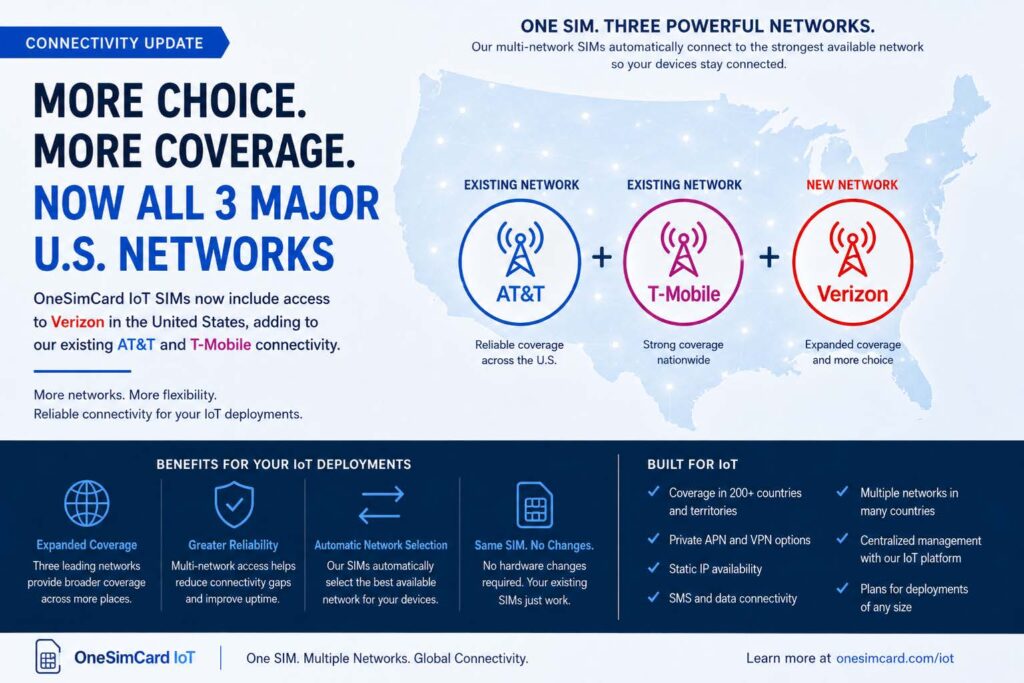
OneSimCard now supports all three major U. S. networks on one IoT SIM Card

Reliable connectivity is one of the most important parts of any successful IoT deployment. Whether a device is installed in an EV charging station, a GPS tracker, an alarm panel, a smart meter, a digital sign, or an industrial monitoring system, that device needs to stay connected wherever it operates.

OneSimCard IoT is pleased to announce an important expansion of our U.S. network coverage: Verizon access is now available on OneSimCard IoT SIM cards, adding to our existing AT&T and T-Mobile connectivity options in the United States.

This means OneSimCard IoT customers can now benefit from access to all three major U.S. mobile networks through a single IoT SIM solution.

More Network Choice for IoT Deployments

IoT devices are often deployed across different environments. Some are installed in dense urban areas. Others are placed along highways, in utility cabinets, inside buildings, at remote job sites, or in locations where network conditions can vary from one carrier to another.

Relying on only one network can create coverage limitations. A location that works well for one carrier may not perform as well for another. By adding Verizon access alongside AT&T and T-Mobile, OneSimCard IoT gives businesses more network flexibility for their connected devices.

This expanded coverage can help organizations reduce connectivity gaps, simplify deployments, and support more reliable device operation across a wider range of U.S. locations.

One SIM, Three Major U.S. Networks

The addition of Verizon access strengthens the value of the OneSimCard IoT multi-network approach. Instead of managing separate SIM cards, carrier contracts, and platform tools for different networks, businesses can use OneSimCard IoT SIMs to support multiple network options through one centralized solution.

For many IoT projects, this can help reduce complexity. A business deploying devices across multiple states, customer locations, or geographic regions may not always know in advance which network will perform best at every installation site.

With access to AT&T, T-Mobile, and Verizon, OneSimCard IoT SIMs provide more flexibility when devices are activated and deployed.

Designed for Real-World IoT Applications

The expanded U.S. network footprint is especially useful for IoT applications where uptime, coverage, and remote access matter.

Common use cases include:

  • EV charging stations
  • GPS tracking and fleet management
  • Security and alarm systems
  • Smart meters and utility monitoring
  • Industrial IoT equipment
  • Digital signage
  • Asset tracking
  • Healthcare and remote monitoring devices
  • Smart city infrastructure
  • Remote sensors and monitoring systems

In many of these applications, devices are installed and expected to operate with minimal on-site maintenance. When connectivity fails, the cost is not just a lost data session. It can mean truck rolls, service interruptions, customer complaints, or missing operational data.

Adding Verizon access gives IoT customers in the United States another important option for maintaining reliable connectivity in the field.

Greater Flexibility Without More Complexity

One of the key advantages of OneSimCard IoT is that customers can manage their SIMs through a centralized platform instead of juggling multiple carrier portals and account structures.

Through the OneSimCard IoT platform, customers can manage SIM activity, monitor usage, configure services, and support deployments across different regions and applications.

OneSimCard IoT SIMs also support important connectivity features for business and industrial deployments, including:

  • Data and SMS connectivity
  • Coverage in more than 200 countries and territories
  • Multiple network options in many countries
  • Private APN options
  • VPN connectivity
  • Static IP availability
  • Centralized SIM management
  • Flexible plans for deployments of different sizes

With Verizon now added to the U.S. network mix, customers gain broader network access while continuing to manage their IoT connectivity through a single provider.

Why Multi-Network IoT Connectivity Matters

IoT deployments are rarely confined to one perfect coverage area. Devices move, customers expand, installation sites change, and network conditions evolve over time.

A multi-network SIM gives businesses more room to adapt. For mobile applications such as fleet tracking, asset tracking, or connected transportation, network diversity can help devices stay connected as they move between different coverage areas.

For fixed-location devices, such as EV chargers, alarm panels, meters, kiosks, and digital signs, multi-network access can help businesses choose the strongest available network at the installation location.

The result is a more flexible IoT connectivity strategy that can scale across more devices, more locations, and more use cases.

Built for U.S. and Global IoT Growth

While the addition of Verizon access is an important update for U.S. deployments, OneSimCard IoT continues to support global IoT connectivity as well.

For companies operating across borders or planning international expansion, OneSimCard IoT provides coverage in more than 200 countries and territories. This makes it easier to manage domestic and international IoT deployments through one connectivity partner.

Whether your business is deploying 50 devices or scaling to thousands, OneSimCard IoT is designed to support long-term growth with flexible connectivity, centralized management, and multi-network access.

A Stronger U.S. IoT Coverage Option

The addition of Verizon access to existing AT&T and T-Mobile connectivity represents a major step forward for OneSimCard IoT customers in the United States.

With all three major U.S. networks now available, businesses can deploy IoT devices with greater confidence, broader coverage options, and less network-management complexity.

For organizations building, expanding, or optimizing IoT deployments, OneSimCard IoT now offers an even stronger connectivity solution for U.S. and global operations.

To learn more about OneSimCard IoT SIM cards, network coverage, Private APN, VPN, Static IP options, or SIM management tools, visit iot.onesimcard.com or contact the OneSimCard IoT team.

The Invisible Infrastructure Powering the Next Wave of Connected Business

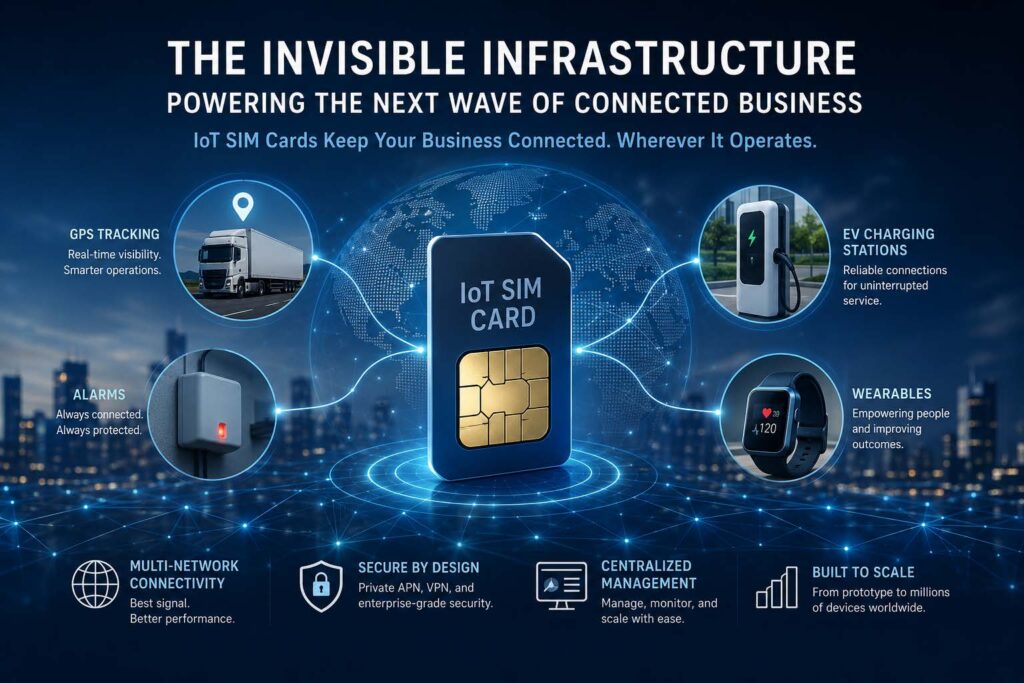
IoT SIM Card powering GPS trackers, Alarms, Wearables, EV Charging stations, and many other remote unmanned devices.

When business leaders discuss digital transformation, conversations often focus on artificial intelligence, cloud computing, cybersecurity, and analytics. Yet behind many of today’s most successful connected solutions lies a less visible technology that rarely receives the attention it deserves: the IoT SIM card.

As organizations deploy increasingly sophisticated Internet of Things (IoT) solutions, reliable connectivity has become a strategic business requirement rather than a technical afterthought. Whether managing fleets of vehicles, operating EV charging stations, monitoring security alarms, or enabling wearable devices, the ability to securely connect devices across diverse geographic regions can determine the success or failure of an IoT initiative.

The reality is simple: a connected device that cannot reliably communicate is no longer intelligent. It becomes just another piece of hardware.

Connectivity Is Now A Business Challenge

The early stages of IoT adoption often focused on proof-of-concept deployments. Organizations connected a handful of devices, gathered data, and demonstrated value. Today, many businesses are scaling from dozens of connected endpoints to thousands or even hundreds of thousands.

This growth introduces a new set of challenges.

Devices move across cities, states, and international borders. Network conditions change. Carriers differ by region. Security concerns increase. Operational visibility becomes more difficult.

The result is that connectivity itself becomes a strategic layer of the IoT ecosystem.

An IoT SIM card serves as the bridge between physical assets and digital systems, allowing devices to securely transmit data regardless of location. Modern IoT deployments increasingly depend on multi-network connectivity options that enable devices to access the strongest available network rather than relying on a single carrier.

For business decision makers, this translates into higher uptime, fewer service interruptions, and a better return on technology investments.

GPS Tracking Depends On Reliable Connectivity

GPS tracking has become a foundational technology across industries including transportation, logistics, construction, agriculture, and asset management.

While GPS determines a device’s location, connectivity is what allows that information to reach the organizations that depend on it.

A vehicle tracker that cannot transmit location updates loses much of its value. The same applies to high-value asset trackers, cold-chain monitoring devices, and equipment deployed in remote locations.

As businesses expand operations across wider geographic areas, network redundancy becomes increasingly important. Devices may travel through regions where one carrier performs well while another experiences congestion or coverage limitations.

Organizations deploying large-scale GPS tracking systems are increasingly prioritizing connectivity solutions that provide access to multiple networks and centralized management capabilities. This approach helps ensure continuous visibility into critical assets while reducing operational risk.

EV Charging Stations Require Always-On Communications

The rapid expansion of electric vehicle infrastructure presents another example of why connectivity matters.

Modern EV charging stations are more than power delivery systems. They are connected endpoints that process transactions, authenticate users, monitor equipment status, manage energy consumption, and report operational data in real time.

A charging station that loses connectivity may impact customer experiences, payment processing, maintenance visibility, and remote management capabilities.

As governments and private organizations invest billions into EV infrastructure, uptime expectations continue to rise. Operators increasingly recognize that connectivity must be treated as a core component of the charging ecosystem rather than an auxiliary service.

IoT SIM card technology enables charging networks to remain connected across urban environments, highways, parking facilities, and remote locations where traditional wired connections may be impractical or cost-prohibitive.

Security Systems Are Becoming More Intelligent

Traditional alarm systems primarily served as notification tools. Today’s connected security platforms function as intelligent monitoring ecosystems.

Modern alarms often incorporate sensors, cameras, environmental monitoring, access control systems, and cloud-based analytics. These systems generate valuable operational data that can improve security, safety, and business continuity.

However, these benefits depend on dependable communications.

Businesses increasingly expect security devices to provide real-time alerts, remote diagnostics, automated reporting, and continuous monitoring. Connectivity failures can create blind spots that reduce system effectiveness.

For organizations managing distributed facilities, retail locations, warehouses, or critical infrastructure, resilient connectivity has become an essential component of risk management strategies.

Wearables Are Expanding Beyond Consumer Applications

Wearable technology is evolving rapidly beyond fitness trackers and consumer electronics.

Industries including healthcare, manufacturing, logistics, and workplace safety are deploying wearable devices to improve operational efficiency and employee well-being.

Connected wearables can monitor worker safety, track environmental conditions, support lone-worker protection programs, and provide real-time communications in challenging environments.

As these deployments scale, organizations face many of the same connectivity challenges seen in other IoT sectors. Devices must remain connected while employees move between facilities, geographic regions, and network environments.

Reliable IoT connectivity allows businesses to capture valuable data while supporting real-time decision making and operational awareness.

The Future Of IoT Depends On Connectivity Strategy

The next phase of IoT growth will not be defined solely by smarter devices. It will be defined by smarter connectivity strategies.

Business leaders evaluating IoT investments should view connectivity as a strategic business asset rather than a procurement decision based solely on cost.

The organizations achieving the greatest value from IoT are increasingly those that prioritize reliability, scalability, security, and operational visibility from the beginning of their deployments.

Whether supporting GPS tracking platforms, EV charging stations, alarm systems, wearable technology, Ag Tech, or any emerging connected solutions, the underlying connectivity layer plays a critical role in determining outcomes.

As IoT continues to expand across nearly every industry, the humble IoT SIM card may remain largely invisible to end users. Yet for the businesses building the connected future, it is becoming one of the most important technologies in the entire digital ecosystem..

OneSimCard IoT is a leading supplier of IoT SIM card connectivity. With over 30 years in telecoms, OneSimCard IoT helps many organizations across many industries connect their remote devices in 200+ countries and territories. OneSimCard IoT’s SIM Cards feature Multi-Network, no-steering technology with a single APN and managed in a single pane of glass in all of the areas they cover. For more information contact their IoT experts.

Wrong APN on an IoT Device? Here’s How to Fix It Fast

When an IoT device suddenly goes offline, stops transmitting data, or connects with painfully slow speeds, the culprit is often something surprisingly small: the APN setting.

The Access Point Name (APN) acts like a digital gateway between your IoT SIM card and the cellular network. If the APN is incorrect, incomplete, or outdated, your device may connect to the tower but fail to reach the internet or your private network. It is the telecom equivalent of having the right street address but the wrong apartment number.

For businesses deploying connected devices like GPS trackers, industrial routers, EV chargers, smart sensors, payment terminals, or remote cameras, a wrong APN can quickly snowball into downtime, lost visibility, and support headaches.

Common Symptoms of an Incorrect APN

A bad APN configuration does not always produce obvious error messages. In many cases, the device appears “connected” while silently failing in the background.

Common signs include:

  • Device shows cellular signal but no data traffic
  • IoT dashboard reports device offline
  • SIM card registers on the network but cannot ping servers
  • Device repeatedly reconnects or cycles through networks
  • VPN or private network access fails
  • SMS works, but data sessions do not establish

These symptoms are especially common during large-scale deployments where devices are preconfigured manually or copied from older templates.

Why APN Problems Happen

IoT deployments often involve multiple carriers, countries, firmware versions, and hardware manufacturers. That creates plenty of opportunities for APN drift.

Typical causes include:

1. Typographical Errors

Even a single misplaced character can prevent authentication.

For example:

  • Correct APN*: osc
  • Incorrect APN: ocs

One tiny swap, one giant outage.

2. Using Consumer APNs Instead of IoT APNs

Many routers and modems default to consumer cellular profiles designed for phones rather than IoT SIM cards.

An enterprise IoT SIM may require:

  • A custom APN
  • A private APN
  • Static IP routing
  • VPN-specific settings

Using the wrong profile can block traffic entirely.

3. Username and Password Conflicts

Some IoT providers require blank authentication fields, while others require credentials. Entering unnecessary login values can break connectivity.

4. Firmware Resets

Factory resets or firmware updates sometimes overwrite APN settings with generic defaults.

That creates the classic “it worked yesterday” scenario.

How to Troubleshoot a Wrong APN

Start with the basics before replacing hardware or escalating to carriers.

Verify the Correct APN

Check the exact APN configuration from your IoT provider documentation. Confirm:

  • APN spelling
  • Username/password requirements
  • Authentication type
  • IP version (IPv4 vs IPv6)
  • Private APN or VPN requirements

For many IoT SIMs, the correct configuration may be extremely minimal.

Example:

  • APN: OSC
  • Username: blank
  • Password: blank

Check Device Logs

Industrial routers and modems often provide connection logs showing:

  • PDP context failures
  • Authentication rejection
  • DNS failures
  • Network registration errors

These clues can pinpoint APN issues quickly.

Test the SIM in Another Device

Moving the SIM into a known-working device helps isolate whether the issue is:

  • The SIM
  • The APN
  • The hardware itself

Confirm Roaming Support

Global IoT SIM cards may use different carrier partners across countries. Some networks require specific APN behavior while roaming internationally.

A device working in Germany may fail in Brazil if roaming settings are restricted.

Preventing Future APN Problems

The best IoT deployments reduce manual configuration whenever possible.

Smart prevention strategies include:

  • Using deployment templates
  • Locking device configurations
  • Centralized SIM management portals
  • Remote diagnostics tools
  • Automated provisioning systems
  • Monitoring failed session attempts

Modern IoT connectivity platforms can even alert administrators when devices repeatedly fail authentication or reconnect excessively.

In large deployments, preventing APN mistakes is not just about convenience. It is about uptime, operational visibility, and avoiding expensive truck rolls to physically inspect devices.

A wrong APN might seem tiny, but in IoT, tiny settings can cast very long shadows.

We would love to hear about your deployments and how we might be able to help streamline them. Contact our IoT experts here: https://iot.onesimcard.com/CustomQuote

*All references to the APN name are for OneSimCard IoT BITW SIM cards.