eSIM for Thailand — What Actually Works

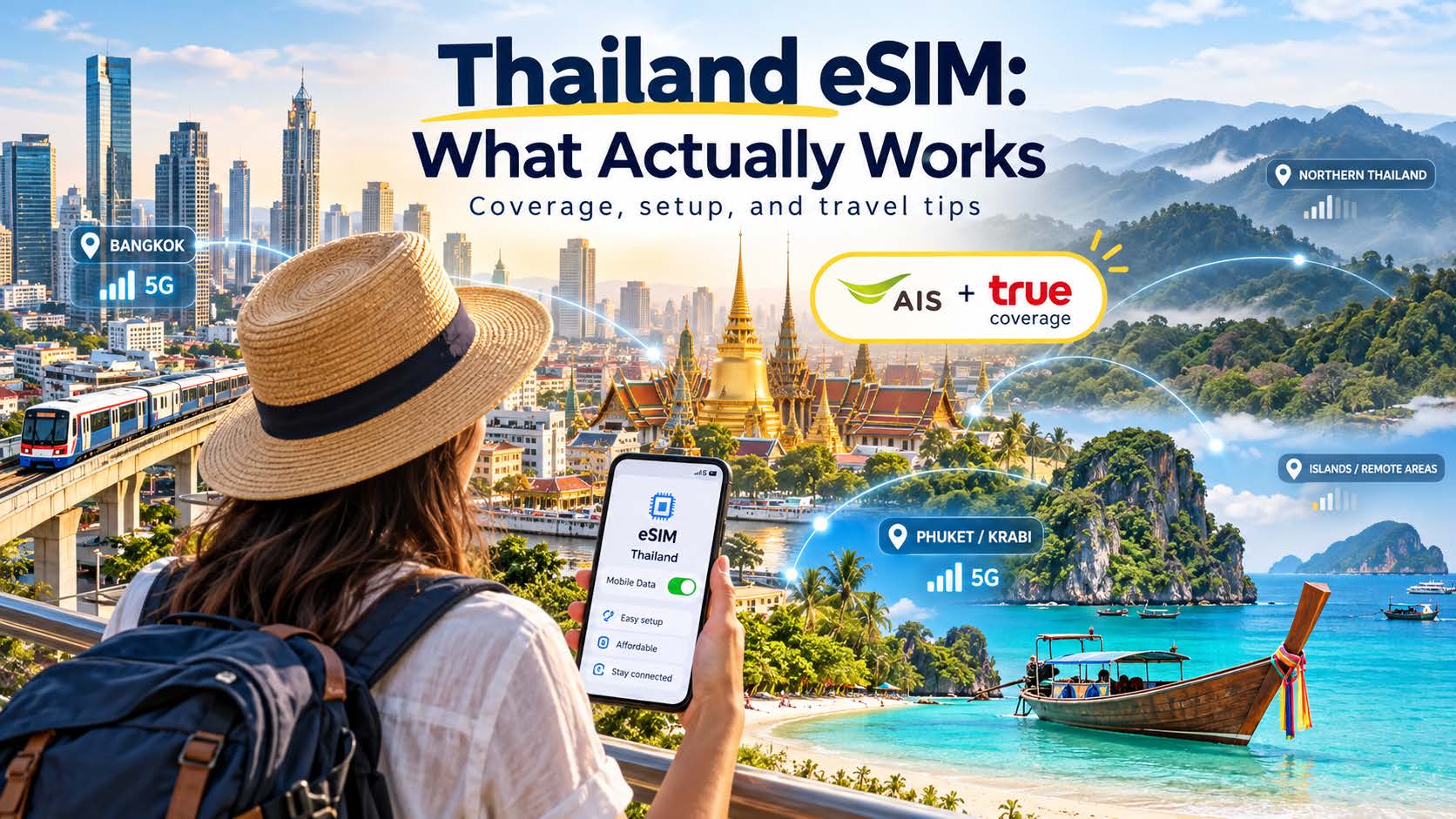
Female traveler using eSIM in Thailand

Thailand is one of the most eSIM-friendly countries in Asia, and also one where a lot of travel guides are quietly out of date. The old advice — “pick AIS, dtac, or True” — describes a market that no longer exists. Here’s the current picture, what it means for coverage on the islands and up north, and how to set up before you fly.

Does an eSIM actually work in Thailand?

Yes, and well. Coverage in Bangkok, Chiang Mai, Phuket, and the main tourist corridors is strong, 5G is widespread in the cities, and prepaid data is cheap by global standards. The only requirement on your end is the usual one: your phone needs to be eSIM-compatible and carrier-unlocked. Most iPhones from the XS on, recent Pixels, and flagship Samsungs qualify.

The part most guides get wrong: there are really only two big networks now

For years Thailand had three major operators — AIS (Advanced Info Service Public Company Limited or Advanced Wireless Network Company Limited), dtac, and True. That’s the setup almost every travel blog still describes. It’s no longer accurate.

In 2023, dtac merged with True, and the dtac brand has largely been absorbed into True Corporation. The practical result is a two-player market: AIS and True now dominate Thailand’s mobile sector, with AIS leading in revenue share while True edges ahead in subscriber numbers and 5G coverage. Together, the major operators hold roughly 97% of the market.

Why this matters to you as a traveler: both remaining networks are large, well-funded, and investing heavily in coverage, so a travel eSIM running on either AIS or True will serve you well in the places you’re most likely to go. If you see an eSIM still advertising a “dtac” network, that’s a sign the listing hasn’t been updated — the underlying network is now True.

OneSimCard DataMax eSIM combines both AIS ad True into one eSIM so you get the best of the best coverage.

Where coverage is great — and where network choice starts to matter

Excellent, on either network:

  • Bangkok and every major city, including the BTS and MRT
  • Chiang Mai, Phuket, Pattaya, Krabi town, Hua Hin
  • The main highways and tourist routes between them

Where it gets more variable — and where the network behind your eSIM actually matters:

  • The islands. Ko Samui, Ko Pha Ngan, Ko Tao, Ko Lanta, the Phi Phi islands — coverage is generally good near the main beaches and towns but thins out on remote headlands, dive boats, and the quieter far sides of each island. Signal can drop entirely once you’re a few kilometers offshore.
  • The far north and northeast. Mountainous Mae Hong Son, rural Isaan, and the national parks have real dead zones. AIS has historically had the edge in rural and upcountry coverage, which is worth knowing if your trip is heavy on the north rather than the beaches.
  • Jungle and trekking areas around Khao Sok and the northern hill country — plan to be offline in stretches regardless of network.

For a city-and-beach trip, either network is fine. If you’re spending serious time upcountry or island-hopping to the quieter spots, an eSIM on AIS is the safer default.

How much data do you actually need?

Thailand is awash in free wifi — hotels, cafes, malls, even many beach bars — so your eSIM mostly fills the gaps: Grab rides, maps, translation, messaging, and uploading all those photos. And with rates starting at $1.58/GB OneSimCard has you connected for less!

eSIM for Japan — What Actually Works

OneSimCard • Japan travel guide

Here’s what works, what doesn’t, and what to check before you fly.

Using Data eSIM in Japan and staying connected easily

Japan is one of the easiest countries in the world to stay connected in, and one of the easiest to overpay for. The airport SIM counters, the pocket wifi rental desks, the confusing “unlimited” plans that throttle after 3GB — there’s a lot of noise. A travel eSIM cuts through most of it, but only if you understand what you’re actually buying.

Does an eSIM actually work in Japan?

Yes — and Japan is a near-ideal place to use one. The country has some of the densest, most reliable mobile coverage on earth. You’ll have signal in subway tunnels, on the shinkansen at 300 km/h, and in the middle of Shibuya at rush hour when tens of thousands of phones are competing for the same towers.

The one requirement is on your side: your phone has to be eSIM-compatible and carrier-unlocked. Most iPhones from the XS onward, recent Pixels, and flagship Samsungs qualify. If you bought your phone on a carrier payment plan, confirm it’s unlocked before you rely on this.

The part most guides skip: which network you’re actually on

This is where a real coverage note matters. Japan has four mobile networks, and they are not equal.

The three major networks — NTT Docomo, au (KDDI), and SoftBank — each have excellent nationwide coverage built over decades. Most reputable travel eSIMs run on one of these three, usually Docomo or SoftBank. That’s what you want.

The fourth network, Rakuten Mobile, is newer and still filling in its map. Its urban coverage in Tokyo and Osaka is fine, but it leans on roaming agreements outside the cities and has weaker indoor and rural signal. A handful of budget eSIMs quietly route through Rakuten to hit a lower price. If a plan is dramatically cheaper than everything else, it’s worth asking which network it uses.

The practical takeaway: don’t shop on price alone. Confirm the eSIM runs on Docomo, au, or SoftBank, and you’ll have the coverage Japan is famous for.

Where coverage is great — and where it isn’t

Great, effectively everywhere you’ll go as a traveler:

  • Tokyo, Osaka, Kyoto, and every major city, including underground
  • Bullet trains and most regional rail lines
  • Tourist hubs like Hakone, Nikko, Nara, and Hiroshima

Thinner, and worth planning around:

  • Deep mountain hiking trails (Japanese Alps, remote sections of the Kumano Kodo)
  • Small islands in Okinawa and the Seto Inland Sea
  • Some rural onsen towns tucked into valleys

Even in these spots the big-three networks usually hold a signal where a lesser network drops. If your trip is city-and-rail based — which most first trips are — coverage will not be your problem.

How much data do you actually need?

Travelers routinely over-buy. Japan is loaded with free wifi in hotels, convenience stores, cafes, and train stations, so your eSIM mostly covers the gaps: maps, translation, transit apps, messaging, the occasional upload.

Rough guide for a typical trip
Usage Typical activities Data estimate
Light Maps, messaging, light browsing ~500MB–1GB per week
Normal Maps + social + some streaming on the go ~3–5GB per week
Heavy Video calls, hotspot, lots of streaming away from wifi 1GB+ per day, or a genuine unlimited plan

Watch the word “unlimited.” Many plans mean unlimited at full speed up to X GB, then throttled. Read the fair-use line, not the headline.

Activate before you fly, not at the airport

The single best habit for a stress-free arrival: install and set up your eSIM at home, on wifi, before you leave. Most travel eSIMs let you install the profile in advance and have it activate when you first connect in Japan.

The reason is simple. Standing in the arrivals hall at Haneda or Narita with no signal is the worst possible moment to be scanning a QR code and reading setup instructions. Do it on your own wifi, days ahead, and confirm the profile shows up in your phone’s cellular settings. When you land, you flip it on and you’re connected before you reach baggage claim.

Keep your own number for texts and calls

You don’t have to give up your regular number. Because an eSIM lives alongside your physical SIM (or a second eSIM), you can run data on your travel eSIM and keep your home line active for calls and texts — including the two-factor codes your bank sends.

The usual setup: set the travel eSIM as your data line, leave your home number on for calls and SMS but turn off its data roaming so you don’t get a surprise bill. Your WhatsApp, iMessage, and bank apps keep working on your normal number. Important note: if you leave your home carrier active, you may be charged for daily roaming plan. There is a trade-off here.

The bottom line

For most travelers, Japan is a place where a travel eSIM just works — provided you get the fundamentals right:

  • Confirm your phone is unlocked and eSIM-ready
  • Choose a plan on Docomo, au, or SoftBank, not a bargain routed through a weaker network
  • Buy for the data you’ll actually use, not the scary-sounding maximum
  • Install and set it up before you fly
  • Keep your home number live for texts and calls

Get those five right and you’ll step off the plane connected, with no counters, no rental desks, and no roaming bill waiting at home.


Can I Keep My Regular Phone Number While Using an International eSIM?

Keep your phone number with an international eSIM

Yes. In most cases, you can keep your regular phone number while using an international eSIM for mobile data.

Modern smartphones often support Dual SIM, which means your regular SIM and a travel eSIM can be active on the same phone at the same time. This lets you use the international eSIM for affordable data while keeping your normal number available for calls, texts, and messaging apps.

How Dual SIM Works When Traveling

Your phone can have two separate lines:

  • Your regular SIM: Keeps your normal phone number.
  • Your international eSIM: Provides mobile data while you travel.

In your phone’s settings, you can select the travel eSIM as the line used for cellular data while leaving your regular SIM active.

The important part is making sure your phone does not use your regular carrier for cellular data, which could trigger international roaming charges.

What About Calls and Text Messages?

You can usually continue receiving calls and SMS messages on your normal number while abroad. However, your home carrier may charge international roaming fees for certain calls, texts, or other activity.

If you want to minimize roaming charges, check your carrier’s international policies before traveling and avoid making or answering traditional cellular calls on your regular line unless you know the cost.

Will iMessage Still Work?

For iPhone users, iMessage can generally continue using your regular phone number while your travel eSIM supplies the internet connection.

Before traveling, check Settings > Apps > Messages > Send & Receive and make sure your regular number is selected.

Messages sent through iMessage use data rather than traditional SMS, so they can travel over your international eSIM connection.

What About WhatsApp?

WhatsApp is even simpler.

Your WhatsApp account remains associated with your existing phone number even if you use a different eSIM for data. You do not need to change your WhatsApp number just because you’re using an international eSIM.

Calls, messages, photos, and videos in WhatsApp simply use the internet connection provided by your travel eSIM.

The Best of Both Worlds

Using Dual SIM gives international travelers a convenient combination: keep your familiar phone number while using a separate international eSIM for data.

Before you leave, simply make sure your phone supports Dual SIM and eSIM, set the international eSIM as your cellular data line, and review your home carrier’s roaming policies.

That way, your regular number stays with you while your travel data follows you around the world.

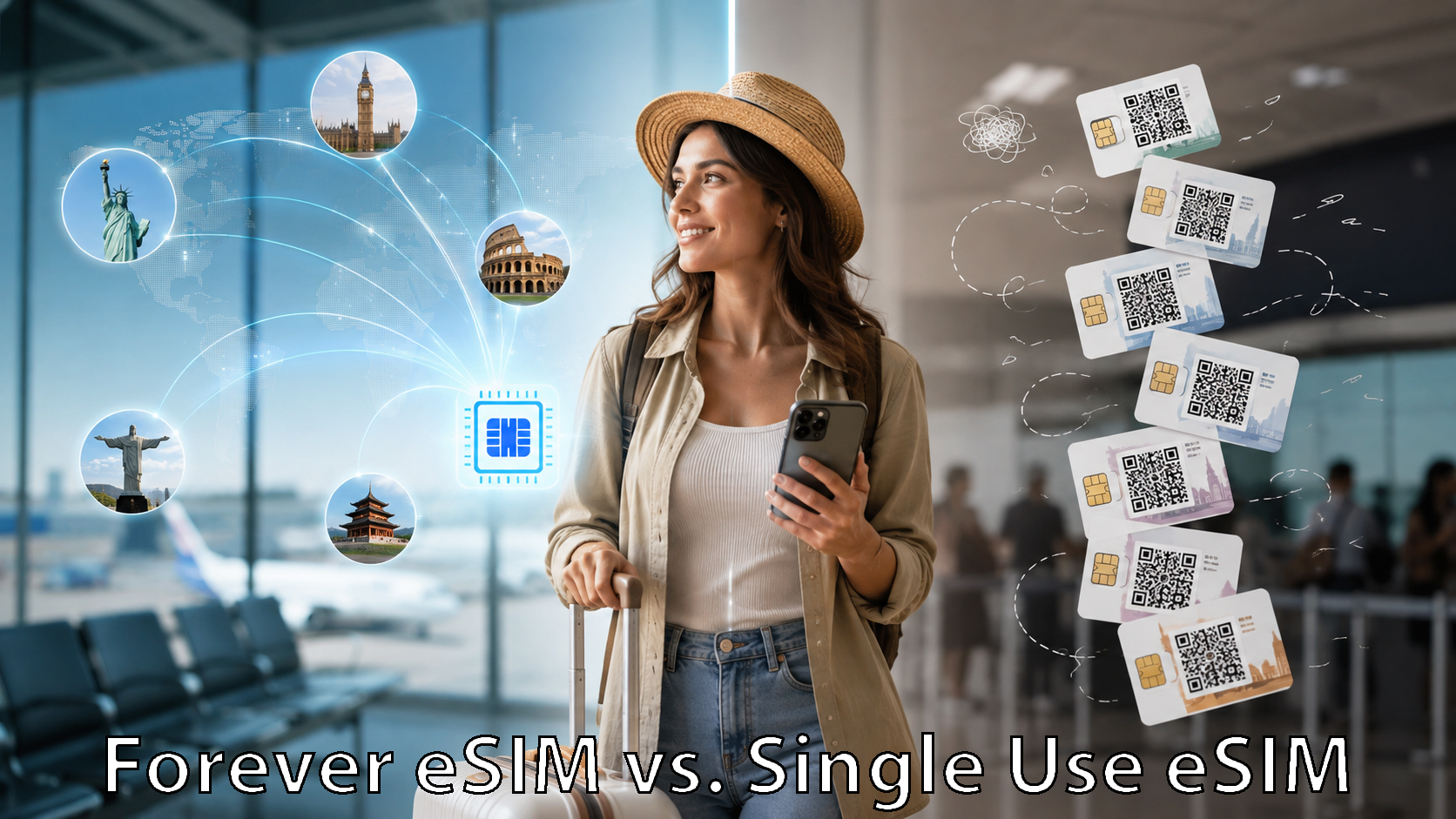
Reusable eSIM vs. Single-Trip eSIM: Which Is Better for International Travel?

Forever, reusable eSIM versus Single use eSIM

Travel eSIMs have made staying connected abroad much easier. Instead of hunting for a local SIM card after landing or paying expensive international roaming charges, travelers can install an eSIM and get mobile data in another country within minutes.

But not all travel eSIMs work the same way.

Many eSIMs are designed for a single trip. You buy a plan for a particular country or region, use it while traveling, and then purchase another eSIM the next time you go somewhere.

A reusable eSIM works differently. You install the eSIM once and keep it on your phone. When another trip comes around, you simply add a new data plan instead of installing another eSIM.

So which approach is better? It depends largely on how often you travel and how much convenience you want.

What Is a Single-Trip eSIM?

A single-trip eSIM is typically purchased for a particular destination or travel period.

For example, if you’re traveling to France for two weeks, you might purchase a France eSIM with 5GB of data valid for 15 or 30 days.

You receive a QR code or installation link, install the eSIM on your phone, activate it when you arrive, and use the included data during your trip.

Once the plan expires or the data is used, the eSIM may no longer be useful. For your next trip, you may need to purchase and install another one.

For occasional travelers, this can work perfectly well.

The downside is that frequent travelers can eventually end up with a collection of old eSIM profiles on their phones and another installation process every time they travel.

What Is a Reusable Travel eSIM?

A reusable eSIM is designed to stay installed on your phone between trips.

Instead of treating the eSIM itself as a disposable travel product, the eSIM becomes your permanent travel connectivity profile.

When you’re preparing for another international trip, you can simply purchase or activate a new data plan for your destination.

For example, you might use the same eSIM for:

  • A trip to Italy in April
  • Canada in July
  • Japan in October
  • A multi-country European vacation the following year

The eSIM remains on your phone. The plan changes based on where you’re traveling.

This approach is particularly useful for frequent international travelers.

The Biggest Difference: Install Once vs. Install Every Trip

The biggest practical difference between reusable and single-trip eSIMs is what happens before your next vacation.

With a single-trip eSIM, the process might look like this:

Choose destination → Choose provider → Buy eSIM → Install eSIM → Travel → Delete or abandon eSIM

Then you repeat the process for your next trip.

With a reusable eSIM:

Install eSIM once → Choose plan → Travel → Choose another plan for the next trip

There is simply less setup to repeat.

That may not sound important when you’re taking one vacation a year. But for frequent travelers, business travelers, cruise passengers, digital nomads, or anyone regularly traveling internationally, eliminating repeated eSIM installations can make travel connectivity much simpler.

Can You Leave a Reusable eSIM Installed?

Yes.

A reusable travel eSIM can remain installed on a compatible phone even when you’re not actively using it.

Modern smartphones can store multiple SIM and eSIM profiles. You can usually turn an individual eSIM line on or off through your phone’s cellular settings.

When you’re back home, you can simply use your normal mobile service.

Before your next international trip, you can enable your travel eSIM and activate the appropriate data plan.

This also reduces the possibility of accidentally deleting an eSIM and needing to reinstall it later.

What Happens When You Travel to Another Country?

This is where reusable eSIMs can become particularly convenient.

Instead of purchasing an entirely new eSIM, you choose a plan that works in your next destination.

Suppose you’re taking three trips:

Trip 1: Spain
Trip 2: Mexico
Trip 3: Thailand

With a traditional single-trip approach, you might purchase three separate eSIMs.

With a reusable global eSIM, the same installed eSIM can be used for all three trips. You simply select the appropriate plan or coverage option before each trip.

For travelers who frequently visit multiple countries, this dramatically simplifies managing international mobile service.

Reusable eSIM vs. Single-Trip eSIM Cost

The cheapest option depends on the destination, amount of data needed, length of the trip, and available plans.

A single-trip eSIM can sometimes offer an extremely inexpensive promotional price for one country.

But the headline price isn’t the only cost worth considering.

Frequent travelers should also consider:

  • Whether they need to buy another eSIM for every trip
  • Whether unused data expires
  • How easily additional data can be added
  • Whether the eSIM works in multiple countries
  • Whether the provider offers multiple networks
  • Whether customer support is available
  • Whether the eSIM can remain installed indefinitely

A reusable eSIM may provide more long-term value even when another provider occasionally offers a slightly cheaper destination-specific plan.

The difference is similar to buying a new travel adapter for every trip versus keeping one universal adapter in your suitcase.

What About Multi-Country Trips?

Reusable global eSIMs can be particularly useful when visiting several countries during the same trip.

Imagine a European vacation covering:

France → Switzerland → Italy → Austria

With destination-specific eSIMs, you might need separate plans or profiles depending on the provider.

A regional or global reusable eSIM may allow you to stay connected as you cross borders without repeatedly changing your phone’s SIM configuration.

That can be especially valuable when traveling by train, driving between countries, taking a cruise, or making an itinerary that crosses several regions.

When Does a Single-Trip eSIM Make Sense?

Single-trip eSIMs still have advantages.

They can be a good choice if:

  • You rarely travel internationally
  • You’re visiting only one country
  • You need connectivity for only a few days
  • You find an unusually inexpensive destination-specific plan
  • You don’t mind installing a new eSIM for each trip

For someone taking one international vacation every few years, the convenience advantage of a reusable eSIM may not matter very much.

When Does a Reusable eSIM Make More Sense?

A reusable eSIM becomes more attractive when international travel is something you do regularly.

It may be a better fit if:

  • You travel internationally several times a year
  • You frequently visit different countries
  • You take multi-country trips
  • You travel for business
  • You want a travel eSIM ready on your phone at all times
  • You don’t want to install a new eSIM before every trip
  • You want access to different data plans without changing eSIMs

It can also provide some peace of mind.

Once you’ve installed and tested your travel eSIM, you already know where it is in your phone settings and how it works. The next trip requires fewer moving parts.

And international travel already has enough moving parts.

OneSimCard DataMax: A Reusable “Forever eSIM”

OneSimCard’s DataMax eSIM is designed around this reusable approach.

Instead of purchasing a disposable eSIM for every vacation, travelers can install the DataMax eSIM and keep it on their compatible phone for future international trips.

When you’re planning another trip, you can select the appropriate data option for your destination rather than installing another eSIM profile.

DataMax offers connectivity across 200+ countries and territories, with plans designed for international travelers who want the flexibility to use the same eSIM again and again.

That makes the eSIM particularly useful for frequent travelers who don’t want to start from scratch every time they cross a border.

Reusable eSIM vs. Single-Trip eSIM: Which Should You Choose?

Neither type of eSIM is automatically better for every traveler.

If you take an international trip once every few years, purchasing a destination-specific eSIM may be perfectly adequate.

But if international travel is a regular part of your life, a reusable eSIM can make considerably more sense.

Instead of thinking of your travel eSIM as something you buy for a vacation, think of it as part of your phone.

Your normal SIM connects you at home.

Your reusable travel eSIM is already there whenever your next trip begins.

Frequently Asked Questions

Does a reusable eSIM expire?

The eSIM profile itself may remain installed even when you don’t currently have an active data plan. Exact policies depend on the provider, so travelers should check whether there are inactivity or account requirements.

Can I keep a travel eSIM installed when I’m not traveling?

Yes. Most compatible smartphones allow you to keep an eSIM installed and simply disable that cellular line when you’re not using it.

Do I need to delete my regular SIM to use a reusable eSIM?

Usually not. Many modern phones support Dual SIM functionality, allowing your regular carrier SIM and travel eSIM to remain installed at the same time.

Can I change countries without installing another eSIM?

With a reusable global eSIM, you can generally purchase or activate another compatible plan for your next destination without installing a new eSIM profile. Providers like OneSimCard offer coverage zones for regional coverage plans, that cover a number of destinations.

Can I add more data during my trip?

Many reusable eSIM services allow additional data or another plan to be purchased if you need more data while traveling.

Is a reusable eSIM better for frequent travelers?

For many frequent travelers, yes. The biggest advantages are convenience, fewer eSIM installations, easier multi-country travel, and having international connectivity already available on the phone before the next trip.


What is the Best VoIP App for eSIM?

International traveler using OneSim VoIP app to stay in touch

International traveler using OneSim VoIP app to stay in touch

Why Travelers and Global Professionals Use VoIP Apps

International travel has changed dramatically over the last decade. Travelers now expect reliable data, affordable connectivity, and the ability to stay reachable anywhere in the world without dealing with expensive roaming charges or juggling multiple local phone numbers. While eSIMs and international SIM cards solve much of the connectivity problem, voice communication still creates challenges for many travelers.

That is where the OneSim VoIP App becomes an important part of the travel toolkit.

The OneSim VoIP App allows users to make and receive calls and messages using internet connectivity instead of relying entirely on traditional cellular voice networks. Whether connected through WiFi, hotel internet, airport hotspots, or mobile data from a OneSimCard eSIM or SIM card, the app helps travelers maintain affordable global communication almost anywhere.

Avoid Expensive International Roaming

Traditional carrier roaming rates can become surprisingly expensive, especially for voice calls. Even short international conversations may generate significant charges when using a home carrier abroad.

The OneSim VoIP App helps reduce those costs by routing calls over an internet connection. Instead of paying international roaming voice rates, users can often place calls at much lower costs while keeping communication simple and familiar.

For frequent travelers, digital nomads, remote workers, and international business teams, this creates a far more predictable and affordable communication experience.

Stay Reachable Worldwide

One major advantage of the OneSim VoIP App is flexibility. Travelers are no longer dependent on finding a local SIM card in every country they visit.

A traveler using a OneSimCard DataMax eSIM can land in a new country, activate data instantly, and continue using the VoIP App for communication without interruption. This is especially valuable for multi-country trips where changing SIM cards repeatedly becomes frustrating and time consuming.

The app works well for:

  • International travelers
  • Business travelers
  • Students studying abroad
  • Cruise passengers
  • Remote workers
  • Global sales teams
  • Expats and long-term travelers

Instead of constantly notifying friends, family, or clients about temporary foreign numbers, users can maintain consistent communication channels while traveling internationally.

How OneSim VoIP Compares to Other VoIP Apps

Many travelers already use apps such as WhatsApp, Skype, Telegram, or Viber for communication. While those apps are useful, they often work best only when both parties have the same application installed.

The OneSim VoIP App offers an important advantage for travelers because users can call standard landline and mobile phone numbers worldwide. This means you can contact:

  • Hotels
  • Airlines
  • Restaurants
  • Taxi drivers
  • Clients
  • Family members
  • Banks and customer support centers

…without requiring the other person to download or install a specific app.

That difference becomes extremely important while traveling internationally. If your hotel in Tokyo, your driver in Rome, or your tour operator in Bangkok only has a regular phone number, app-to-app messaging services may not help much. The OneSim VoIP App behaves more like a traditional phone service layered on top of internet connectivity.

Compared to Voice + SMS eSIM Providers

Some modern travel eSIM providers now advertise “voice and SMS included” plans. While convenient in some situations, these offerings often come with limitations:

  • Temporary local phone numbers
  • Country-specific restrictions
  • Limited roaming regions
  • Higher package costs
  • Voice minutes that expire quickly
  • Separate plans required for different regions

Using a global data eSIM together with the OneSim VoIP App creates a more flexible setup. Instead of depending on region-specific voice plans, travelers can use reliable data connectivity almost anywhere and place calls through the app when needed.

This approach is especially useful for travelers visiting multiple countries during one trip because they do not need to repeatedly change voice plans or manage multiple temporary numbers.

Perfect Companion for eSIM Travel

Modern travelers increasingly rely on eSIM technology because it eliminates the need for physical SIM swaps. Pairing a global eSIM with the OneSim VoIP App creates a powerful travel communication setup.

Using mobile data through an international eSIM while routing voice communication through VoIP gives travelers:

  • Lower communication costs
  • Fast activation
  • Multi-country coverage
  • Greater flexibility
  • Reduced roaming dependency
  • The ability to call real phone numbers worldwide

For many travelers, this combination replaces the need for expensive international roaming plans entirely.

A Smarter Way to Communicate Abroad

Global connectivity is no longer just about having internet access. Travelers also need reliable and affordable voice communication that works across borders.

The OneSim VoIP App helps bridge that gap by giving users a flexible communication solution that works alongside international eSIMs and SIM cards.

Whether traveling for business, adventure, or long-term international living, combining global data connectivity with internet-based voice communication creates a simpler and more cost-effective way to stay connected worldwide.

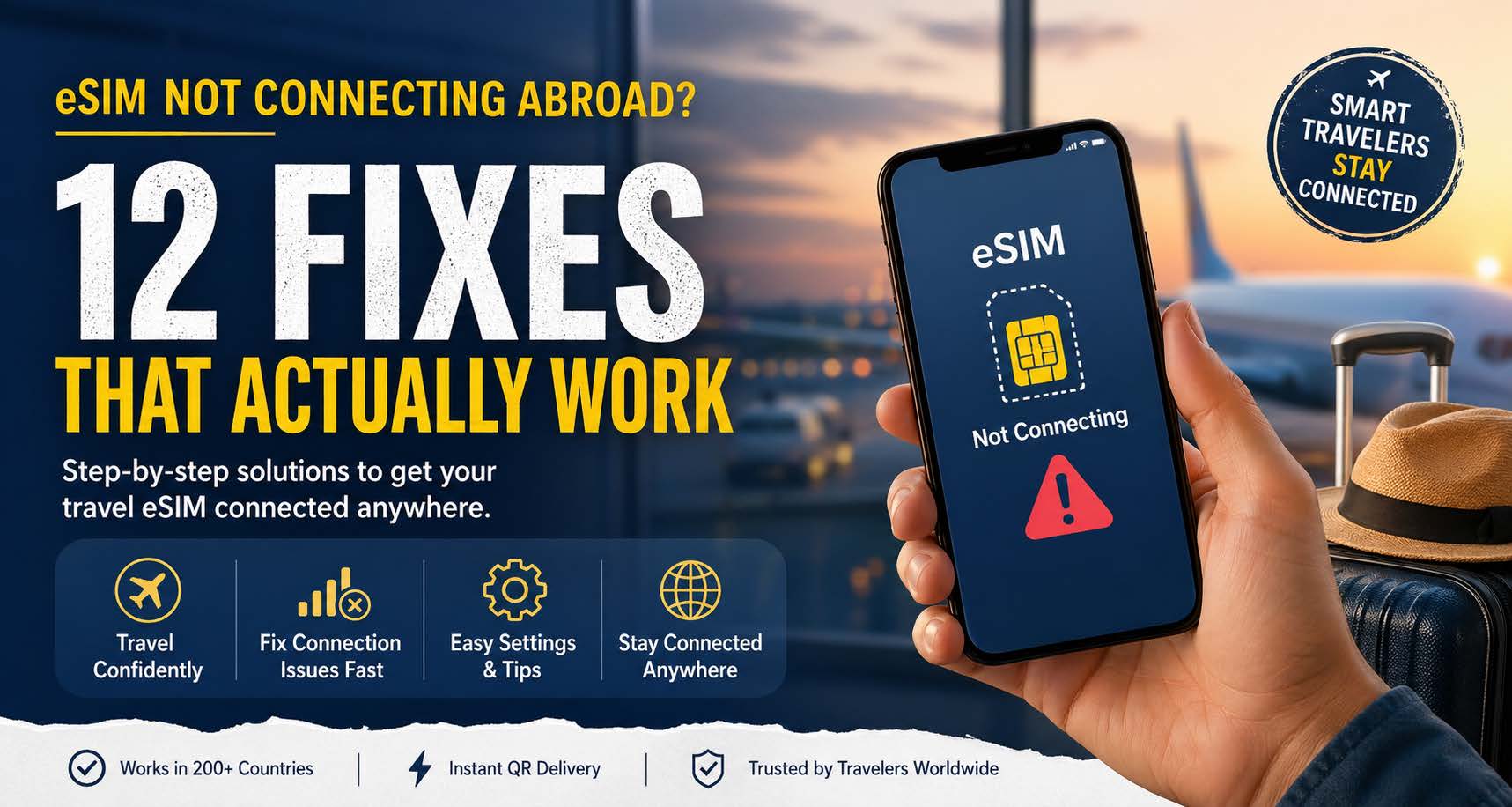
eSIM Not Connecting Abroad? 12 Fixes That Actually Work

Landing in a new country should feel like an adventure… not a tech support nightmare.

If your eSIM isn’t connecting abroad, you’re not alone. This is one of the most common issues travelers face, especially right after landing when you need maps, rides, or messages immediately.

The good news: most eSIM issues can be fixed in under 5 minutes.

Let’s get you connected


Quick Fix First (Try This Before Anything Else)

Before diving into deeper troubleshooting, do these 3 things:

  1. Turn Airplane Mode ON → wait 30 seconds → turn it OFF
  2. Restart your phone
  3. Make sure your eSIM line is turned ON

If that didn’t work, keep going.


1. Make Sure Your eSIM Is Activated

Some eSIMs don’t fully activate until you connect to a supported network abroad.

  • Go to Settings → Cellular / Mobile Data
  • Check that your eSIM shows as active
  • If not, toggle it OFF → ON

If you installed it before your trip, this is often the issue.


2. Enable Data Roaming (Yes, Really)

This feels counterintuitive, but it’s required.

  • Go to your eSIM line settings
  • Turn Data Roaming = ON

eSIM providers use local partner networks, so “roaming” is how you connect.


3. Select the Correct eSIM for Data

Your phone might still be using your home SIM.

  • Go to Cellular / Mobile Data
  • Set Mobile Data = your eSIM
  • Disable data switching if needed

4. Manually Select a Network

Automatic network selection doesn’t always pick the best option.

  • Turn Automatic Network Selection = OFF
  • Wait for available networks
  • Try one manually (this may take a minute)

In many countries, switching networks instantly fixes the issue.


5. Check APN Settings (If Required)

Most modern eSIMs auto-configure, but not all.

  • Go to Cellular → eSIM → APN settings
  • Enter the APN provided by your eSIM provider (if missing)

For many setups, this is something like:

  • APN: internet or provider-specific (e.g., OSC for certain configs)

6. Make Sure You’re in Coverage

Not all plans work everywhere within a country.

  • Check your provider’s coverage list
  • Rural areas, underground transit, and remote regions can be spotty

If you just landed, step outside the airport or building.


7. Disable Your Primary SIM Temporarily

Your home SIM can interfere.

  • Turn OFF your primary SIM
  • Leave only the eSIM active
  • Test connectivity again

8. Check If You Have an Active Data Plan

It sounds obvious… but it happens a lot.

  • Make sure your plan:
    • Is not expired
    • Has data remaining
    • Covers the country you’re in

9. Reset Network Settings

This clears out bad configurations.

  • iPhone: Settings → General → Transfer or Reset → Reset Network Settings
  • Android: System → Reset → Network Settings

⚠️ This will remove saved WiFi passwords.


10. Update Your Phone Software

Outdated OS versions can cause eSIM bugs.

  • Check for updates in Settings → Software Update

11. Reinstall the eSIM

If nothing else works:

  • Delete the eSIM
  • Re-scan the QR code
  • Reinstall clean

This fixes corrupted profiles or incomplete installs.


12. Check If Your Phone Is Actually eSIM Compatible

Not all phones support eSIM globally (or fully).

  • Some devices:
    • Are region-locked
    • Support eSIM but not all bands
    • Have carrier restrictions

If your device is borderline compatible, connection issues are more likely.


Why This Happens (Quick Explanation)

eSIM connectivity issues usually come down to:

  • Network selection conflicts
  • Roaming settings not enabled
  • Device configuration mismatches
  • Coverage limitations

It’s rarely a “broken eSIM” — just a small setting blocking the connection.


✈️ Pro Tip: Avoid This Problem Before You Travel

Set up your eSIM before you leave, then:

  • Turn it ON while still at home (if supported)
  • Double-check settings
  • Save troubleshooting steps (or bookmark this page )

Still Not Working?

If you’ve tried everything and still aren’t connected:

  • Contact support (include screenshots of your settings)
  • Try a different network manually again
  • Confirm your plan includes your current country

Get a More Reliable eSIM

Not all eSIMs are created equal.

Many connectivity issues come from:

  • Limited network partnerships
  • “Steered” SIMs that force weaker carriers
  • Poor provisioning

A better solution uses:

  • Multiple network access
  • Automatic selection of the strongest signal
  • Coverage in 200+ countries

Explore reliable global eSIM options here:
https://www.onesimcard.com/esim/


Final Thoughts

When your eSIM isn’t connecting abroad, it feels like everything stops.

But in reality, it’s usually one small setting standing in your way.

Run through these fixes, and you’ll almost always be back online within minutes.

Now go enjoy your trip

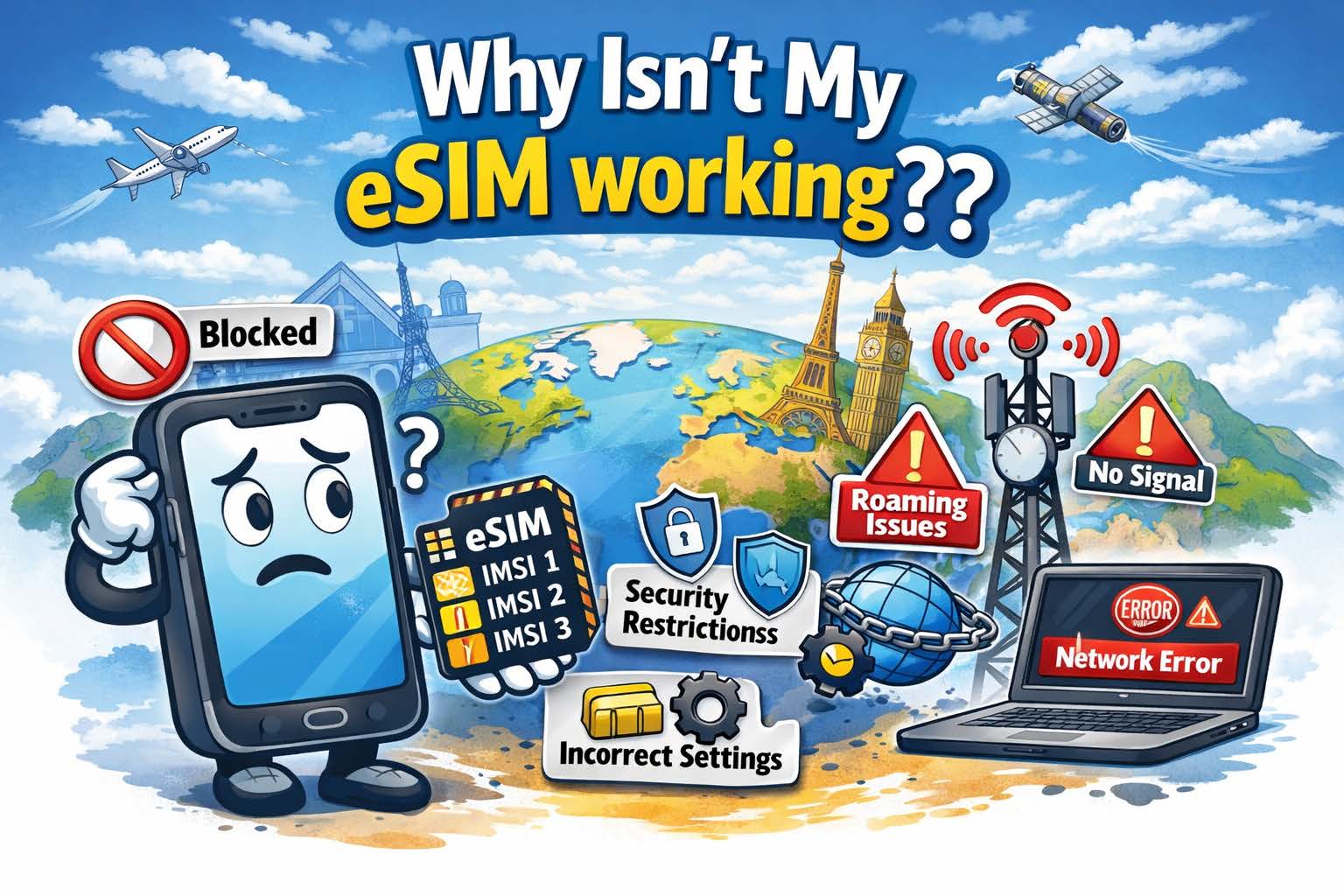
Why Isn’t My eSIM Working??

Why doesn't my eSIM work? There are several reasons
eSIMs and SIMs may not work for several reasons, but these issues are often simple to fix

Introduction

You installed your bright, shiny, new SIM Card or eSIM but, ut oh, it isn’t working!! WHY!!?? What is wrong with my eSIM? As a leading provider of both physical plastic SIM cards and eSIMs for international travel for over 30 years, we get this question a lot. There are a variety of reasons why SIM Cards or eSIMs don’t work in your mobile device when traveling internationally. We will discuss some of the most popular reasons, and, more importantly, the fixes for these problems. Let’s take these step-by-step the same way we do it when a customer contacts us with this problem.

SIM Locked Device

Probably the most popular problem is a very straightforward one, and you won’t even be able to install the SIM card or eSIM if this is the issue. The mobile device is carrier locked and you cannot use another SIM in the device. The easiest way to fix this is to contact your carrier and ask them to unlock the phone (or tablet, etc.). Even if you already paid off the device and there is no contract, you might need to proactively contact the carrier to get them to unlock the device. You will want to do this prior to travel, because you may need to be in the same country that your carrier is from. 32% of the time, this is the issue.

You Don’t Have the Correct Plan or Sufficient Balance on the SIM or eSIM

25% of the Support tickets we receive for a SIM or eSIM not working turns out to be the customer either didn’t buy the proper package for the country they are in, or they don’t have enough balance on the SIM or eSIM to use per-MB data. This is probably the easiest thing to fix, simply add funds to the SIM or purchase a package that allows usage in the country in which you are currently located.

International Roaming Isn’t Enabled

We are only human and some of the obvious things often slip past us! Yes, this is a very common mistake and when you realize this oversight, you will slap your forehead in embarrassment! Even if you aren’t tech savvy, this is a simple fix and we have created how-to videos to enable Data Roaming on both iOS and Android devices. This is a 1 minute fix and may solve your connectivity issue on your device. 17% of the time, this is the problem.

APN is Incorrect

First, what is an APN anyways!? The Telecom industry loves acronyms! APN stands for “Access Point Name.” It, quite literally, is the access point in which the device will run data through to the internet. Think of it as a “doorway to the internet.” Most times, the device will load the correct APN for the SIM card or eSIM you are using, but sometimes your device may not and you need to set it up manually. Don’t fret, just like enabling international roaming, this is an easy fix and only takes a minute.  Here are step-by-step instructions for setting the APN for:

iPhone

Android

IMPORTANT NOTE: The APN discussed in these videos are for our DataMax eSIM card. If you are using a different provider, contact them to get the correct APN for their SIM or eSIM. Having the wrong APN on your device is the problem of no data connectivity 12% of the time.

There Isn’t Any Coverage Where You Are

Believe it or not, this is an issue that does come up. Cellular network providers can’t cover every corner of the world, and they do a cost analysis to determine where and where not to cover. No bars, no data! About 8% of the support tickets we answer turn out that the user is in a very rural area that has no cellular service. Even with our multi-IMSI, multi-carrier SIMs or eSIMs have coverage gaps. Unfortunately, the only way to fix this issue is to move to a place where you can get those coveted bars of service.

Important Note: Not all providers are created equal when it comes to what operators they use in a particular country and how they prioritize the networks they use. This prioritization is done through a PRL (or Preferred Roaming List). They prioritize (or what we call “steer”) traffic to cheaper networks to save money. One possible result of this network steering is that you are forced onto a network with very little service, so data is slow or non-functional. OneSimCard is proud to NEVER steer traffic this way. We allow the device to choose the best available network  for that geographic area. This results in the best possible service for our customers.

Why OneSimCard eSIM Works Better for Travelers

Some eSIM issues come from weak network selection, limited coverage, or poor travel setup design. OneSimCard DataMax eSIM is built to reduce those headaches with global coverage, multiple networks in many destinations, and a more travel-friendly activation experience.

200+ Countries

Stay connected in a wide range of destinations without juggling multiple local SIM cards.

Multiple Networks

Better local network options can help improve reliability when one carrier underperforms.

Fast Activation

Get your eSIM by QR code and install it before you travel, so you land connected instead of hunting for fixes at the airport.

Your Device Isn’t “Rotating the IMSI”

What is an IMSI?? We know, more “jargon!” IMSI stands for “International Mobile Subscriber Identity.” Every SIM card or eSIM has one or multiple IMSI’s installed in the SIM card or eSIM software. The IMSI identifies the subscriber on a mobile network, and it is critical for roaming because it authenticates and manages the subscriber to provide proper routing for data, SMS, etc. There is a scheme to the unique 15 digit IMSI number, but for the purposes of this article, we won’t define that scheme.

Suffice to say, every mobile network operator issues this number to each of their subscribers, and every number is completely unique. The first part of the IMSI identifies who the IMSI belongs to. If an eSIM has multiple IMSI’s installed, the SIM or eSIM is using multiple mobile network operators’ roaming agreements to connect.

Companies like OneSimCard use Multi-IMSI SIMs or eSIMs to get the best price for our customers in a particular country. For example, one of our network partners might offer $0.15/MB in a particular country, where another partner offers $0.10/MB in a particular country. We use the less expensive partner in that country to keep your costs down. To properly find the right IMSI to use in a particular country, the device needs to rotate through the different IMSI’s until it finds the right one.

Some devices, however, don’t “like” Multi-IMSI SIMs and eSIMs because they are incapable of rotating the IMSI. In this case, we guide customers to manually choose the correct IMSI. This happens in 6% of our Support tickets. This may sound difficult, but, like the previous troubleshooting steps above, this is very simple. To manually choose the correct IMSI on a multi-IMSI SIM or eSIM, follow these steps:

  1. Contact your SIM provider and ask what the correct IMSI (partner operator) is for the country you are in.
  2. When you install an eSIM or SIM, there will be a new app installed on your device called “SIM Services.” Open this app.
  3. There will be a choice called “Multi IMSI” Click on this.
  4. On the next screen, click on “Select Mode”
  5. On the next screen, click on “Manual”
  6. On the next screen, there will be several choices. Each one of these choices is a different mobile network operator. Click on the one your operator told you to choose
  7. The app will then go back to the first screen, and you can then exit that app.

Important Note:  You changed the IMSI selection to Manual, if you change countries, the correct IMSI to use may change. You will need to follow the steps above to change the IMSI to the correct one.


Still Having eSIM Trouble?

Skip the connection roulette wheel. Choose a travel eSIM designed for real international use, with wide coverage, multiple networks, and fast setup.


Shop DataMax eSIM


Learn More About eSIM


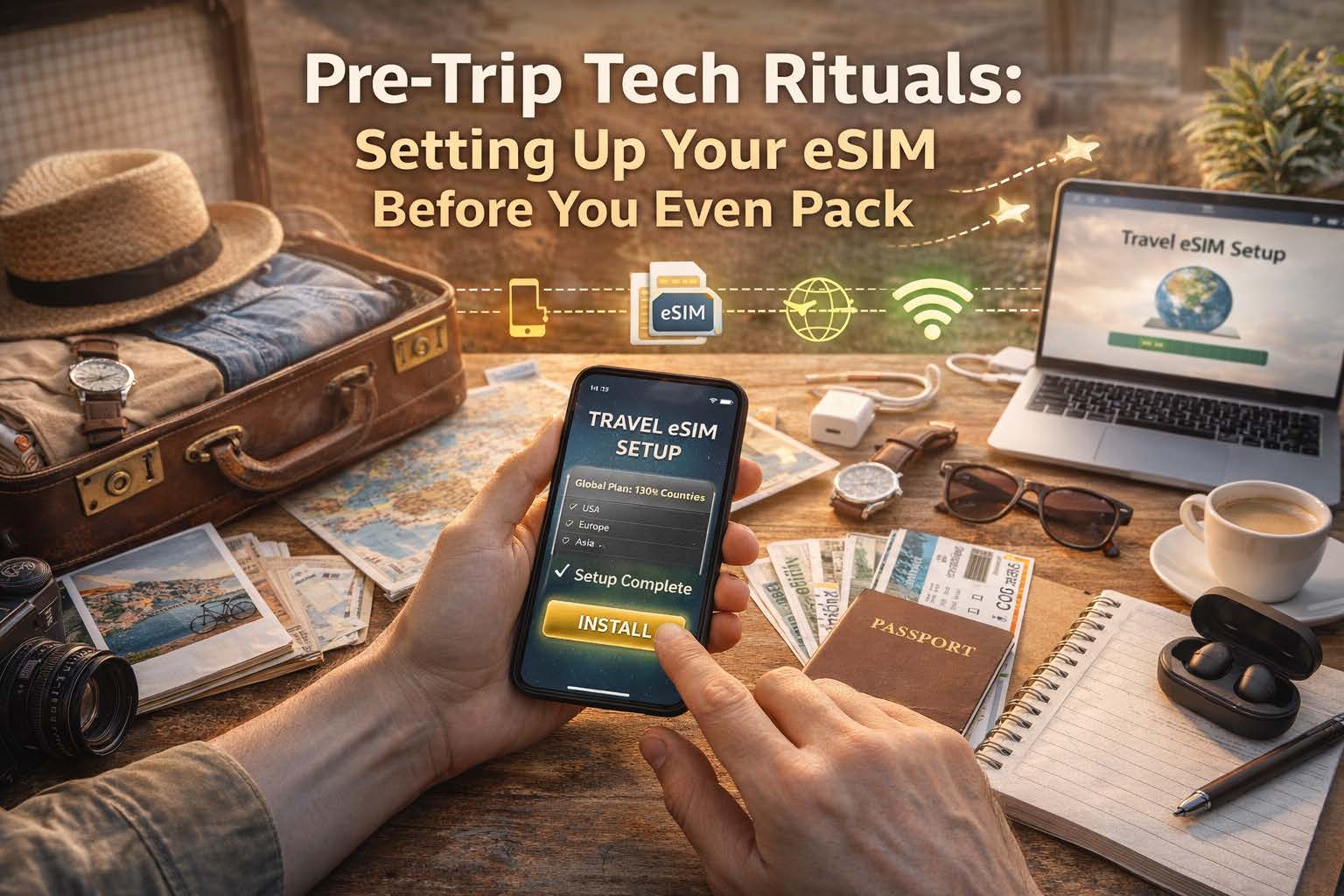
Pre-Trip Tech Rituals: Setting Up Your eSIM Before You Even Pack

Download your eSIM before your vacation

Because the smartest travelers connect before they even zip their suitcase

How to Set Up Your eSIM Before Travel: The Pre-Trip Checklist That Saves You Time

Want your phone to work the moment you land? Set up your eSIM before your trip, test it in advance, and avoid airport SIM card lines, Wi-Fi hunting, and last-minute setup stress.

Quick Answer: When Should You Set Up Your eSIM?

You should set up your eSIM before you travel, while you still have a stable internet connection and time to check your settings. The best time is before you pack, not after you land.

  • Choose the right coverage for your destination
  • Check if your phone is unlocked and eSIM compatible
  • Install the eSIM before departure
  • Set the eSIM as your data line
  • Turn on data roaming if required
  • Test your setup before leaving home

Why Set Up Your eSIM Before You Travel?

The easiest travel day is the one with fewer surprises. When your eSIM is installed and configured before departure, you can land, turn off airplane mode, and get online faster for maps, rides, hotel directions, and messages.

Instead of spending your first hour abroad searching for Wi-Fi or comparing unfamiliar SIM options, you step into the trip already connected.

Pre-Trip eSIM Setup Checklist

Use this checklist before your trip so your travel eSIM is ready when you arrive.

  1. Choose a plan that matches your destination or region
  2. Confirm your phone supports eSIM
  3. Make sure your device is unlocked
  4. Update your phone’s operating system
  5. Purchase and install your eSIM while connected to Wi-Fi
  6. Name the eSIM clearly, such as “Travel Data”
  7. Set the eSIM as the default line for mobile data
  8. Keep your primary SIM active for calls and texts if needed
  9. Enable data roaming on the eSIM profile
  10. Test that the eSIM profile is installed and recognized
  11. Save your QR code or activation details somewhere safe
  12. Double-check coverage for every country on your itinerary

Step 1: Choose the Right eSIM Coverage for Your Trip

Before you install anything, match your eSIM plan to your itinerary. Some travelers need a single-country plan, while others need regional or global coverage for multi-country travel.

  • Single-country plans for longer stays in one destination
  • Regional plans for trips across multiple nearby countries
  • Global plans for maximum flexibility

Think of this as choosing the right plug adapter for your trip. It is a tiny decision that affects everything else.

Step 2: Check Device Compatibility Before You Buy

Not every phone supports eSIM, and not every eSIM-capable phone works the same way in every market. Before travel, confirm these basics:

  • Your phone supports eSIM
  • Your device is unlocked
  • Your operating system is up to date

Step 3: Install Your eSIM Before You Leave

Once you buy your plan, install the eSIM before your departure date while you are on reliable internet. This is usually done by scanning a QR code or following activation instructions sent after purchase.

A clean install at home beats a rushed install in an airport terminal every time.

Step 4: Configure Your Phone for Travel Data

Installing the eSIM is only half the job. To make your arrival seamless, configure your phone before takeoff.

  • Set your eSIM as the default for mobile data
  • Keep your primary SIM active for voice and SMS if you want both lines available
  • Enable data roaming on the eSIM profile
  • Turn off automatic switching if you want tighter control over which line uses data

This is the settings stage where chaos quietly becomes choreography.

Step 5: Test Your eSIM Setup Before the Trip

You may not fully use the plan until you travel, but you can still confirm the setup is ready.

  • The eSIM profile is installed correctly
  • Your phone recognizes the plan
  • The data line and roaming settings are configured properly

Testing before departure trades uncertainty for confidence, which is one of the best pre-trip upgrades you can buy without buying another bag.

Why OneSimCard Makes Pre-Trip Setup Easier

OneSimCard DataMax eSIM is built for travelers who want to be connected before they land, not after they start improvising in baggage claim.

QR Code Delivery

Get your eSIM digitally and install it before the trip instead of waiting to solve connectivity at arrival.

Coverage in 200+ Destinations

Choose coverage that fits single-country vacations, regional travel, or broader international itineraries.

Reusable for Future Trips

Set it up once, travel smarter again later, and make your pre-trip ritual more routine than rescue mission.

Common eSIM Setup Mistakes to Avoid Before Travel

  • Waiting until arrival to install your eSIM
  • Forgetting to enable data roaming on the eSIM profile
  • Leaving your primary SIM as the default data line
  • Skipping the compatibility check
  • Not confirming coverage for every destination on your route
  • Failing to save the QR code or setup details

Most travel eSIM issues start long before the flight. They begin with skipped setup steps at home.

What Happens When You Set Up Your eSIM Early?

Your first minutes after landing become simpler:

  • Maps load faster
  • Rides and transfers are easier to book
  • Hotel directions are ready
  • Messages can be sent immediately
  • You avoid airport kiosk confusion and public Wi-Fi dependency

It is not just about data. It is about arriving with momentum.

Frequently Asked Questions About Setting Up an eSIM Before Travel

Should I install my eSIM before I leave?

Yes. Installing your eSIM before travel gives you time to confirm compatibility, adjust settings, and avoid setup pressure after landing.

When should I activate my travel eSIM?

It depends on the plan, but in general you should install and prepare the eSIM before departure so you are ready to connect as soon as the trip begins.

Do I need to turn on roaming for a travel eSIM?

Many travel eSIMs require data roaming to be enabled on the eSIM profile because they use partner networks abroad.

Can I keep my regular SIM active too?

Yes. Many dual-SIM phones let you keep your primary SIM active for calls and texts while using the eSIM for mobile data. However, it is recommended to disable your home network SIM/eSIM when traveling because you may be automatically charged for travel passes or high roaming fees.

What should I check before boarding?

Make sure the eSIM profile is installed, selected for data, configured properly, and matched to the destinations in your itinerary.

Set Up Your eSIM Before You Pack

Get connected before departure, avoid common setup mistakes, and make your arrival smoother with OneSimCard DataMax eSIM.


Shop DataMax eSIM


Learn More About eSIM

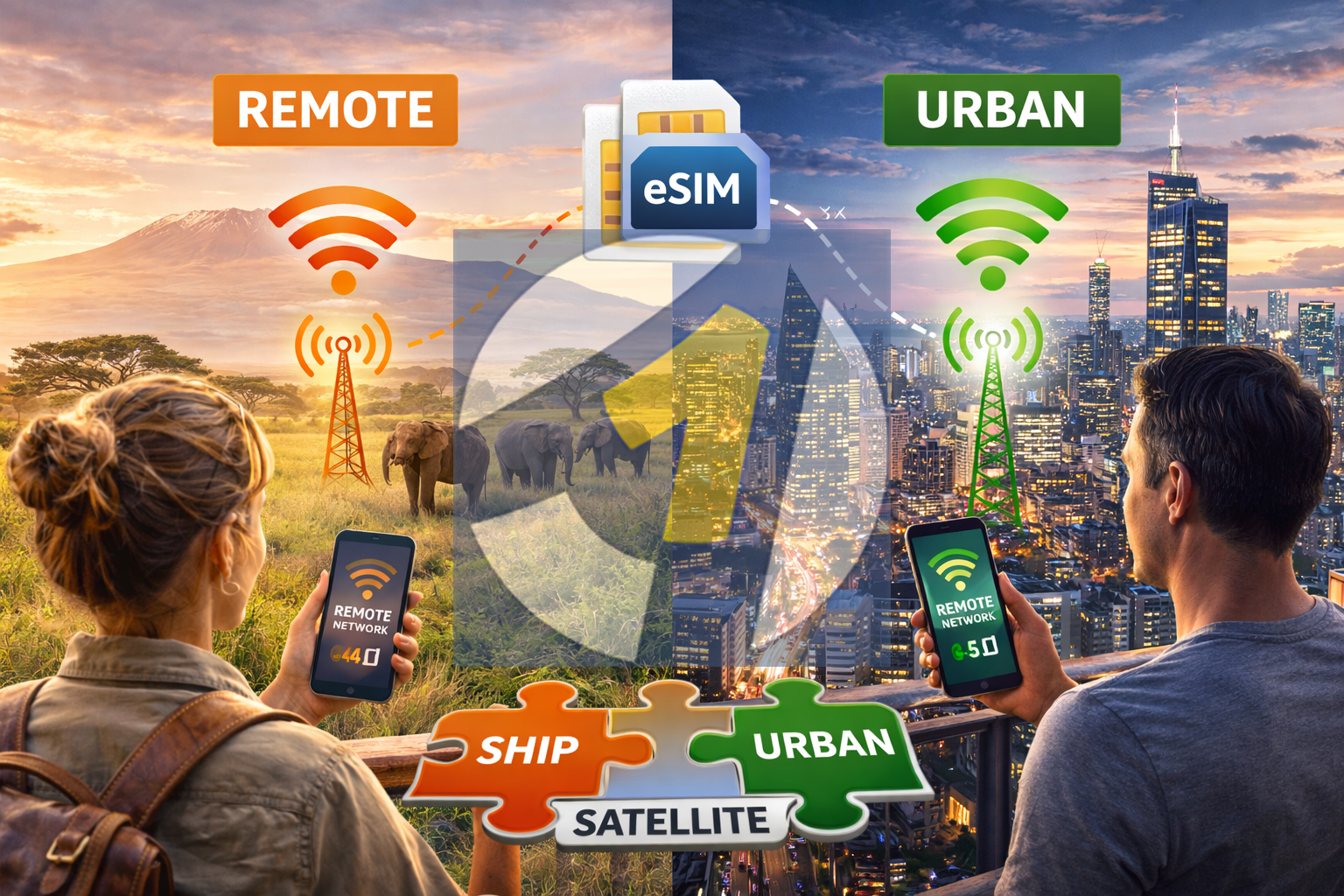
From Safari to Skyscrapers: How eSIMs Perform in Remote vs Urban Destinations

eSIMs keep you connected from safari to skyscrapers

A wild vs. wired comparison journey

Travel has always been about contrast. One day you’re watching elephants cross a dusty African plain, the next you’re navigating a subway beneath glass towers and neon lights. Modern travelers move between worlds that couldn’t look more different, yet one tool now follows them everywhere: their smartphone.

Whether you’re posting photos from a safari lodge or navigating the streets of Tokyo, connectivity plays a critical role in the travel experience. And with the rise of eSIM technology, staying connected across wildly different environments has become easier than ever.

But how do eSIMs actually perform in these extremes? Does the same digital SIM that works in a dense city also work in remote wilderness?

Let’s explore the difference between wild landscapes and wired cities, and how eSIM connectivity adapts across both.


The Urban Jungle: Connectivity in Skyscraper Cities

Cities are the natural habitat of mobile networks.

Urban areas have dense infrastructure: cellular towers on rooftops, small cells on streetlights, fiber lines running beneath sidewalks. Carriers compete heavily in metropolitan markets, meaning faster speeds and wider coverage.

In places like New York, London, Seoul, or Singapore, smartphones rarely struggle to find a signal.

When using an eSIM in a major city, travelers often experience:

  • Strong multi-network coverage

  • Fast 4G and 5G speeds

  • Reliable indoor connectivity

  • High data capacity for streaming and uploads

Because many travel eSIMs partner with multiple local carriers, your phone can often connect to the strongest available network automatically. Instead of being locked to one provider, your device essentially “network hops” to maintain the best signal.

For digital nomads, influencers, and business travelers, this means the urban environment is where eSIMs truly shine.

Uploading photos from a rooftop bar? Instant.

Joining a video call from a café? No problem.

Streaming a live city tour for followers? Smooth and stable.

In cities, connectivity becomes so seamless that most travelers forget about it entirely. And that’s exactly the point.


The Wilderness Test: Connectivity on Safari

Now imagine a very different scene.

You’re in the Serengeti. The sun is rising over open savannah. A lion yawns in the distance. There are no skyscrapers, no subway stations, and certainly no fiber-optic cables running through the grasslands.

This is where connectivity shifts from infrastructure-driven to coverage-driven.

Remote destinations rely on fewer cellular towers spread across larger geographic areas. These towers often serve highways, villages, and tourism hubs rather than every square mile of terrain.

So how does an eSIM perform here?

Surprisingly well in many cases.

Because travel eSIM providers partner with major national carriers, your device can still connect to the same networks that serve local communities and lodges.

While speeds may be lower than in cities, travelers often still have enough connectivity for essential tasks:

  • Sending messages

  • Checking maps

  • Uploading photos

  • Accessing translation apps

  • Confirming bookings

In other words, even deep in the wild, a connection often exists. It’s simply a quieter, slower version of the urban experience.


Signal Strength: Dense Towers vs. Distant Towers

One of the biggest differences between urban and remote connectivity is tower density.

Cities may have hundreds of cellular sites packed into a few square miles. Rural areas may rely on towers that cover dozens of miles.

This affects two key factors:

Speed

Urban networks handle massive traffic with high-speed fiber backhaul. Remote networks may rely on microwave links or slower infrastructure.

Capacity

Cities support thousands of simultaneous connections. In remote areas, fewer users share the network, which sometimes offsets the infrastructure limitations.

Ironically, a safari lodge with only a handful of guests may experience stable speeds simply because there aren’t many devices competing for bandwidth.


Network Switching: A Hidden Advantage of eSIMs

One of the biggest benefits of travel eSIM technology is multi-network access.

Traditional SIM cards often lock you into one carrier. If that network has weak coverage in a certain area, your signal may drop entirely.

Many global eSIM platforms allow your phone to switch between partner networks automatically.

Imagine driving across a national park:

  • One carrier covers the highway well

  • Another carrier covers nearby villages

  • Your eSIM device switches seamlessly between them

This flexibility dramatically improves reliability when traveling through regions with uneven coverage.

For adventurers moving between cities and wilderness, this feature becomes invaluable.


Real Travel Scenario: Safari to City

Consider a traveler moving between two dramatically different environments.

Day 1–3: Safari Camp in Kenya

Connectivity is available but limited.

You wake before dawn and photograph elephants crossing a river. Back at the lodge, you upload a few photos and send messages home. The connection isn’t lightning fast, but it works reliably enough to stay in touch.

Maps still load. Messages still send.

The wilderness feels remote, but you’re never truly disconnected.


Day 4–7: Nairobi

Suddenly the digital world accelerates.

4G and 5G signals appear. Upload speeds jump dramatically. Video calls become effortless. You share safari footage, post reels, and download travel guides for the next destination.

The same eSIM profile that connected in the wild now taps into the city’s powerful network infrastructure.

No SIM swap required.

Just a stronger signal.


Power Consumption: Another Remote Factor

In remote areas, phones sometimes use more battery power because they work harder to maintain a connection with distant towers.

Your device may boost transmission power when signals are weak, which drains the battery faster.

Travelers visiting remote destinations often benefit from:

  • Portable power banks

  • Offline maps downloaded in advance

  • Data-saving settings for large uploads

But even with these adjustments, eSIM connectivity remains a valuable safety and navigation tool in remote areas.


The Role of Satellite in Extreme Locations

Some wilderness destinations go beyond cellular coverage entirely.

Deep deserts, open oceans, and polar regions may rely on satellite communication rather than traditional mobile networks.

In these rare cases, eSIMs cannot replace satellite connectivity. However, they still provide seamless coverage for the majority of travel routes leading to and from those remote areas.

Once you return within range of terrestrial networks, your eSIM reconnects automatically.


Why eSIMs Fit Modern Travel

The real strength of eSIM technology isn’t just speed or coverage.

It’s continuity.

Travelers today move constantly between environments:

  • Airports

  • Cities

  • National parks

  • Remote islands

  • Coastal villages

Each environment has its own connectivity profile. Traditional SIM cards struggle to adapt to that variety without manual switching.

eSIMs solve the problem digitally.

One installation. Multiple networks. Continuous connectivity across landscapes.


Wild vs. Wired: The Final Verdict

So how do eSIMs perform across extreme travel environments?

The answer is surprisingly consistent.

In cities, they deliver fast, high-capacity connectivity that rivals local plans. In remote regions, they connect to the same national networks that support local communities and tourism infrastructure.

The experience changes, but the connection remains.

That’s the real magic.

From safari plains to skyline views, your phone adapts to the environment just as travelers do.

Because modern exploration no longer requires choosing between adventure and connectivity.

With the right technology in your pocket, you can experience both worlds at once.

One moment you’re tracking wildlife across open savannah.

The next you’re uploading that moment from a café beneath the tallest buildings in the city.

From safari to skyscrapers, the signal travels with you.

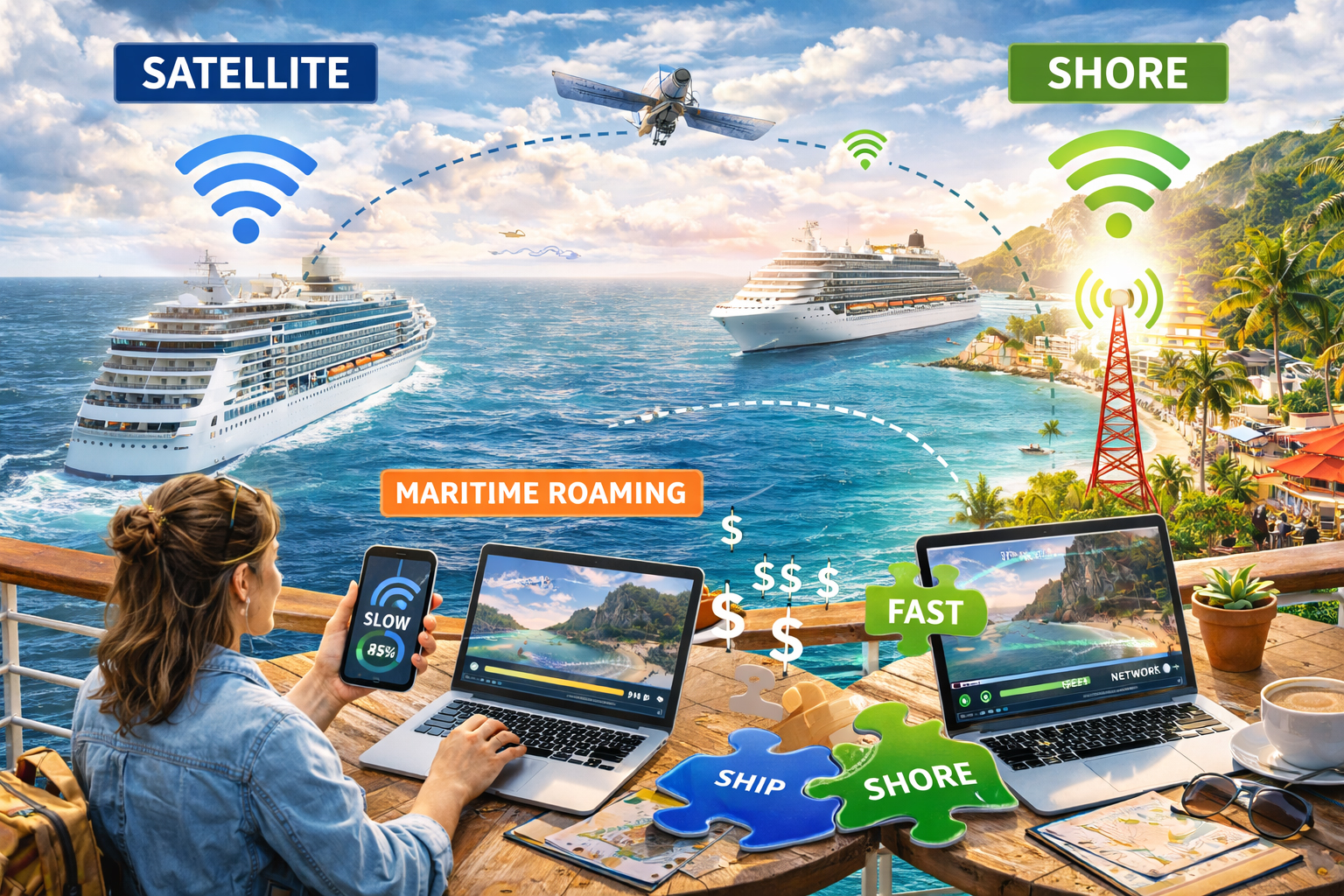
The Cruise Ship Connectivity Myth: What Actually Works at Sea

Cruise ship roaming - eSIM vs. Satellite

Shore vs. ship vs. satellite in the great floating signal experiment

Cruise brochures promise infinity pools, endless buffets, and sunsets that look Photoshopped by the gods. What they don’t advertise is the small, blinking question hovering in every modern traveler’s mind:

Will my phone work out here?

There’s a persistent myth that cruise ships are either fully connected marvels of modern engineering or complete digital dead zones. The truth, like the ocean itself, is more nuanced. Connectivity at sea depends on where you are, how far you’ve sailed, and what technology is quietly humming beneath the decks.

Let’s untangle the reality of cruise ship connectivity, from shoreline signal to open-ocean satellite, and explore what actually works when you trade highways for horizons.


The Shoreline Illusion: “It Works Fine at the Port”

Before departure, everything feels normal.

You’re docked in Miami, Barcelona, or Singapore. Your phone shows full bars. Messages send instantly. Maps load. You upload a pre-sail selfie with the ship towering behind you.

Of course it works.

At port, your phone is connected to land-based cellular towers. You’re essentially standing in a coastal city, just with better views and more sunscreen.

This is where many travelers form their first misconception. The signal is strong. The data is fast. So surely it will stay that way once you sail?

Not quite.

The moment the ship pulls away and moves beyond the reach of shoreline towers, your phone begins searching for alternatives.

And that’s where the real story begins.


The Maritime Roaming Surprise

A few miles offshore, your phone may connect to a maritime cellular network. These are specialized systems installed on ships that route calls and data through satellite backhaul.

On your screen, it might look like normal roaming. But behind the scenes, it’s a very different and often very expensive setup.

Maritime roaming can result in:

  • Extremely high per-megabyte charges

  • Surprise fees if your phone connects automatically

  • Slower speeds compared to land-based networks

Many travelers discover this the hard way when they receive a bill that feels more like a yacht payment.

The lesson here is simple: once you’re at sea, your home carrier’s roaming plan may no longer apply the way you expect.


The Ship’s Wi-Fi: Floating but Not Frictionless

Most modern cruise ships offer onboard Wi-Fi packages. These are powered by satellite connections that link the vessel to ground stations thousands of miles away.

Over the past decade, cruise connectivity has improved dramatically. High-throughput satellites and newer low-earth-orbit systems have boosted speeds and reduced latency.

But there are still limits.

Cruise ship Wi-Fi often involves:

  • Tiered pricing plans

  • Bandwidth shared among thousands of passengers

  • Slower speeds during peak hours

  • Restrictions on streaming or video calls

Think of it as a floating café Wi-Fi, but instead of dozens of users, there are thousands.

It works. Just not always perfectly.

For checking email, messaging apps, and light browsing, ship Wi-Fi can be sufficient. For livestreaming sunsets or uploading large video files, patience may be required.


Satellite: The Ocean’s Invisible Lifeline

Out in the open sea, far beyond coastal towers, satellite is king.

Cruise ships rely on satellite constellations orbiting Earth to transmit data back and forth. Signals travel from your device to onboard equipment, then up into space, then back down to ground stations, and finally to the wider internet.

It’s a technological ballet performed at the speed of light.

But physics still applies.

Even with modern advancements, satellite connections can introduce:

  • Higher latency compared to land-based networks

  • Occasional weather-related disruptions

  • Speed fluctuations depending on usage

The good news? Satellite technology is improving rapidly. Some newer ships equipped with advanced satellite systems now offer surprisingly usable speeds for video calls and streaming.

The bad news? You’re still sharing that pipe with everyone else onboard.


Shore Excursions: The Signal Sweet Spot

Here’s where connectivity becomes far simpler.

When your cruise ship docks at ports of call, you’re back within reach of local cellular networks.

Step off the gangway in Cozumel, Dubrovnik, or Nassau, and your phone reconnects to land-based towers.

This is often the most reliable and cost-effective moment to use mobile data, especially if you have a travel eSIM or an international data plan covering that country.

Instead of relying solely on ship Wi-Fi, many savvy travelers:

  • Upload photos and videos while ashore

  • Download maps and entertainment before returning onboard

  • Handle important calls or meetings during port days

Shore time becomes connection time.


What Actually Works at Sea

So what’s the realistic strategy for staying connected on a cruise?

It depends on your goals.

If you want minimal connectivity:
Switch your phone to airplane mode once the ship leaves port. Use onboard Wi-Fi sparingly for messaging or essential communication.

If you need moderate access:
Purchase a cruise Wi-Fi plan that matches your usage. Understand the limits and avoid high-data activities during peak times.

If you plan to work remotely:
Be strategic. Schedule heavy uploads and video calls during port days. Use satellite Wi-Fi onboard for lighter tasks.

If you’re using a travel eSIM:
It will work beautifully in port and coastal areas covered by terrestrial networks. At sea, it won’t replace satellite, but it will resume seamlessly once you dock again.


The Myth of “Disconnected at Sea”

There’s a romantic idea that cruising means unplugging entirely. And while that can be refreshing, the modern reality is more flexible.

You can:

  • Message family from the middle of the ocean

  • Post sunset photos in near real time

  • Check work updates if necessary

  • Navigate shore excursions with confidence

But you cannot expect the same seamless, fiber-fast experience you enjoy on land.

Understanding that difference prevents frustration.


The Nautical Signal Tale

Imagine connectivity at sea as a layered map.

At the coastline, you’re anchored to terrestrial towers. Fast, familiar, predictable.

A few miles out, you drift into maritime roaming territory. Costs can spike. Speeds may vary.

Farther still, satellite becomes your only bridge to the digital world. Powerful, impressive, but shared among many.

Then, like clockwork, you return to port. Land-based signal wraps around your device again, steady and strong.

It’s less a binary on-off switch and more a rhythm. Shore. Ship. Satellite. Shore again.


The Smart Cruiser’s Checklist

Before your next voyage, consider:

  • Disable automatic maritime roaming if your carrier allows it.

  • Review onboard Wi-Fi packages and understand their limitations.

  • Download maps, shows, and work files before departure.

  • Use port days strategically for higher-bandwidth tasks.

  • Consider a travel eSIM that covers your cruise destinations for seamless land connectivity.

Preparation transforms connectivity from a gamble into a plan.


The Real Takeaway

Cruise ships are floating cities. But they are still floating.

Connectivity works at sea, just differently than on land.

The myth isn’t that it’s impossible. It’s that it’s identical to being at home.

It’s not.

It’s slower, shared, satellite-dependent, and wonderfully suspended between worlds.

And maybe that’s part of the magic.

Because while your signal may travel thousands of miles into orbit and back, your view is still the open ocean, stretching endlessly toward the horizon.

Sometimes, that’s worth a slightly slower upload.