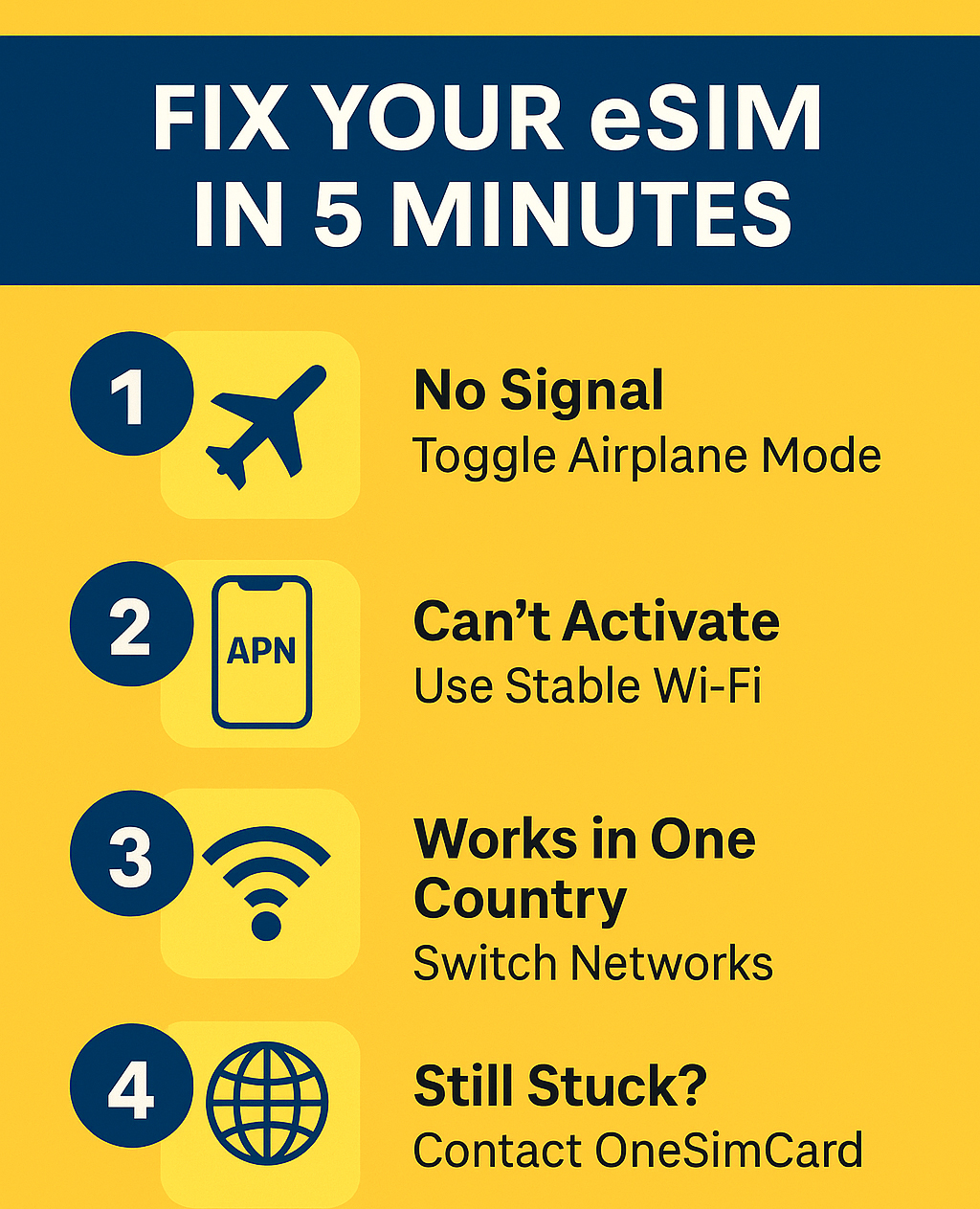

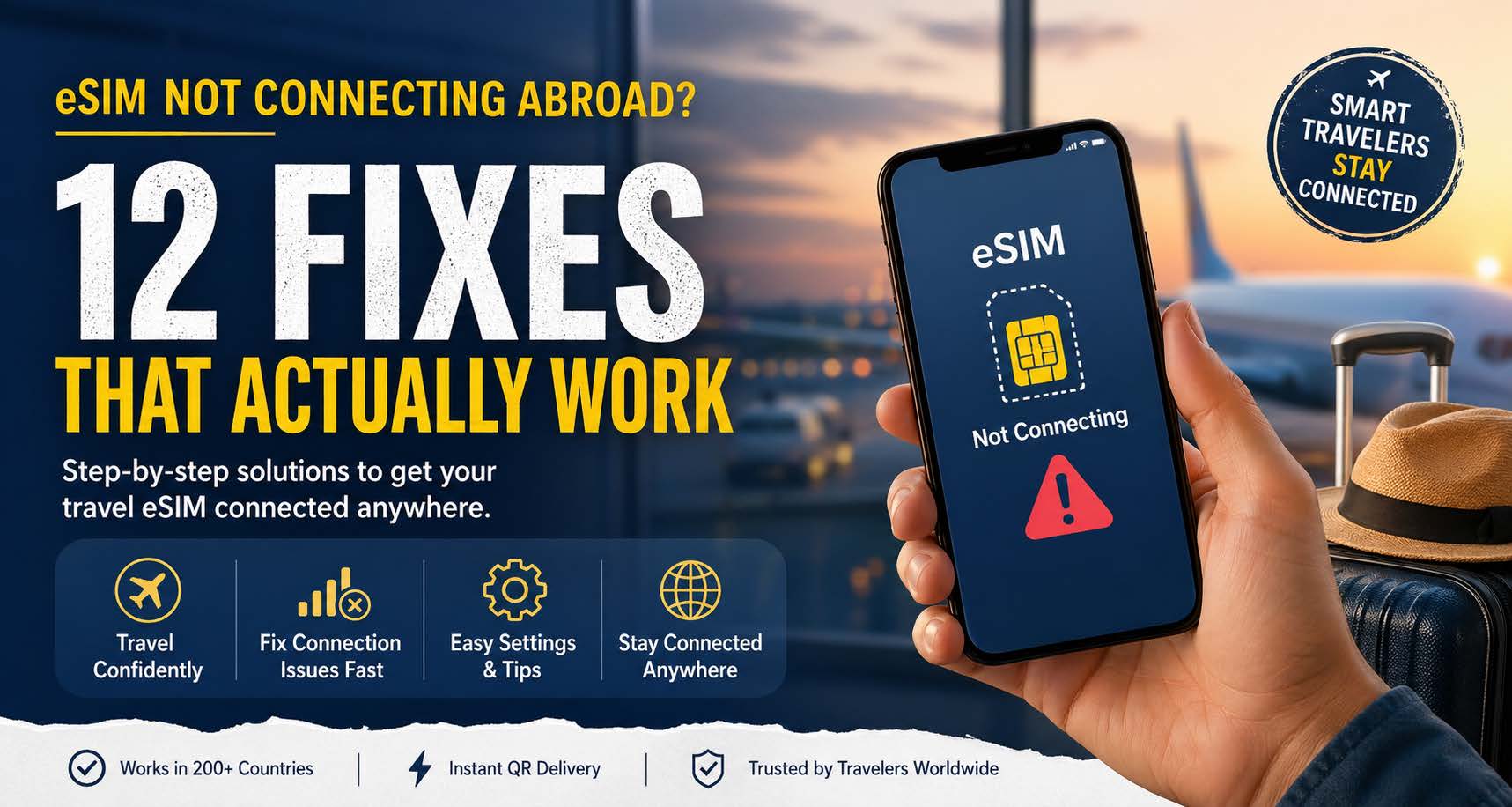
No Bars, No Panic: Travel Survival Stories Powered by eSIMs

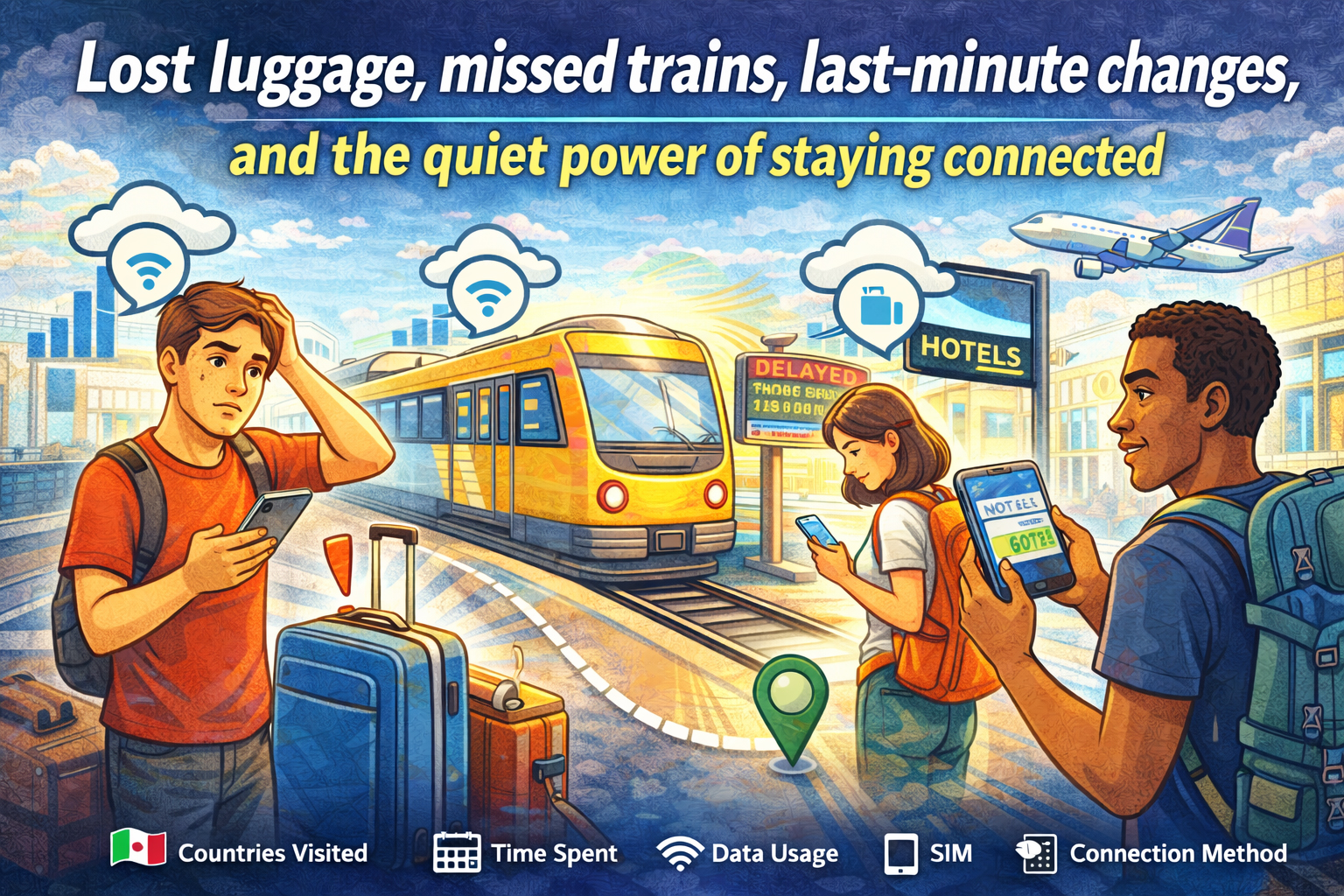
Lost luggage, missed trains, last-minute changes, and the quiet power of staying connected - travelers solving travel issues with eSIM

Lost luggage, missed trains, last-minute changes, and the quiet power of staying connected

Every traveler collects stories. Some are about beautiful views, incredible meals, and unexpected friendships. Others begin with a sinking feeling. A missed train. A lost bag. A canceled flight. A street sign you can’t read.

In those moments, the difference between stress and control often comes down to one simple thing: cellular signal.

There was a time when being overseas meant being temporarily unreachable. No maps, no ride apps, no instant help. Today, connectivity travels with you. And for many modern travelers, an eSIM has quietly become the difference between chaos and calm.

These are the kinds of real-world survival stories that play out every day. Not dramatic enough for headlines. But important enough to shape how a trip unfolds.

And in each one, a simple data connection turns panic into a plan.


The Missed Train That Didn’t Ruin the Trip

It happens fast. A late taxi. A long line for coffee. One wrong platform. Suddenly, the train you planned your day around is pulling away without you.

You’re in a country where you don’t speak the language, and the station boards flicker with destinations you don’t recognize.

In the past, this moment meant finding an information desk and hoping someone could help. Now, it’s a different kind of response.

Phone out. Data on.

Within minutes:

  • A new route is found on a maps app

  • A later train is booked online

  • A message goes out to the hotel about the delayed arrival

Instead of standing still, you’re moving again. A missed train becomes a detour instead of a disaster.

This is where an eSIM shines. Because your connection doesn’t depend on finding Wi-Fi in a crowded station. It’s already there, ready the moment plans change.


The Lost Luggage That Still Found Its Way Home

Standing at the baggage carousel while it spins and empties is a special kind of suspense. Everyone else leaves. The belt stops. Your bag is nowhere in sight.

Now what?

Without a connection, the process can feel slow and uncertain. But with reliable data, the next steps happen quickly.

Airline apps track the missing bag. Claim forms get filled out online. The hotel address gets sent directly to the airline. Notifications arrive when the bag is located and on its way.

You can even check nearby stores, order a few essentials, and get through the first night without your things.

Luggage gets lost. It’s part of travel. But staying connected means you’re never left guessing what happens next.


The Night Arrival in an Unfamiliar City

Landing in a new country after dark is always a little disorienting. The streets look different. The language sounds different. Even the signs feel unfamiliar.

Now imagine your hotel is across town, public transit is limited at night, and the taxi stand is crowded.

This is when a smartphone becomes your lifeline.

With data ready to go, you can:

  • Open a rideshare app and request a pickup

  • Double-check the hotel address

  • Share your location with someone back home

  • Translate directions if needed

Instead of wandering, you move with purpose. Instead of uncertainty, there’s a clear path from airport to door.

The difference is quiet but powerful. You don’t have to think about whether your phone will connect. It just does.


The Wrong Turn That Turned Into a Better Day

Some of the best travel memories begin with a wrong turn.

But in the moment, it doesn’t feel romantic. You’re in a neighborhood you don’t recognize. The street names don’t match your map. And you’re not sure which way leads back.

This is where instant access to navigation makes all the difference.

With mobile data:

  • You reorient in seconds

  • You find the nearest transit stop

  • You discover a café or landmark you never planned to see

Getting lost stops being stressful and starts becoming part of the experience.

A strong connection doesn’t just help you get un-lost. It helps you explore with confidence.


The Last-Minute Hotel Change

Flights get delayed. Connections get missed. Sometimes the hotel you planned to reach just isn’t reachable anymore.

Instead of arriving exhausted and searching for help, travelers with a steady connection can solve the problem on the spot.

Book a nearby room.
Check reviews.
Confirm availability.
Get directions instantly.

In the space of a few minutes, the night is back on track.

Without signal, this becomes a much longer, more complicated process. With signal, it’s just another quick adjustment.


The Emergency Call Home

Not every travel story is about inconvenience. Sometimes, things get serious.

A sudden illness. A stolen wallet. A situation where you need to reach someone quickly.

In those moments, being connected matters in a deeper way.

You can:

  • Call home through an app like OneSim VoIP

  • Contact your bank immediately

  • Find the nearest clinic or pharmacy

  • Access translation tools to explain what’s happening

It’s not just about data. It’s about reassurance. The ability to reach help, to explain, to solve problems as they happen.

And often, that connection starts the moment your plane lands, thanks to a travel eSIM already installed and ready to work. And with OneSim VoIP you can access SMS and voice. The best thing about OneSim VoIP is that, unlike other VoIP Apps, both sides don’t need to have the app, you can even call landlines!


The Work Emergency Abroad

For digital nomads and business travelers, the stakes can be even higher.

An urgent email arrives. A client needs a file. A meeting time changes.

When work travels with you, connectivity isn’t optional.

With reliable mobile data, you can:

  • Join a video call from a taxi

  • Send files from a train platform

  • Respond to urgent messages without searching for Wi-Fi

The trip continues, but your responsibilities stay in motion too.

And because an eSIM keeps you connected across countries, you don’t have to think about whether your data will work at the next stop.


The Confidence Factor

All of these moments have one thing in common.

They start with uncertainty. And they end with a solution powered by connection.

That’s the real value of staying connected while traveling. Not just the convenience, but the confidence.

Confidence to try new places.
Confidence to change plans.
Confidence to handle the unexpected.

Because you know that if something goes wrong, your phone is more than a camera. It’s your map, your translator, your booking desk, your safety net.


From “No Bars” to No Panic

The phrase “no bars” used to mean isolation. Silence. Waiting.

Today, the goal is simple: avoid that moment altogether.

A travel eSIM helps make that possible by giving you:

  • Instant connectivity when you land

  • Coverage across multiple countries

  • No need to swap physical SIM cards

  • Reliable access to data when you need it most

It doesn’t make problems disappear. But it makes them manageable.

And that’s the difference between panic and problem-solving.


Travel Will Always Be Unpredictable

That’s part of the magic.

Trains run late. Bags get lost. Plans change. Streets twist. Weather shifts.

But modern travel comes with tools that help you adapt as quickly as the world changes around you.

The ability to pull out your phone and find a solution in seconds can turn the worst moments into stories you laugh about later.

Stories that begin with a problem.
And end with a signal.

Because sometimes, survival on the road doesn’t come from planning every detail.

It comes from knowing that wherever you are, you’re still connected.

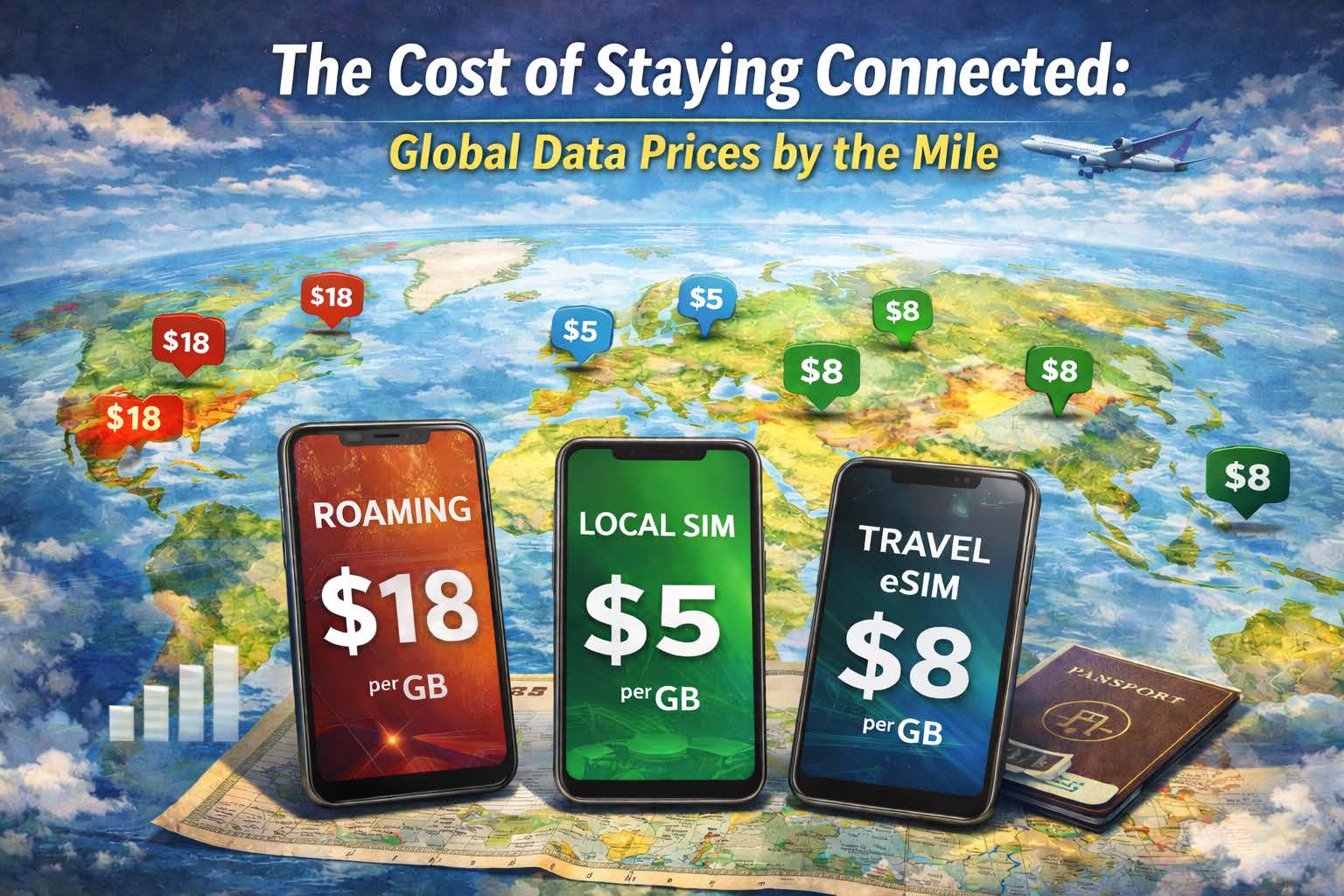
The Cost of Staying Connected: Global Data Prices by the Mile

Global map showing the difference in costs of SIM card types

How roaming, local SIMs, and eSIMs compare when your journey crosses borders

There’s a moment every traveler knows. You land, switch your phone off airplane mode, and pause. Will this next tap cost pennies… or dollars?

Connectivity has become as essential as your passport. Maps, boarding passes, banking apps, rideshares, and work tools all depend on mobile data. But the real cost of staying online around the world can vary wildly. A quick check of email in one country might cost less than a coffee, while streaming a short video in another could quietly burn through a week’s budget.

Think of global data as a moving price tag that changes by the mile. As you travel from city to city and country to country, your cost per megabyte shifts like exchange rates. Understanding how roaming, local SIMs, and travel eSIMs compare can make the difference between smart planning and surprise charges.

Welcome to the economics of staying connected on the road.


Why Data Costs Change Across Borders

Unlike fuel prices posted on a highway sign, mobile data costs are hidden behind networks, agreements, and infrastructure. Each country has different carriers, competition levels, and regulations. Some places have fast, affordable connectivity everywhere. Others still treat mobile data as a premium resource.

When you travel, your phone must connect to a local network through one of three main paths:

  1. International roaming through your home carrier

  2. A local SIM purchased in-country

  3. A travel eSIM with multi-country coverage

Each option carries its own pricing logic, convenience level, and hidden tradeoffs.


The Roaming Reality: Convenience at a Price

Roaming is the easiest path. You land, your phone connects, and everything works exactly as it did at home.

But simplicity often comes at the highest cost.

Traditional roaming plans are built on partnerships between carriers. Your home provider pays the local network for access and passes that cost along to you. In some cases, they add daily fees or per-megabyte rates that quickly stack up.

The result can feel like paying international shipping for every bit of data you use.

Roaming tends to make sense when:

  • You’re traveling for a very short time

  • You need instant connectivity for calls and texts

  • You don’t want to change anything on your device

But for longer trips or data-heavy usage, the math gets complicated quickly. A week of roaming can cost more than an entire month of prepaid data in many regions.


The Local SIM Strategy: Cheapest, But Not Always Easiest

Local SIM cards often offer the lowest cost per gigabyte. Once you’re connected to a domestic plan, you’re essentially paying what residents pay.

That’s the upside.

The downside is the process. Buying a local SIM means:

  • Finding a shop at the airport or in the city

  • Providing ID in some countries

  • Swapping out your primary SIM

  • Potentially losing access to your main phone number and not knowing your new number until you are in country and far away from your friends and family

For single-country trips, this can work well. If you’re staying in one place for weeks or months, local pricing is hard to beat.

But the moment your trip crosses a border, the advantage fades. That local SIM may not work in the next country. Suddenly you’re repeating the process again. New SIM, new plan, new setup.

What starts as a budget move can turn into a cycle of constant switching.


The Travel eSIM Middle Ground

Travel eSIMs emerged to bridge the gap between convenience and cost.

Instead of paying high roaming rates or juggling multiple physical SIM cards, you install a digital profile that connects to partner networks across multiple countries. When you move, the connection moves with you.

From a cost perspective, travel eSIMs often sit in the middle:

  • More affordable than roaming

  • Slightly higher per-GB than local SIMs

  • Far more flexible across borders

  • With OneSimCard, you know your new phone number ahead of your trip and can give it to friends and family

For travelers who cross multiple countries in one trip, the overall value becomes clear. You avoid repeated purchases, save time, and keep a steady, predictable connection.


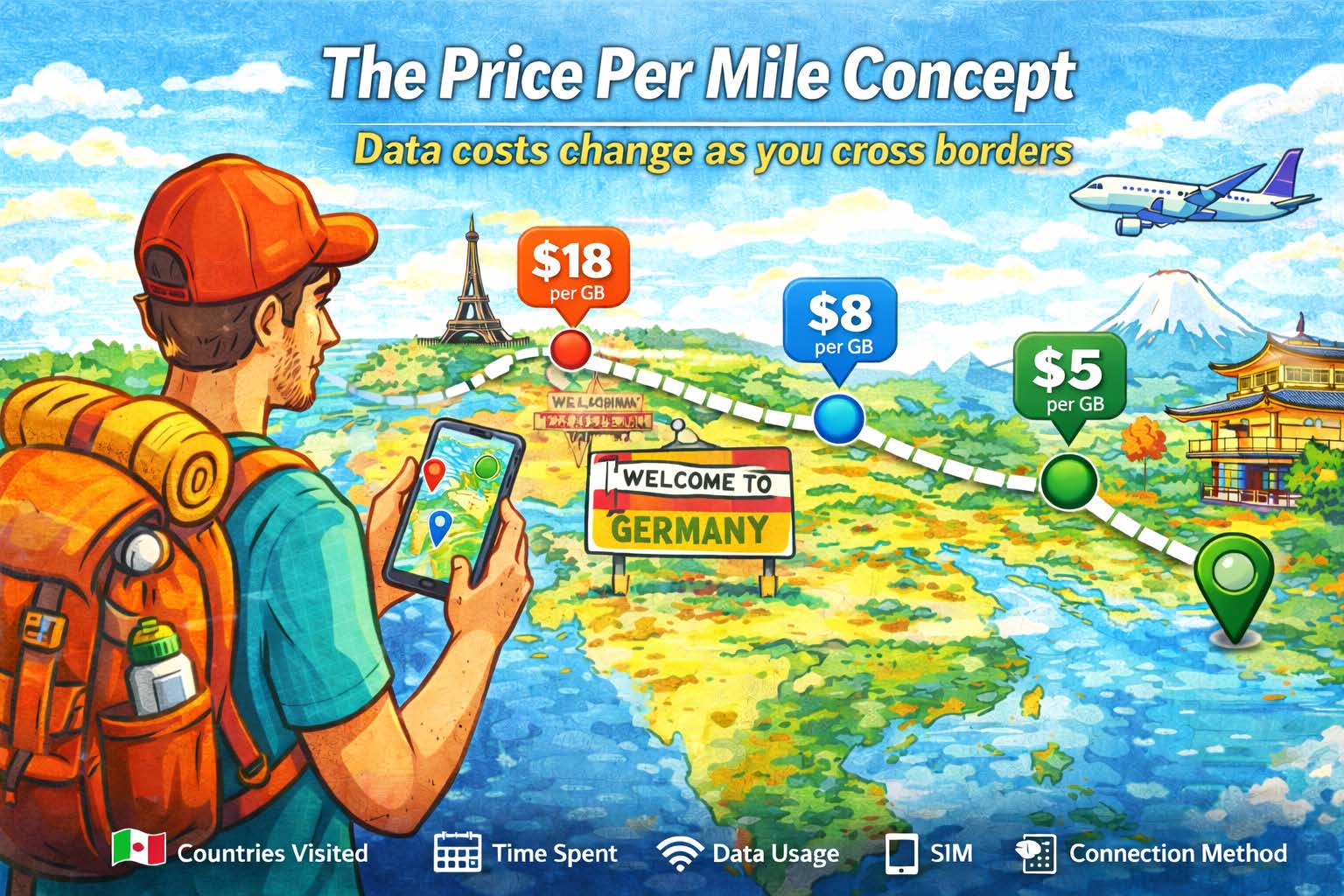
The Price Per Mile Concept

Cost per mile of international connectivity

Imagine plotting data prices on a map the same way you track gas stations during a road trip.

In major cities with strong competition, mobile data tends to be cheaper. Dense infrastructure, multiple carriers, and high demand push prices down.

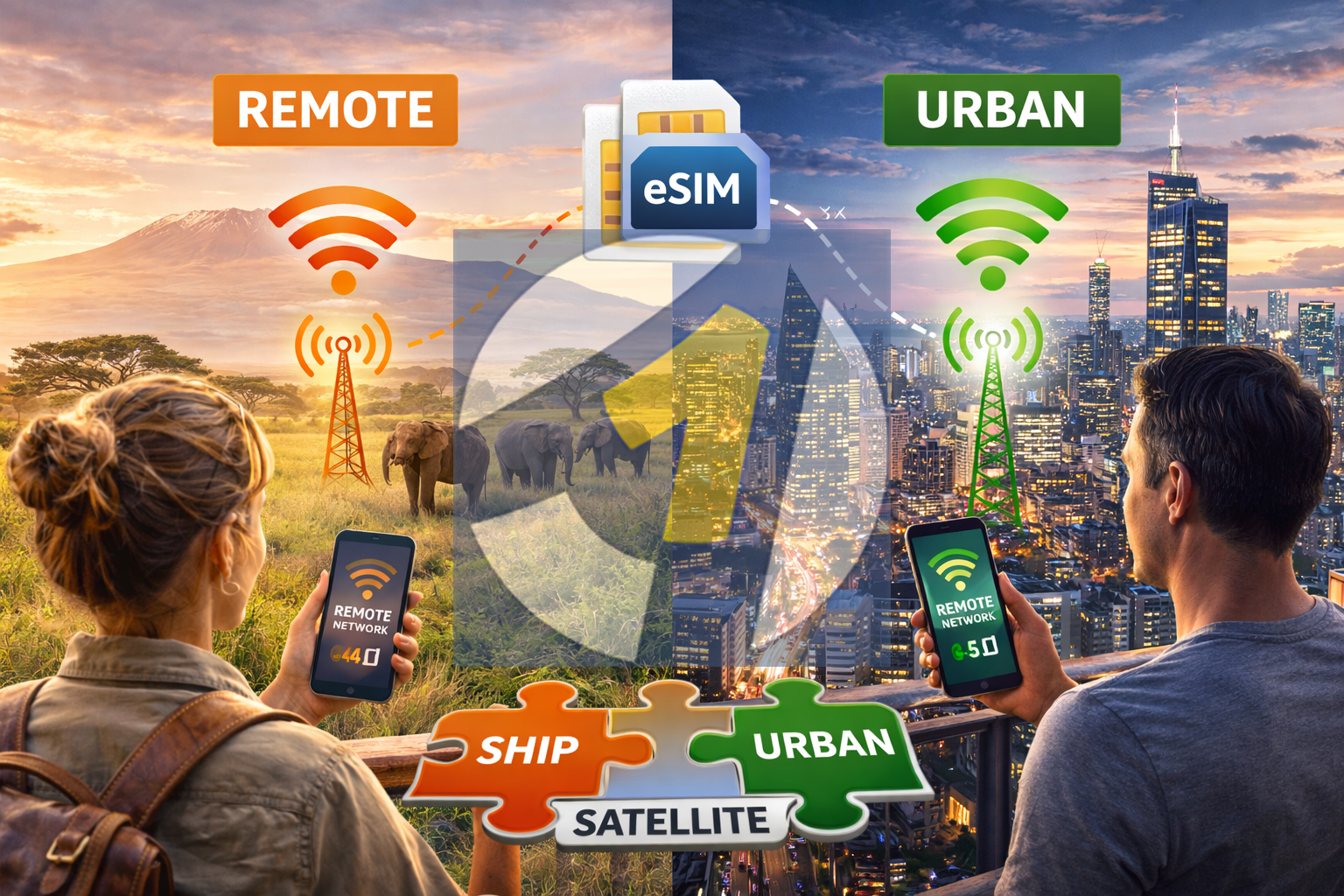
In remote regions or smaller markets, costs can rise. Limited infrastructure means fewer options and higher wholesale rates.

When traveling internationally, your effective “price per mile” depends on:

  • How many countries you visit

  • How long you stay in each place

  • How much data you use

  • Which connection method you choose

A single-country trip might favor a local SIM. A multi-country route often leans toward eSIM. A quick business trip might justify roaming for speed.

There’s no one-size-fits-all answer. There’s only the right choice for your journey.


The Hidden Costs Beyond Price

Data pricing isn’t just about dollars per gigabyte. There are other factors that shape the true cost of staying connected.

Time

Searching for SIM shops, waiting in line, and setting up new plans takes time you could spend exploring or working.

Continuity

Switching SIM cards can interrupt access to your primary number, banking alerts, or two-factor authentication.

Coverage

Some plans work well in cities but struggle in rural areas. Multi-network access can make a noticeable difference.

Stress

Unexpected charges, slow speeds, and connection gaps can turn small issues into big headaches.

When you consider these factors together, the “cheapest” option isn’t always the most economical in the long run.


How Digital Nomads Think About Connectivity Costs

For remote workers, data isn’t a luxury. It’s infrastructure.

A freelancer uploading files, a developer joining video calls, or a content creator sharing media depends on reliable, steady connectivity. The goal isn’t just low cost. It’s predictable performance.

This is where the value equation shifts.

Instead of asking, “What’s the cheapest gigabyte?” many nomads ask:

  • Will this work everywhere I go?

  • Will I stay connected across borders?

  • Can I avoid constant setup and downtime?

For long-term travel, consistency often matters more than squeezing out the lowest possible price in each location.


The Visual Map of Global Data Value

If you could see global data prices drawn across a world map, it might look like a patchwork quilt.

Some regions would glow with affordable, fast connectivity. Others would show higher prices or limited coverage. And across it all, you’d see three overlapping layers:

  • Roaming, with wide reach but higher costs

  • Local SIMs, with low prices but limited range

  • Travel eSIMs, offering balance across distance

The best choice depends on how your path crosses that map.

A single destination favors simplicity.
A long stay favors local integration.
A multi-country adventure favors flexibility.


Making the Smart Choice for Your Trip

Before your next journey, think about your data plan the way you think about your route.

Ask yourself:

  • Am I staying in one country or moving frequently?

  • Do I need constant access for work or navigation?

  • How important is keeping my main number active?

  • Do I want the lowest possible cost, or the most consistent experience?

These answers will guide you toward the best option for your situation.


Staying Connected Without Surprises

In the end, the true cost of connectivity isn’t just measured in gigabytes. It’s measured in freedom.

The freedom to open your map without hesitation.
To book a ride without searching for Wi-Fi.
To send a message from a train crossing a border.

When you understand how roaming, local SIMs, and travel eSIMs compare, you can choose a path that fits your travel style and your budget.

Because every mile you travel shouldn’t feel like a meter running in the background.

It should feel like the world getting a little more connected, one signal bar at a time.

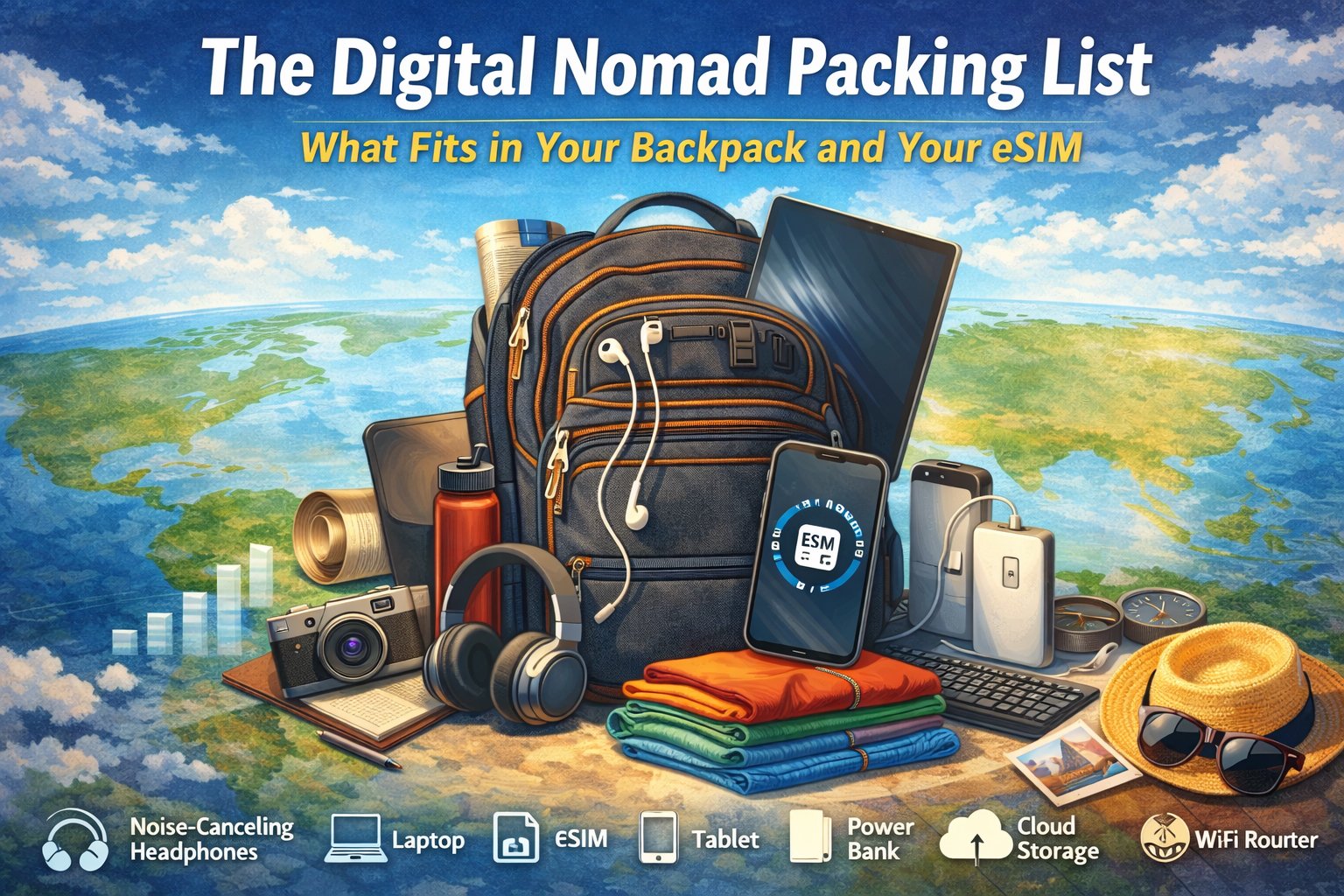
The Digital Nomad Packing List: What Fits in Your Backpack and Your eSIM

Image showing a backpack an the items needed for a digital nomad including international eSIM

How Modern Remote Workers Travel Light Without Leaving Their Connection Behind

There was a time when “working remotely” meant finding a café with decent Wi-Fi and guarding your laptop like a dragon sitting on a hoard. Today, the digital nomad carries an office in a backpack and a global network in a phone.

The real magic isn’t just what you pack. It’s what you don’t have to.

No plastic SIM cards in tiny envelopes, sticky notes with roaming rates, or scavenger hunts for mobile shops in unfamiliar cities. Instead, there’s a quiet, invisible companion traveling with you: a travel eSIM that connects your digital life across borders as easily as you zip your backpack shut.

So what actually fits in the modern nomad’s loadout? Let’s unpack the gear you can touch and the connection you can’t see.


The Backpack: Your Mobile Headquarters

Every nomad starts with a bag. Not just a backpack, but a command center with shoulder straps.

1. Laptop: The Heart of the Operation

Lightweight, durable, and powerful enough to juggle video calls, cloud apps, and creative work. Many nomads swear by ultrabooks or slim laptops that won’t turn your carry-on into a dumbbell.

Pro tip: Choose a model with long battery life. Outlets are rare in transit zones, and “just five more minutes” often turns into an hour.

2. Tablet or E-Reader: The Flexible Sidekick

Perfect for reading, sketching, or presenting without opening the full laptop. It also doubles as a second screen for productivity setups in co-working spaces.

3. Noise-Canceling Headphones

Your portable bubble. Whether you’re working in a hostel lounge, an airport gate, or a beachside café with a live band you didn’t order, silence is a productivity superpower.


⚡ The Power Kit: Energy Is Currency

A dead device is a disconnected device. And for a remote worker, that’s the same as being offline in the Stone Age.

4. Universal Travel Adapter

One plug to rule them all. Europe, Asia, the Americas. Your charger shouldn’t care where you are.

5. High-Capacity Power Bank

For long travel days, remote towns, or that one café with beautiful coffee and zero outlets.

6. Multi-Cable Charging Kit

One cable for your phone, tablet, headphones, and power bank. Less clutter. More space for snacks.


‍ The Work Zone: Building an Office Anywhere

Digital nomads don’t look for desks. They create them.

7. Compact Laptop Stand

Elevates your screen, saves your neck, and instantly turns a café table into a mini workstation.

️ 8. Foldable Keyboard and Mouse

Small tools, big comfort. Your wrists will thank you after week three.

9. Notebook and Pen

Yes, analog still exists. For ideas, sketches, or that one moment when your battery hits zero and inspiration hits 100.


The Connectivity Core: Your eSIM

This is the item you don’t physically pack, but you feel its presence every day.

A travel eSIM is the invisible layer of your backpack. It doesn’t take space, doesn’t add weight, and doesn’t get lost in airport security trays. But it does something no piece of gear can: it follows you across countries without changing form.

✅ What Makes eSIMs a Nomad Essential?

  • Instant activation: Download before you land. Connect when you touch down.
  • Multi-country coverage: One profile, many borders.
  • No physical SIM swaps: Your phone stays sealed. Your focus stays sharp.
  • Predictable costs: No roaming surprises waiting at the end of the month.

Instead of packing SIM cards for every destination, you pack one digital key that opens networks around the world.

Related: Explore OneSimCard eSIM plans


The Day-to-Day Tools: Living on the Move

10. Smartphone: The Remote Control for Reality

Maps, translation, banking, booking, communication, and your hotspot when Wi-Fi fails. With a travel eSIM, it becomes your personal network hub.

11. Portable Wi-Fi (Optional)

Some nomads carry a pocket router for connecting multiple devices. Others simply hotspot from their phone. With a strong eSIM data plan, your phone becomes the router.

☁️ 12. Cloud Storage

Your digital filing cabinet in the sky. Sync files, back up photos, and share work without worrying about what device you’re using today.


The Lifestyle Layer: Comfort Is Productivity

13. Lightweight Clothing System

Quick-dry shirts, neutral colors, and layers. The less you pack, the easier it is to move when your next destination calls.

14. Reusable Water Bottle

Staying hydrated is a productivity hack disguised as a travel accessory.

15. Minimal First Aid and Wellness Kit

Headaches, sore muscles, jet lag. Small fixes, big impact.


️ Why Connectivity Changes Everything

Here’s the quiet truth of nomad life: your work doesn’t stop when your passport gets stamped.

Clients still message. Deadlines still exist. Meetings still happen. The difference between stress and flow often comes down to how fast and how reliably you can connect.

With a travel eSIM, your phone becomes a bridge instead of a barrier.

  • Upload work from a train crossing borders
  • ️ Join video calls from a mountain town
  • Navigate a new city without hunting for Wi-Fi
  • Book your next stay while checking out of the last one

Your backpack carries your tools. Your eSIM carries your world.


Packing Less, Connecting More

Digital nomads are masters of subtraction. Every trip teaches you what you don’t need.

  • ❌ A drawer full of local SIM cards
  • ❌ Instructions in five languages
  • ❌ Roaming plans that read like legal contracts

You need one connection that adapts as fast as you do.

That’s the elegance of modern travel connectivity. It disappears into the background, letting your work, your journey, and your experiences take center stage.


✅ Ready to Build Your Nomad Loadout?

Whether you’re planning a month abroad or a year without a home base, your connectivity should be as flexible as your itinerary.

A travel eSIM lets you stay online, stay productive, and stay light without carrying the world in your pockets.

Tip: Most phones support dual SIM (physical SIM + eSIM), so you can keep calls/texts on your main line while using your eSIM for data abroad.

Troubleshooting eSIM Issues While Abroad

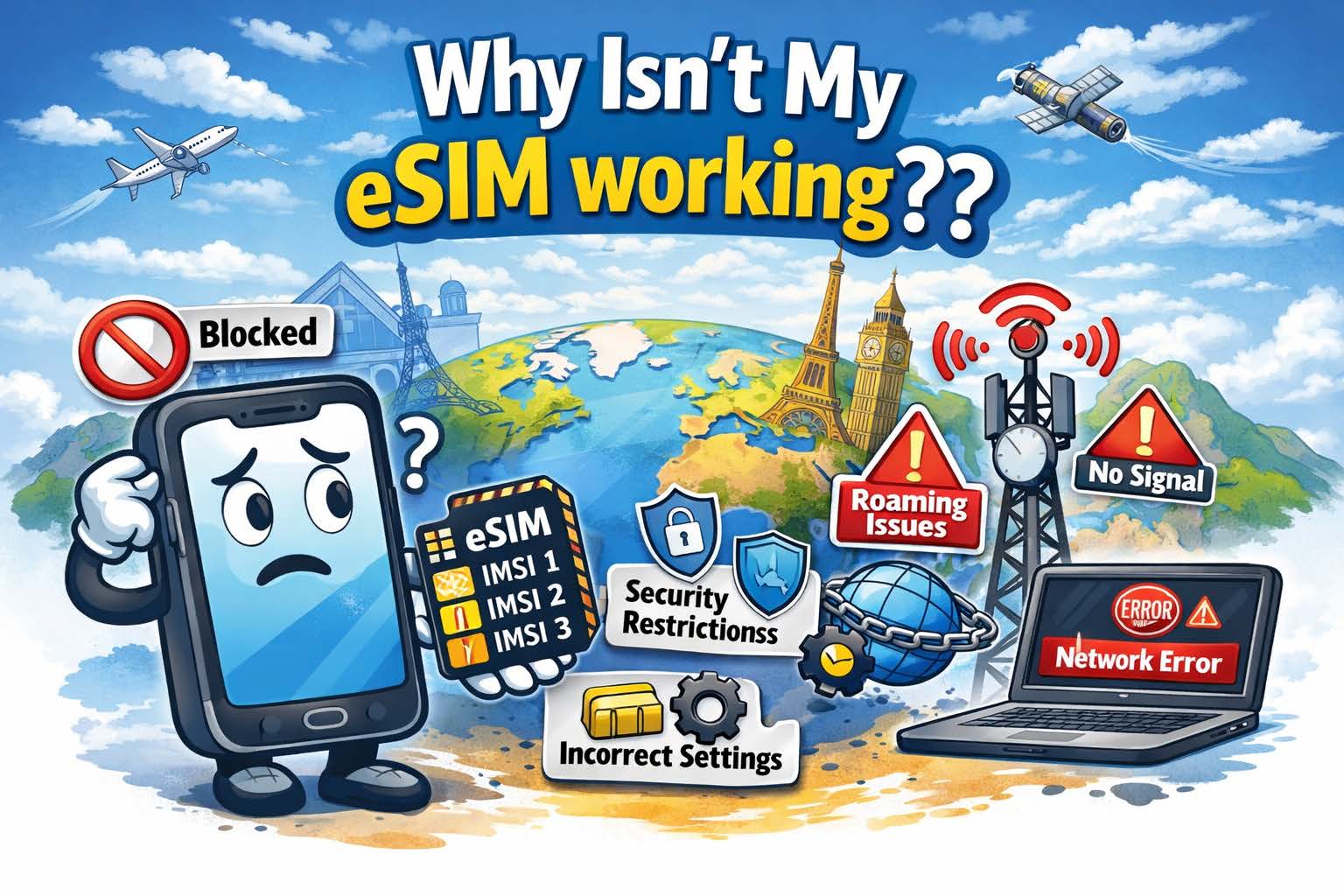
Troubleshooting eSIMsReal-World Help for Travelers: Signal Loss, APN Setup & More. Troubleshooting eSIMs is simple!
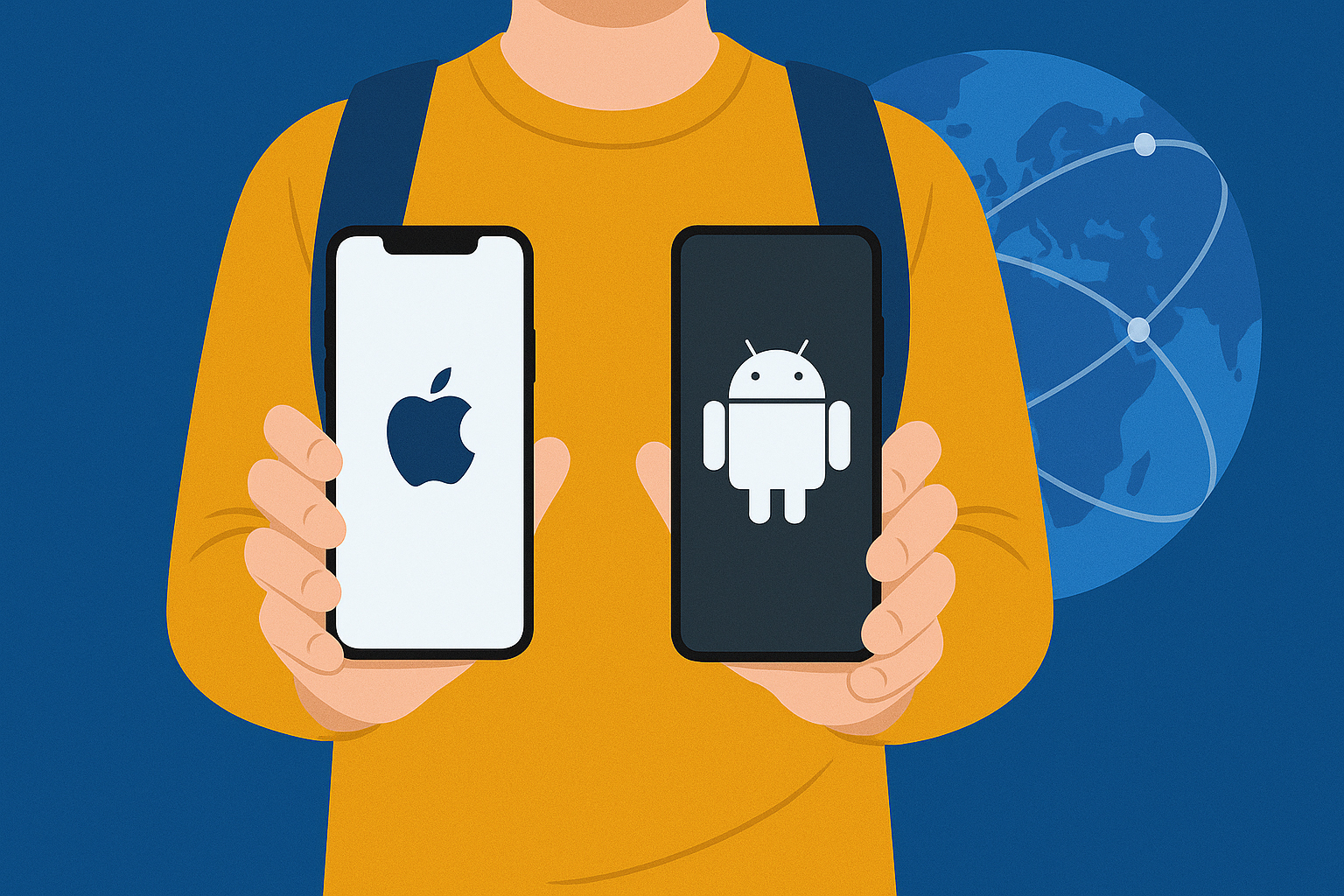
When looking for international SIM cards, eSIMs have transformed international travel. Instead of juggling physical SIM cards or paying outrageous roaming fees, travelers can now activate data plans instantly with a quick QR scan. But even though eSIMs make staying connected easier, problems can still arise — especially when hopping between countries or networks. Whether you’re in Paris, Phuket, or Patagonia, here’s a practical guide to troubleshooting eSIM issues while abroad.


1. No Signal or “No Service” After Activation

This is the most common issue travelers face after installing an eSIM. You’ve scanned the QR code, it shows as “active,” but your phone still says “No Service.”

✅ Step-by-Step Fix:

  1. Turn Airplane Mode On and Off
    Wait 30 seconds and disable it — this forces your phone to rescan for available networks.

  2. Manually Select a Network

    • Go to Settings → Cellular → Network Selection (iPhone) or Settings → Connections → Mobile Networks → Network Operators (Android).

    • Toggle Automatic off, then pick one of the listed networks manually.

    • If you’re using a OneSimCard eSIM, try selecting one of our preferred roaming partners in your country.

  3. Restart Your Device
    Simple but effective — restarting clears temporary network glitches.

  4. Check if Data Roaming is On

    • For eSIMs, roaming must be enabled to access local partner networks abroad.

    • Navigate to Settings → Cellular → eSIM Plan → Data Roaming → On.

Pro Tip: In some regions, 2G or 3G networks are no longer supported. If your phone is older or set to connect automatically, switch to 4G/LTE only for better results.


⚙️ 2. Can’t Access Mobile Data (Even with Signal)

You have bars of signal but no internet — pages won’t load, maps can’t refresh, and apps spin endlessly. This typically means your APN (Access Point Name) isn’t set up correctly.

✅ Step-by-Step Fix:

  1. Check APN Settings

    • iPhone:
      Settings → Cellular → Your eSIM Plan → Cellular Data Network

    • Android:
      Settings → Mobile Network → Access Point Names

  2. Enter the Correct APN Information

    • For OneSimCard eSIM, the APN is typically: OSC
      (unless otherwise noted in your installation email).

    • Leave Username, Password, and Proxy fields blank.

  3. Restart Data Connection

    • Turn off Mobile Data for 10 seconds, then turn it back on.

    • Reopen your browser or try a speed test to confirm connectivity.

⚠️ Common Mistake: Many travelers forget to switch the “default data line” to their eSIM.
Go to Settings → Cellular Data → Select Your eSIM to ensure data routes through the correct plan.


3. eSIM Not Downloading or Activating

If your eSIM profile fails to download or install, it could be due to poor Wi-Fi, expired QR codes, or device compatibility.

✅ Step-by-Step Fix:

  1. Ensure You Have a Stable Wi-Fi Connection
    Activation requires internet access. If hotel Wi-Fi is unreliable, use a hotspot or café connection.

  2. Scan the QR Code Again

    • Go to Settings → Cellular → Add eSIM (or Mobile Plan).

    • Re-scan your OneSimCard QR code from your email or app.

    • If it’s expired, request a fresh activation link from support. This may require getting a new eSIM.

  3. Check Device Compatibility
    Only devices with built-in eSIM support will work. See our Complete eSIM Compatibility Guide for iPhone and Android for reference.

  4. Update Your Operating System
    Outdated software can block installation. Update to the latest version of iOS or Android before retrying.


4. eSIM Plan Doesn’t Appear in Settings

Sometimes, travelers install their eSIM successfully, but it doesn’t show under “Cellular Plans” or disappears after an update.

✅ Step-by-Step Fix:

  1. Restart Your Device — this often restores the display.

  2. Check Your Primary SIM Settings
    If you’re using a physical SIM simultaneously, ensure it isn’t set to “data only” while your eSIM is disabled.

  3. Reinstall the eSIM Profile

    • Delete the current profile under Settings → Cellular Plans → Remove eSIM

    • Re-scan the QR code to reinstall it fresh.

Pro Tip: Always save a backup of your eSIM QR code before traveling — many users delete their activation email by mistake!


5. Data Works in One Country but Not Another

Multi-country eSIMs (like OneSimCard’s) are designed for roaming, but occasionally, coverage may vary due to regional network preferences or restrictions.

✅ Step-by-Step Fix:

  1. Manually Switch Carriers

    • Turn off Automatic Network Selection.

    • Try another partner network in your current country (list provided in your OneSimCard app or welcome email).

  2. Enable Data Roaming
    Even if it worked before, moving across borders sometimes resets roaming permissions.

  3. Restart Device After Crossing Borders
    This refreshes your connection with the new country’s local network.

Tip for Frequent Travelers: Enable the OneSimCard eSIM Portal to monitor live connections, toggle networks remotely, and check data balances in real-time. Also, BE PATIENT!! Sometimes when you cross boarders it takes up to 15 minutes to find the right carrier(s)!


6. Battery Draining Faster Than Usual

Using dual SIMs (physical + eSIM) can slightly increase power usage because your phone pings two networks simultaneously.

✅ Step-by-Step Fix:

  • Turn off the SIM you’re not using.

  • Disable Background App Refresh for high-data apps like Maps or Instagram.

  • Use Low Power Mode while on the go.

⚙️ eSIMs themselves don’t drain extra battery — it’s the additional background network activity that does.


7. Calls or Texts Aren’t Working

If you can access data but can’t make calls or send SMS, the issue usually lies in your phone’s “Default Voice Line” settings or VoIP configuration.

✅ Step-by-Step Fix:

  1. Set Your eSIM as the Default Line for Calls
    Settings → Cellular → Default Voice Line → Choose eSIM

  2. Check Preferred Network Type
    Switch to “4G/VoLTE Preferred.” Some regions no longer support 3G voice networks.

  3. Use OneSimVoIP App for Calls
    If your plan is data-only, you can still make and receive calls with the OneSimVoIP app — available on iOS and Android.


8. When to Contact Support

If you’ve tried all the above steps and your eSIM still isn’t working:

  • Check your plan’s data balance or expiration date in your OneSimCard account.

  • Make sure your device IMEI isn’t carrier-locked.

  • Contact OneSimCard Support with the following info:

    • Device model and OS version

    • Country you’re in

    • Signal status and network name

Our team can run a live diagnostic and often resolve issues within minutes.

The Complete International eSIM Compatibility Guide for iPhone and Android

What Is an eSIM — and Why It Matters

An eSIM (embedded SIM) is a digital version of the traditional plastic SIM card. Instead of inserting a physical chip, you simply download a mobile profile directly to your smartphone.

For travelers, this means you can:

  • Activate international data instantly without visiting a store

  • Switch between local and global plans in seconds

  • Keep multiple numbers or data profiles on one device

  • Avoid roaming fees and lost SIM cards

As eSIM adoption grows, most new phones from Apple, Samsung, Google, and other brands now include this feature. Let’s explore which models support it — and how to check if yours does.

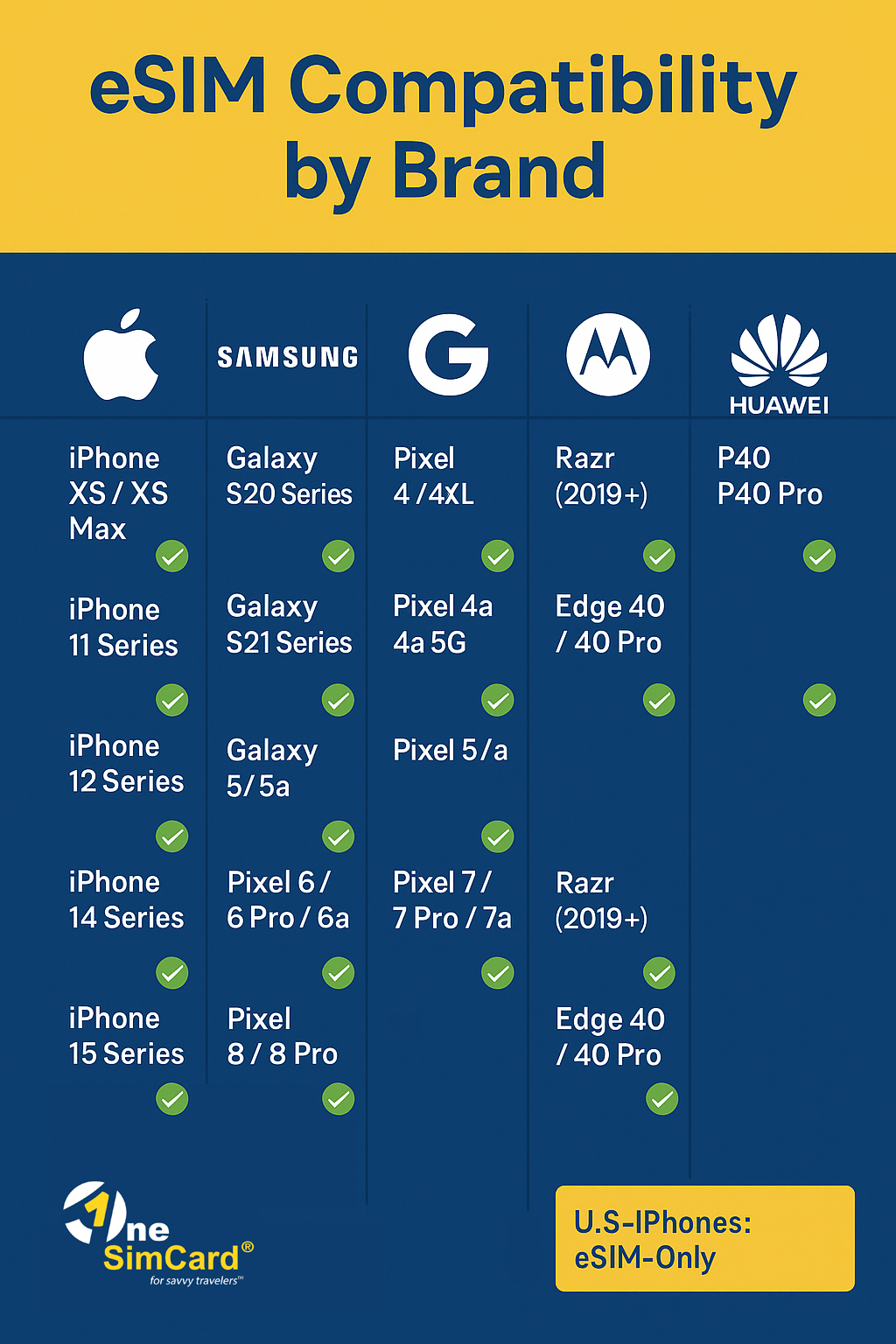
Infographic Chart Showing eSIM compatibility for iPhone, Samsung, Google, Motorola and Huawei devices
Compatible Phones – Quick Reference

Apple iPhone eSIM Compatibility

Apple was the first major brand to push eSIM adoption, starting in 2018.

iPhone Model eSIM Supported Dual eSIM Capability
iPhone XS / XS Max ✅ Yes ❌ One eSIM + one physical SIM
iPhone XR ✅ Yes
iPhone 11 / 11 Pro / 11 Pro Max ✅ Yes
iPhone 12 / 12 mini / 12 Pro / 12 Pro Max ✅ Yes ✅ Dual eSIM supported (iOS 15+)
iPhone 13 / 13 mini / 13 Pro / 13 Pro Max ✅ Yes
iPhone 14 Series ✅ Yes ✅ (U.S. models are eSIM-only)
iPhone 15 / 15 Plus / 15 Pro / 15 Pro Max ✅ Yes ✅ (U.S. models are eSIM-only)

Pro Tip: If you bought your iPhone in the U.S. (starting with the iPhone 14), it likely has no physical SIM slot — meaning you’re already using eSIM by default.

How to check your iPhone for eSIM support:

  1. Go to Settings → Cellular (or Mobile Data)

  2. Tap Add eSIM or Add Cellular Plan

  3. If you see the option to scan a QR code, your phone supports eSIM.


Android eSIM Compatibility

Unlike Apple, Android phones vary more widely across manufacturers and regions. But most premium and newer mid-range devices support eSIM.

Samsung eSIM Support

Model eSIM Supported Notes
Galaxy S20 / S20+ / S20 Ultra ✅ Yes Region-specific (not all carriers enable it)
Galaxy S21 / S21+ / S21 Ultra ✅ Yes Dual SIM with eSIM support
Galaxy S22 / S22+ / S22 Ultra ✅ Yes Global support
Galaxy S23 / S23+ / S23 Ultra ✅ Yes Full eSIM functionality
Galaxy Z Flip / Flip3 / Flip4 / Flip5 ✅ Yes Compact dual-SIM flexibility
Galaxy Z Fold / Fold2 / Fold3 / Fold4 / Fold5 ✅ Yes Ideal for frequent travelers

Note: Some carrier-locked versions may disable eSIM — always confirm with your provider or use OneSimCard eSIM for universal activation.


Google Pixel eSIM Support

Model eSIM Supported
Pixel 3 / 3 XL (some models) ✅ Partial
Pixel 4 / 4 XL ✅ Yes
Pixel 4a / 4a 5G ✅ Yes
Pixel 5 / 5a ✅ Yes
Pixel 6 / 6 Pro / 6a ✅ Yes
Pixel 7 / 7a / 7 Pro ✅ Yes
Pixel 8 / 8 Pro ✅ Yes

Pixels are among the most eSIM-friendly phones — they work across dozens of global networks, making them ideal for international travelers using OneSimCard eSIM.


Other Android Brands

Brand Compatible Models eSIM Notes
Motorola Razr 2019+, Edge 40, Edge 40 Pro ✅ Yes, on select models
Huawei P40, P40 Pro, Mate 40 Pro ✅ Yes, but limited Google support
OPPO Find X3 Pro, Find X5, Reno 8 Pro ✅ eSIM support growing rapidly
Xiaomi 13 Series, 13T Pro ✅ Supported in select regions
Honor Magic5 Pro ✅ Supported
Sony Xperia 10 III+, Xperia 5 IV, Xperia 1 V ✅ Yes

Regional Variations to Know

Not all models sold in every market have eSIM enabled.
For example:

  • Some Samsung phones in South America or Asia ship without eSIM activation.

  • iPhones purchased in China or Hong Kong may have dual physical SIM slots instead.

  • Pixel devices are generally universal, but activation depends on the local carrier.

✅ Always confirm your model’s eSIM capability by visiting your phone’s manufacturer support page or checking in the SIM settings menu.

Call to action to buy eSIM


Why Travelers Love eSIM

For anyone using an international eSIM like OneSimCard, compatibility means freedom:

  • Instant activation: Scan a QR code before your flight.

  • No waiting for delivery: Perfect for last-minute trips.

  • Switch plans anytime: Use one eSIM for Europe, another for Asia.

  • Stay connected: Keep your home number active while using local data.

With more than 200 countries covered, OneSimCard eSIMs work on major devices listed above — ensuring your phone stays connected whether you’re hiking in the Alps or working remotely from Bali.


Final Thoughts

eSIM technology is transforming how we travel, communicate, and stay connected. With nearly all major phones now supporting it, you can leave behind the hassle of swapping plastic SIMs — and enjoy instant, global data at your fingertips.

Whether you’re using the latest iPhone 15, Samsung Galaxy S23 Ultra, or Google Pixel 8, a OneSimCard eSIM ensures seamless connectivity across borders, at local rates, with no contracts or roaming surprises.

So before your next trip, check your phone’s eSIM settings, grab a OneSimCard eSIM with our App on Apple App Store or Google Play Store, and enjoy the freedom of truly borderless communication.

Travel Emergencies Solved by an eSIM

eSIM solving travel emergencies
Having an International eSIM Can Help with Many Emergencies

Even the most carefully planned trips can take unexpected turns. Flights get delayed, luggage disappears, and sometimes the worst happens when you’re far from home. What separates a minor inconvenience from a full-blown disaster often comes down to one thing: how quickly you can get connected.

This is where an international eSIM becomes a traveler’s secret weapon. With instant data access in over 200 countries, an eSIM from OneSimCard ensures you can navigate any emergency without missing a beat. Let’s look at some of the most common travel emergencies and how an eSIM can help you solve them on the spot.


1. Missed Connections and Flight Changes

Imagine this: your flight to Paris is delayed, causing you to miss your connecting flight to Rome. Hundreds of passengers are rushing to rebook at the airline counter, but you don’t have time to wait in line.

With a travel eSIM, you can:

  • Pull out your phone and rebook instantly through the airline’s app.

  • Use real-time flight trackers to find alternative routes.

  • Message your hotel in Rome to let them know you’ll be arriving late.

Instead of standing in a long queue, you’re already rebooked, sipping coffee at the gate, and adjusting your itinerary with zero stress.


Medical Emergencies2. Medical Emergencies Abroad

A sudden medical issue in a foreign country can be terrifying — especially if you can’t communicate quickly. Whether it’s food poisoning in Bangkok or a sprained ankle in Lisbon, time matters.

An international eSIM gives you the power to:

  • Instantly look up the nearest hospital or pharmacy.

  • Use translation apps to explain symptoms to doctors or pharmacists.

  • Call or message your insurance provider for guidance and coverage details.

  • Share your live location with travel companions or family at home.

Fast connectivity ensures that you’re not scrambling for Wi-Fi or relying on patchy roaming when you need urgent help.


Lost Credit Cards3. Lost or Stolen Credit Cards

You’ve just finished dinner in Barcelona when you realize your wallet — along with your credit cards — is missing. Panic sets in. But with an active eSIM, solutions are only a few taps away.

Here’s what you can do immediately:

  • Open your banking app and freeze your card to prevent unauthorized charges.

  • Use secure VoIP calls with OneSimCard’s app to contact your bank if you need assistance.

  • Pull up maps and ride-hailing apps to get safely back to your hotel.

  • Order an emergency replacement card delivered to your location.

Without data, you might be stuck hunting for public Wi-Fi while your stolen card racks up charges. With an eSIM, you take control instantly.


Lost in an unfamiliar city4. Lost in an Unfamiliar City

It’s easy to lose your bearings in a new city — especially at night or in a place where you don’t speak the language. A simple problem can quickly turn into a major catastrophe.

With a travel eSIM, getting back on track is simple:

  • Open maps and get step-by-step walking directions.

  • Use translation apps to ask for help or read signs.

  • Share your location with friends so they can meet you safely.

What could’ve been a frightening experience turns into a quick detour with minimal stress.


Extreme weather leading to travel disruptions5. Cancellations and Natural Disruptions

From rail strikes in Europe to sudden snowstorms in North America, travel plans can change in an instant. When services are canceled, being able to adapt fast is crucial.

With an eSIM:

  • You can rebook hotels or transportation from your phone.

  • Stay updated on real-time alerts from airlines, train operators, or local authorities.

  • Arrange alternative plans before most other travelers even know what’s happening.

Being the first to act can mean the difference between snagging the last hotel room or being stuck overnight in a terminal.


Keeping in Touch During Emergencies6. Keeping in Touch During Emergencies

Sometimes emergencies aren’t just about logistics — they’re about peace of mind. Whether you’re traveling alone or with family, staying connected is essential. It can literally be life and death.

An international eSIM allows you to:

  • Call or message loved ones back home instantly.

  • Share updates during crises (natural disasters, civil unrest, etc.).

  • Use secure messaging apps over data when SMS or voice networks are congested.

Your family knows you’re safe, and you feel supported even thousands of miles away.


Why OneSimCard eSIM Stands Out in Emergencies

Not all travel eSIMs are created equal. With OneSimCard eSIM, you get:

  • Coverage in 200+ countries and territories.

  • Instant activation with a quick QR code scan.

  • No contracts, no roaming shock — just prepaid, reliable data.

  • The option to use the OneSim VoIP app for affordable calls and texts.

  • Multi-network access in many countries, ensuring you’re not stuck on a weak carrier during an emergency.


Final Thoughts: Peace of Mind in Your Pocket

Travel is full of surprises — some magical, some stressful. But with an international eSIM, you’re never powerless in the face of emergencies. From rebooking flights to handling medical issues, protecting your finances, or simply finding your way back to safety, having instant global data can turn a crisis into a manageable inconvenience.

OneSimCard eSIM: travel smarter, safer, and always connected.

Why an eSIM Is the Best Way to Stay Connected When Travelling Internationally

Hand Holding Smartphone With eSIM Chip Sign on Its Screen, Flat Design Style Illustration
eSIMs are the best option to stay connected when traveling internationally

Traveling internationally is more accessible and common than ever, whether for leisure, business, or remote work. But one of the biggest challenges that persists for globetrotters is staying connected. From expensive roaming charges to the hassle of swapping physical SIM cards, traditional mobile connectivity methods can be cumbersome. Fortunately, eSIM (embedded SIM) technology is changing the game. In this blog, we explore why eSIMs are the best option for international travelers who want a seamless, cost-effective, and hassle-free way to stay connected.

What is an eSIM?

An eSIM, or embedded SIM, is a digital version of the traditional SIM card. Instead of inserting a physical card into your phone, tablet, or smartwatch, an eSIM is built into the device’s hardware. It allows you to download and activate a cellular plan directly onto your device via QR code or an app, without needing to handle any physical component.

Convenience and Ease of Use

One of the biggest advantages of using an eSIM when traveling internationally is convenience. Before you even step on the plane, you can purchase and install a local or regional data plan right from your device. There’s no need to search for a SIM vendor at the airport or navigate a new country without data access.

Additionally, many providers offer apps that allow you to compare plans, activate service, and manage usage—all within minutes. If you’re visiting multiple countries, you can easily switch between different eSIM profiles depending on your location and needs. Download the OneSimCard eSIM app for Apple or Android:

Google Play eSIM button

Cost Savings

Roaming charges can quickly add up, especially if you’re using your home carrier’s international data plan. eSIMs help eliminate these costs by allowing you to select local carriers or specialized travel data providers with far more competitive pricing.

For example, instead of paying $10 to $15 per day in roaming fees, you could activate a local eSIM plan offering several gigabytes of data for a fraction of the cost. With so many providers competing in the eSIM market, you’re likely to find a plan that fits both your budget and usage requirements.

Instant Activation

eSIMs offer immediate connectivity. Most providers allow you to activate your plan instantly by scanning a QR code or downloading a profile from their app. There’s no waiting period, no paperwork, and no need to visit a store.

This instant activation is especially useful for frequent travelers or business professionals who can’t afford downtime. You can be online within minutes of landing, ready to check maps, book transportation, or communicate with colleagues and loved ones.

Multiple Profiles and Easy Switching

Unlike physical SIMs, which require you to physically remove and replace cards, eSIMs let you store multiple profiles on your device. You can easily switch between different carriers and plans through your phone’s settings.

This is particularly helpful for travelers who are visiting multiple countries on one trip. Instead of juggling several SIM cards, you can switch between different eSIM plans with just a few taps.

Better Security and Durability

Because there is no physical card involved, eSIMs are less prone to damage or loss. Travelers often swap SIMs in airports or cafes, increasing the risk of losing their home SIM or damaging the card slot. eSIMs eliminate this concern entirely.

Additionally, eSIM profiles are encrypted and can be protected with passwords or biometric authentication, adding a layer of security to your mobile connectivity.

Wide Device Compatibility

Most modern smartphones, including recent models from Apple, Samsung, and Google, support eSIM technology. Wearables like smartwatches and some tablets also support eSIMs, making it easier than ever to stay connected across all your devices.

If your device supports dual SIM functionality (physical + eSIM), you can keep your home SIM active for calls and texts while using a local eSIM for data. This ensures that you don’t miss important messages or calls while benefiting from affordable data services.

Environmentally Friendly

eSIMs are also a greener alternative to traditional SIM cards. By going digital, we reduce the production, shipping, and disposal of plastic SIM cards and packaging. With millions of travelers worldwide, this small shift can make a big environmental impact over time.

Flexibility for Remote Workers and Digital Nomads

Remote work has become more prevalent, and many professionals are choosing to live a location-independent lifestyle. For digital nomads, staying connected is not a luxury—it’s a necessity.

eSIMs provide the flexibility needed for this lifestyle. With the ability to switch networks and manage plans from anywhere, remote workers can ensure stable internet connections for video calls, file transfers, and collaboration tools, no matter where they are in the world.

Access to Local Networks

When you use an eSIM with an international data provider like OneSimCard, you get access to that carrier’s full network coverage and speeds. This is often better than roaming through your home provider, which might partner with local carriers but offer throttled speeds or limited bandwidth.

Using a local network through an eSIM generally results in faster data speeds, more reliable coverage, and lower latency—all of which are important when navigating new environments or relying on cloud-based apps.

Tips for Using eSIMs While Traveling

  • Check Device Compatibility: Ensure your phone or device supports eSIM functionality.
  • Compare Providers: Use comparison websites or apps to find the best plan for your destination.
  • Download in Advance: Activate your eSIM profile before leaving or while you still have access to Wi-Fi.
  • Monitor Data Usage: Keep track of your data usage to avoid unexpected overages.
  • Use Dual SIM if Available: If your device allows, keep your home SIM active for calls and use your eSIM for data.

Conclusion

Staying connected while traveling internationally no longer has to be expensive or inconvenient. eSIM technology offers a smarter, more flexible, and cost-effective solution for travelers. With instant activation, multiple plan options, and seamless switching between carriers, eSIMs have truly revolutionized how we connect abroad. Whether you’re a casual vacationer, a business traveler, or a full-time digital nomad, making the switch to eSIM can simplify your travel experience and keep you connected every step of the way. OneSimCard’s DataMax eSIM is a great choice if you are looking for low data rates in over 200+ global destinations!

Worldwide eSIM: The Ultimate Travel Hack for Seamless Connectivity Anywhere

eSIM loaded onto a Smartphone
Phone with Worldwide eSIM technology.

Have you ever landed in a new country, only with the frustrating hunt for a local SIM card or the dread of exorbitant roaming charges? In today’s hyper-connected world, staying online is no longer a luxury; it’s a necessity. Whether you’re navigating unfamiliar streets, sharing travel moments, or staying on top of work, seamless connectivity is the key to a stress-free journey.

But let’s face it: traditional SIM cards are a relic of the past. Are you sick and tired of fumbling with tiny plastic cards, worrying about losing them, and the hassle of switching them out every time you cross a border? It’s a traveler’s nightmare. Enter the worldwide eSIM, the game-changer that’s revolutionizing how we stay connected on the go.

What is a Worldwide eSIM?

An eSIM, or embedded SIM, is a digital SIM card built directly into your device. Instead of a physical card, you download a software profile that activates your mobile plan. Think of it as a digital passport for your phone, allowing you to switch between carriers and plans without physically swapping anything.

Unlike traditional SIMs, which are tied to a specific carrier and require physical insertion, eSIMs are flexible and programmable. They can store multiple profiles, letting you easily switch between different plans for different countries. Most modern smartphones, tablets, and even smartwatches are now eSIM-compatible, making it easier than ever to embrace this technology.

How Does a Global eSIM Work?

Enabling a worldwide eSIM is relatively easy. Here’s the break down:

  • Select an eSIM Provider: Choose a recognized provider with plans available for your location.
  • Buy a Plan: Select a data plan based on your needs and budget.
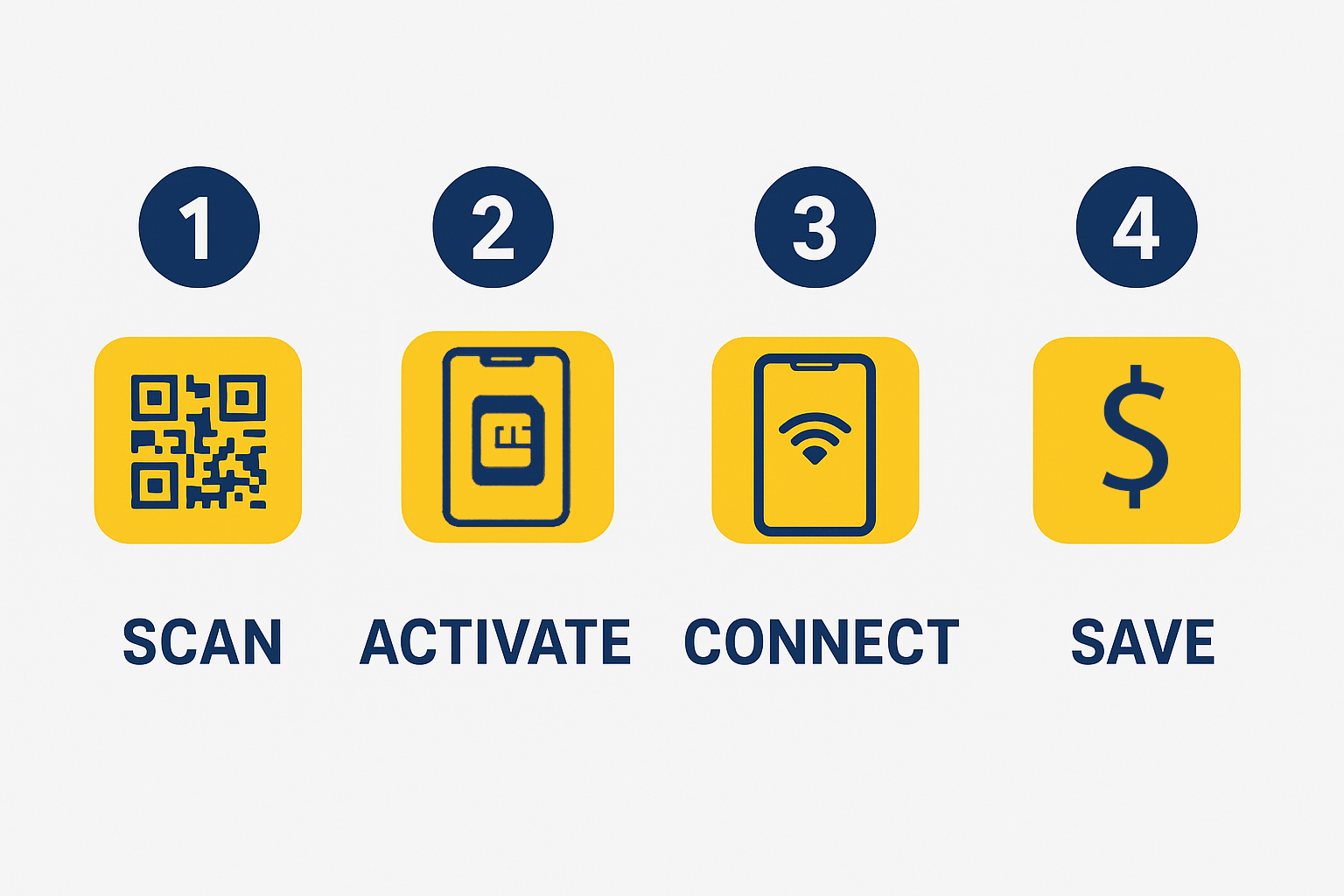
  • Activate Your eSIM: You’ll usually get a QR code or activation code. Scan or enter it on your device to download and install the eSIM profile. OneSimCard offers helpful step-by-step video guides for eSIM installation on iOS and Android
  • Control Your Plans: Most devices enable you to control several eSIM profiles, so you can easily switch between plans for each destination.
  • Roaming or Local Network Choice: Most eSIMs provide the option of roaming on partner networks or joining local networks, so you get the best of both options.

Will Your Phone Work With eSIM?

To use an eSIM, check if your phone is compatible. Most new phones from popular manufacturers like Apple, Samsung, and Google work with eSIMs, but older ones may not. Some tablets, smartwatches, and laptops use them too. You can check your phone’s menu or the devices specifications to see if it will work.

Some think eSIMs are not safe, but that is not true. eSIMs have more security to keep your info safe and can be wiped remotely if lost. Some worry that switching is difficult, but all it takes is a few taps. More folks should give eSIMs a try.

What Comes Next for eSIMs?

More folks will use worldwide eSIMs as time goes on. They already work with 5G, which means fast speeds in more spots. Some cars and smart devices will use them, too. Soon, most of the world may drop SIM chips and use eSIMs for all data, calls and texts.

As tech grows, eSIMs will provide even more advantages. Phones, tablets, and watches will work better with them, and new devices like smart rings and AR gear may be used too. Cars with eSIMs will link to maps, road help, and music streaming apps without a phone.

Big firms may switch to eSIMs to keep work devcies linked with ease. No need for new SIM chips when staff move or switch plans—just tap a screen and swap to a new one.

With more use comes more growth. As firms build new ways to use eSIMs, they will shape how we link to the web, each other, and the world.

Conclusion

eSIMs make life easy, cut waste, and help us stay connected with no fuss. They save money, time, and space while being safe and smart. More folks now see the perks, and soon, SIM chips may be a thing of the past. If you want a simple way to stay online, an eSIM is the way to go.

With no need for a small chip, no lines at the shop, and no high fees for calls and texts, eSIMs help in so many ways. They work in most new phones, tablets, and smart devices so more folks can easily use them. As tech moves forward, more brands will drop SIM chips and switch to worldwide eSIMs.

If you want to save time, keep costs low, and help the earth, now is the best time to make the switch. The world is more linked than ever, and with eSIM, you can be too.

The Best Time to Visit Europe

Europe is a diverse and enchanting continent with a rich tapestry of cultures, histories, and landscapes. Deciding the best time to visit Europe depends largely on what you hope to experience. Each season offers unique experiences, and the optimal time to visit can vary by region and personal preference.

Spring (March to May)

Spring is a beautiful time to visit Europe. The weather begins to warm up, and flowers bloom, bringing life to parks and countryside. Popular destinations like Paris, Amsterdam, and London are less crowded compared to the peak summer months. Spring is ideal for exploring the outdoors, visiting gardens, and enjoying festivals like the Tulip Festival in the Netherlands or the cherry blossoms in Japan.

Summer (June to August)

Summer is the peak tourist season in Europe, and for good reason. The weather is warm, and there are numerous outdoor events, festivals, and activities. Coastal destinations such as the French Riviera, the Amalfi Coast in Italy, and the Greek Islands are at their best, offering pristine beaches and vibrant nightlife. However, be prepared for large crowds and higher prices.

Autumn (September to November)

Autumn is another excellent time to visit Europe. The weather is still pleasant, and the summer crowds have thinned out. The changing leaves create picturesque landscapes, particularly in places like Bavaria, the Loire Valley, and the Scottish Highlands. Autumn is also a fantastic time for wine enthusiasts, with many wine regions celebrating harvest festivals.

Winter (December to February)

Winter in Europe is magical, especially if you enjoy festive atmospheres and winter sports. Christmas markets in Germany, Austria, and the Czech Republic are a highlight, with charming stalls, festive lights, and seasonal treats. The Alps and Pyrenees offer world-class skiing and snowboarding. Cities like Prague, Vienna, and Salzburg are particularly enchanting with their historic architecture blanketed in snow.

Top 10 Things to Do in Europe

  1. Explore the Historic Cities of Europe Europe’s cities are treasure troves of history, culture, and architecture. Wander through the streets of Rome, where ancient ruins like the Colosseum and the Roman Forum stand as testaments to the city’s imperial past. In Paris, visit iconic landmarks such as the Eiffel Tower, Notre-Dame Cathedral, and the Louvre Museum. The medieval charm of Prague, with its cobblestone streets and Gothic architecture, offers a journey back in time.
  2. Visit the Museums and Art Galleries Europe is home to some of the world’s most renowned museums and art galleries. The Louvre in Paris, the British Museum in London, and the Vatican Museums in Rome house priceless works of art and historical artifacts. The Rijksmuseum in Amsterdam and the Prado in Madrid are also must-visits for art lovers. These institutions offer an opportunity to see masterpieces by artists such as Leonardo da Vinci, Rembrandt, and Michelangelo.
  3. Experience the Natural Wonders Europe’s natural landscapes are as diverse as its cultural heritage. The fjords of Norway, with their dramatic cliffs and serene waters, are breathtakingly beautiful. The Swiss Alps offer stunning vistas and are perfect for hiking and skiing. The Plitvice Lakes National Park in Croatia, with its cascading waterfalls and crystal-clear lakes, is a UNESCO World Heritage site that should not be missed.
  4. Indulge in Culinary Delights European cuisine is incredibly diverse and varies from country to country. In Italy, savor authentic pizza and pasta dishes, along with regional specialties like risotto and tiramisu. France is renowned for its gourmet food, from delicate pastries to fine wines and cheeses. Spain offers tapas, paella, and churros, while Belgium is famous for its waffles and chocolates. Don’t forget to try the local beverages, whether it’s German beer, Greek ouzo, or Portuguese port wine.
  5. Take a Scenic Train Ride Train travel in Europe is convenient and often offers some of the most scenic routes in the world. The Glacier Express in Switzerland takes you through the heart of the Alps, offering panoramic views of snow-capped mountains and picturesque villages. The West Highland Line in Scotland travels through rugged landscapes, past lochs and glens. The Cinque Terre Express in Italy connects the charming coastal villages of the Cinque Terre, providing stunning views of the Ligurian Sea.
  6. Relax on Beautiful Beaches Europe’s coastline is dotted with beautiful beaches that cater to all tastes. The Mediterranean coasts of Spain, Italy, and Greece boast sandy shores and crystal-clear waters, perfect for sunbathing and swimming. The Algarve in Portugal offers dramatic cliffs and hidden coves. The Baltic Sea beaches in Germany and Poland provide a different kind of coastal experience, with their unique landscapes and serene atmosphere.
  7. Discover the Castles and Palaces Europe is home to some of the most magnificent castles and palaces in the world. The Neuschwanstein Castle in Germany, with its fairy-tale appearance, inspired Disney’s Sleeping Beauty Castle. The Palace of Versailles in France is a symbol of absolute monarchy and is known for its opulent interiors and extensive gardens. In Scotland, Edinburgh Castle dominates the skyline and offers a glimpse into the country’s turbulent history.
  8. Enjoy Outdoor Adventures For outdoor enthusiasts, Europe offers a wide range of activities. In addition to skiing and snowboarding in the Alps, you can go hiking in the Scottish Highlands, kayaking in the fjords of Norway, or cycling along the Danube River. The diverse landscapes provide endless opportunities for adventure, whether you prefer mountains, forests, lakes, or rivers.
  9. Experience the Festivals and Events Europe hosts a myriad of festivals and events throughout the year. The Carnival of Venice, with its elaborate masks and costumes, is a spectacle to behold. Oktoberfest in Munich is the world’s largest beer festival, attracting millions of visitors. The Edinburgh Festival Fringe is the largest arts festival in the world, featuring thousands of performances across various genres. These events offer a unique insight into the local culture and traditions.
  10. Take a River Cruise River cruises are a relaxing way to explore Europe, offering the chance to visit multiple destinations without the hassle of packing and unpacking. The Danube River cruise takes you through several countries, including Germany, Austria, Hungary, and Romania, allowing you to explore historic cities and charming villages. The Rhine River cruise offers scenic views of vineyards, castles, and medieval towns. These cruises often include guided tours and excursions, providing a comprehensive travel experience.

In conclusion, Europe offers an abundance of experiences that cater to a wide range of interests. Whether you’re a history buff, a foodie, an outdoor enthusiast, or simply looking to relax on a beautiful beach, Europe has something for everyone. The best time to visit depends on your preferences and what you want to see and do. Whenever you choose to go, you’re sure to create lasting memories in this diverse and captivating continent. Don’t forget to pack your OneSimCard International SIM card, or download your travel eSIM before you go, so you can make all your friends and family jealous with your travels across the continent!

Exploring Finland: A Nordic Wonderland

Woman looking at aurora borealis, northern lights in Finland winter forest
Aurora Borealis, northern lights, in Finland winter forest

Introduction

Finland, often referred to as the “Land of a Thousand Lakes” or the “Land of the Midnight Sun,” is a country of unparalleled natural beauty, pristine wilderness, vibrant culture, and innovative design. Situated in Northern Europe, Finland offers travelers a unique and captivating experience year-round. We delve into the wonders of Finland, from its enchanting landscapes and cultural treasures to its rich history and modern innovations.

Geography and Climate

Finland’s geography is defined by its numerous lakes, dense forests, and a long coastline that stretches along the Baltic Sea. It shares borders with Russia to the east, Sweden to the west, and Norway to the north. The country’s geography has a profound influence on its climate, with distinct seasons.

  1. Summer: Summers in Finland are a magical time when the sun barely sets, giving rise to the phenomenon of the “Midnight Sun.” This season, lasting from June to August, is perfect for outdoor activities, such as hiking, kayaking, and enjoying the long, sunny days.
  2. Winter: Winters in Finland bring snow and ice, transforming the country into a winter wonderland. From December to February, you can experience activities like ice skating, cross-country skiing, and the awe-inspiring Northern Lights.
  3. Autumn and Spring: Autumn, from September to November, is known for vibrant fall foliage, while spring, from March to May, witnesses the gradual return of longer daylight hours.

Helsinki: The Capital City

Most journeys to Finland begin in Helsinki, the nation’s capital and largest city. Helsinki is a modern and dynamic metropolis with a rich cultural scene, stunning architecture, and a blend of Nordic and Russian influences. Some must-visit attractions in Helsinki include:

  1. Senate Square (Senaatintori): The heart of Helsinki’s neoclassical architecture, featuring the iconic Helsinki Cathedral and Government Palace.
  2. Suomenlinna Fortress: A UNESCO World Heritage Site, this sea fortress is an ideal place for a picnic and a leisurely stroll.
  3. Design District: Explore the Design District for a taste of Finnish design, including Marimekko textiles and Iittala glassware.
  4. Market Square (Kauppatori): Sample Finnish street food and browse for souvenirs at this lively market on the waterfront.
  5. Temppeliaukio Church (Rock Church): A unique church carved into solid rock, known for its impressive acoustics and architecture.

Lakes and Wilderness

With over 180,000 lakes, Finland is a paradise for nature lovers and outdoor enthusiasts. Here are some of the most enchanting natural destinations in the country:

  1. Lake Saimaa: The largest lake in Finland, Lake Saimaa is a serene and picturesque region known for its stunning landscapes, islands, and the endangered Saimaa ringed seal.
  2. Koli National Park: Located in eastern Finland, this national park offers pristine wilderness, hiking trails, and panoramic views from Ukko-Koli hill.
  3. Rovaniemi: The capital of Lapland, Rovaniemi is famous as the official hometown of Santa Claus. It’s also a gateway to the Arctic wilderness and the Northern Lights.
  4. Archipelago National Park: Explore the beautiful archipelago off the southwest coast, comprising thousands of islands and islets.
  5. Wild Taiga: In eastern Finland, the Wild Taiga region is a haven for wildlife enthusiasts, offering opportunities to spot bears, wolves, and lynx in their natural habitat.

Saunas and Cultural Traditions

Saunas are an integral part of Finnish culture, and there are more saunas than people in Finland. Experiencing a traditional Finnish sauna is a must during your visit. Some unique cultural traditions and activities to explore include:

  1. Löyly and Ice Swimming: Experience the contrast of hot sauna followed by a refreshing dip in icy waters, a Finnish tradition known as “löyly.”
  2. Midsummer Celebrations: Celebrate Midsummer, a significant Finnish holiday, by participating in bonfires, traditional dances, and the lighting of “kokko” (Midsummer bonfires).
  3. Finnish Cuisine: Sample Finnish dishes like salmon soup, Karelian pastries, and the iconic Finnish rye bread.
  4. Sami Culture: Discover the indigenous Sami culture, which includes unique handicrafts, reindeer herding, and traditional joik singing.

Adventure Sports and Activities

Finland offers a wide range of adventure sports and activities for thrill-seekers and outdoor enthusiasts:

  1. Cross-Country Skiing: Experience the joy of gliding through snow-covered forests on well-maintained cross-country ski trails.
  2. Husky Safaris: Go on a husky safari through Lapland’s snowy wilderness, with these enthusiastic dogs leading the way.
  3. Canoeing and Kayaking: Paddle along Finland’s serene lakes and rivers, exploring remote waterways and camping by the shore.
  4. Aurora Hunting: Witness the mesmerizing Northern Lights, also known as the Aurora Borealis, during clear winter nights in Lapland.

Other must-do’s

The Finnish Archipelago

Finland’s coastline is dotted with a stunning archipelago, a unique and peaceful environment. To fully appreciate the archipelago’s beauty, consider taking a ferry or a cruise to explore its islands, which vary in size and character. From the bustling island of Åland with its maritime culture to the remote wilderness of the outer archipelago, each island offers a distinct experience.

Santa Claus Village in Rovaniemi

For those seeking a magical experience, a visit to the Santa Claus Village in Rovaniemi is a must. This enchanting destination provides visitors of all ages with the opportunity to meet Santa Claus himself, send postcards from the Arctic Circle, and experience the magic of Christmas year-round.

The Northern Lights in Lapland

Lapland, the northernmost region of Finland, is one of the best places on Earth to witness the Northern Lights. Between late September and early April, the night sky often comes alive with vibrant displays of green, purple, and pink hues. Lapland’s remote and pristine wilderness, combined with its clear winter nights, makes it an ideal location for aurora hunting.

Sustainable Tourism in Finland

Finland places a strong emphasis on sustainable tourism and environmental conservation. Responsible travelers can contribute to the preservation of Finland’s pristine nature and cultural heritage by following these principles:

  1. Respect Nature: Stay on marked trails, pick up trash, and leave no trace when exploring Finland’s wilderness.
  2. Support Local: Choose eco-friendly accommodations, purchase local products, and support indigenous Sami communities.
  3. Learn About the Environment: Educate yourself about the natural surroundings and wildlife you’ll encounter to ensure you’re a responsible and informed visitor.
  4. Minimize Your Impact: Conserve resources, minimize waste, and respect the delicate balance of ecosystems.

Conclusion

Finland is a land of natural wonders, cultural treasures, and memorable experiences. Whether you’re exploring the vibrant streets of Helsinki, venturing into the wilderness of Lapland, or simply enjoying the tranquility of the Finnish archipelago, this Nordic wonderland offers something for every traveler. Embrace the unique seasons, cultural traditions

To stay in touch with friends and family while in Finland, don’t forget to pack or download your OneSimCard International Roaming SIM card. Our data packages start at less than 1¢ per MB. This will let you upload lots of photos, use our OneSim VoIP app and email your friends about what a great time you are having for next to nothing!