
Travel Influencers’ Secret Weapon: Why eSIMs Beat Pocket Wi-Fi

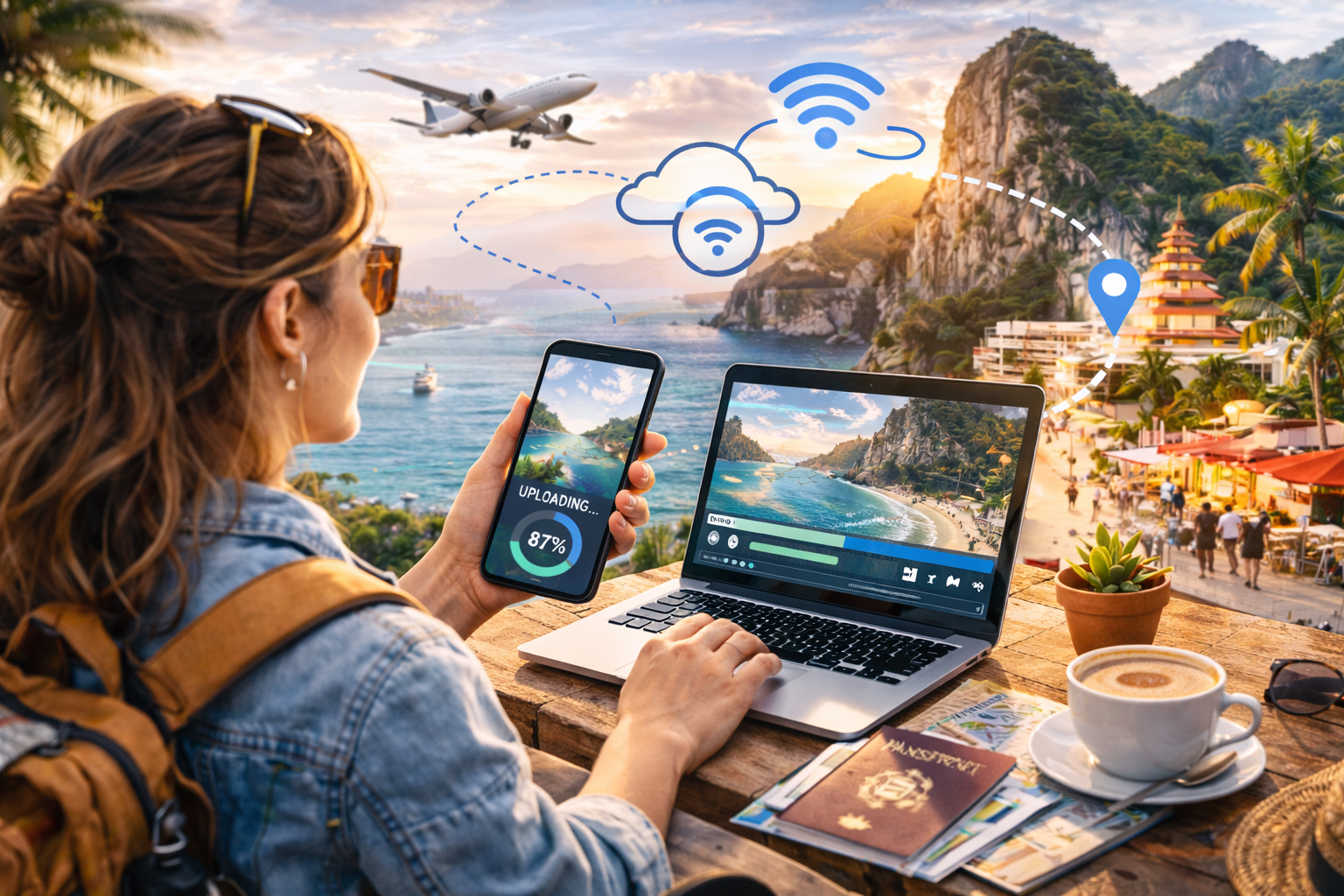
Travel influencer working in a tropical location with her eSIM enabled smartphone connecting her other devices.

How creators stay connected, upload faster, and travel lighter with modern mobile connectivity

Scroll through any travel influencer’s feed and it looks effortless. Sunset reels posted in real time. Drone shots uploaded from mountain viewpoints. Stories shared from trains, taxis, beaches, and bustling city streets.

What you don’t see is the invisible infrastructure behind it all.

Content creation on the road depends on one critical resource: reliable internet. Without it, uploads stall, collaborations lag, and opportunities disappear faster than a golden-hour sunset.

For years, pocket Wi-Fi devices were the go-to solution for international creators. But quietly, a shift has happened. Increasingly, travel influencers are leaving pocket routers behind and switching to travel eSIMs.

Here’s why the smartest creators now consider eSIMs their real travel essential.


The Old Standard: Pocket Wi-Fi Explained

Pocket Wi-Fi devices rose to popularity because they solved a major problem. Instead of paying expensive roaming fees, travelers could rent a small mobile hotspot that connected multiple devices to local cellular networks.

The concept was simple:

  • Carry a small router

  • Turn it on

  • Connect phones and laptops via Wi-Fi

For early digital nomads and creators, it felt revolutionary.

But over time, the downsides started to show, especially for influencers constantly on the move.


Problem #1: One More Thing to Carry

Travel influencers already travel with a surprising amount of gear:

  • Cameras

  • Lenses

  • Drones

  • Microphones

  • Tripods

  • Power banks

  • Laptops

Adding a pocket Wi-Fi device means adding another object that must be charged, packed, tracked, and protected.

An eSIM removes the device entirely.

Your phone becomes the connection.

No extra hardware. No rental pickup. No return shipping. No bulky charger tangled in your bag.

For creators who value mobility, removing friction matters more than adding gadgets.


Problem #2: Battery Anxiety

Pocket Wi-Fi devices run on their own batteries. And they rarely last a full creator day.

Imagine this scenario:
You’re filming all afternoon, navigating a new city, uploading clips, and messaging collaborators. Suddenly, the hotspot battery dies.

Now every connected device loses internet at once.

With an eSIM, connectivity lives inside your smartphone, which already has optimized battery management and portable charging solutions. One device to power instead of two.

Less juggling. Less stress.


Problem #3: Airport Logistics

Pocket Wi-Fi rentals often require pickup counters or shipping arrangements.

That means:

  • Waiting in airport lines

  • Finding return drop boxes

  • Paying late fees if travel plans change

Influencers thrive on flexibility. Plans shift constantly.

An eSIM activates digitally. Many creators install their data plan before departure and connect instantly when landing.

The difference feels small until you arrive after a long flight and walk straight past the rental counters while everyone else waits.


Problem #4: Upload Speed and Stability

Creators don’t just browse. They upload.

High-resolution photos, reels, and videos require consistent speeds. Pocket Wi-Fi devices typically rely on a single local network, which may slow down during congestion.

Many travel eSIMs support multiple partner networks. Your device connects to the strongest available signal automatically.

For influencers, this translates into:

  • Faster uploads

  • Fewer dropped livestreams

  • Reliable posting schedules

Consistency matters when algorithms reward timing.


The Creator Workflow Advantage

Modern travel influencers operate like mobile production studios.

A typical day might include:

  • Shooting footage in the morning

  • Editing during transit

  • Uploading content before peak engagement hours

  • Responding to brand messages in real time

An eSIM fits naturally into this workflow because connectivity follows the creator, not the device.

No reconnecting networks, or sharing passwords, or resetting routers.

Just open the phone and work.


Multi-Country Travel Without Resetting Everything

Influencers rarely stay in one place.

A Europe trip might include five countries in ten days. A Southeast Asia tour might involve weekly flights.

Pocket Wi-Fi devices often require new rentals or regional limitations.

Travel eSIMs, on the other hand, can provide multi-country coverage under a single plan. As creators cross borders, their connection continues seamlessly.

No setup interruption means no content interruption.

And in the creator economy, consistency equals visibility.


The Livestream Test

Nothing exposes weak connectivity faster than livestreaming.

Viewers expect smooth video and instant interaction. Buffering or dropped streams can hurt engagement and credibility.

Because eSIM connections use native cellular data directly on the phone, latency is often lower than routing traffic through an external hotspot.

The result:

  • Cleaner livestreams

  • Better audio sync

  • More reliable audience interaction

For influencers building communities, this is a major advantage.


Security Matters More Than You Think

Public Wi-Fi networks remain risky for creators managing accounts, payments, and brand partnerships.

Pocket Wi-Fi reduces reliance on public networks, but eSIM connections go a step further by keeping data directly on encrypted cellular networks tied to your device.

That means safer access to:

  • Social media accounts

  • Cloud storage

  • Banking apps

  • Business communications

Behind the scenes, this protection matters as much as speed.


Cost Predictability for Long Trips

Pocket Wi-Fi rentals often charge daily rates. Over a long trip, costs add up quickly, especially if travel dates change.

eSIM plans are typically prepaid data packages. Creators know exactly how much data they have and how long it lasts.

No surprise invoices arriving after the trip.

Predictability helps influencers manage travel budgets and campaign expenses more accurately.


The Invisible Upgrade

The biggest reason influencers are switching isn’t just performance or cost.

It’s simplicity.

Technology works best when it disappears into the background. The less time creators spend managing connectivity, the more time they spend creating.

An eSIM doesn’t feel like gear. It feels like freedom.

Freedom to:

  • Post instantly

  • Navigate confidently

  • Collaborate globally

  • Travel spontaneously

All without carrying extra equipment.


Why Influencers Are Moving On from Pocket Wi-Fi

Pocket Wi-Fi solved yesterday’s travel problem. eSIMs solve today’s.

Feature Pocket Wi-Fi Travel eSIM
Extra device required Yes No
Battery management Separate Phone only
Airport pickup needed Often No
Multi-country travel Limited Seamless
Instant activation No Yes
Creator mobility Medium High

For modern travelers and digital creators, fewer steps mean better experiences.


The Real Secret Weapon

Travel influencers succeed by capturing moments as they happen. The window between experience and sharing keeps shrinking.

The creators who win are the ones who stay connected everywhere, without interruption.

That’s why eSIMs have quietly become the new standard among experienced travelers.

Not flashy. Not obvious. Just reliable.

And sometimes, the most powerful travel tool isn’t the camera in your bag or the drone in your backpack.

It’s the signal that never disappears when you need it most

OneSimCard NEVER throttles data, even for other connected devices via mobile hotspot. This makes us different from many of our competitors that limit hotspot usage and throttle data speeds after a few GB.
No Bars, No Panic: Travel Survival Stories Powered by eSIMs

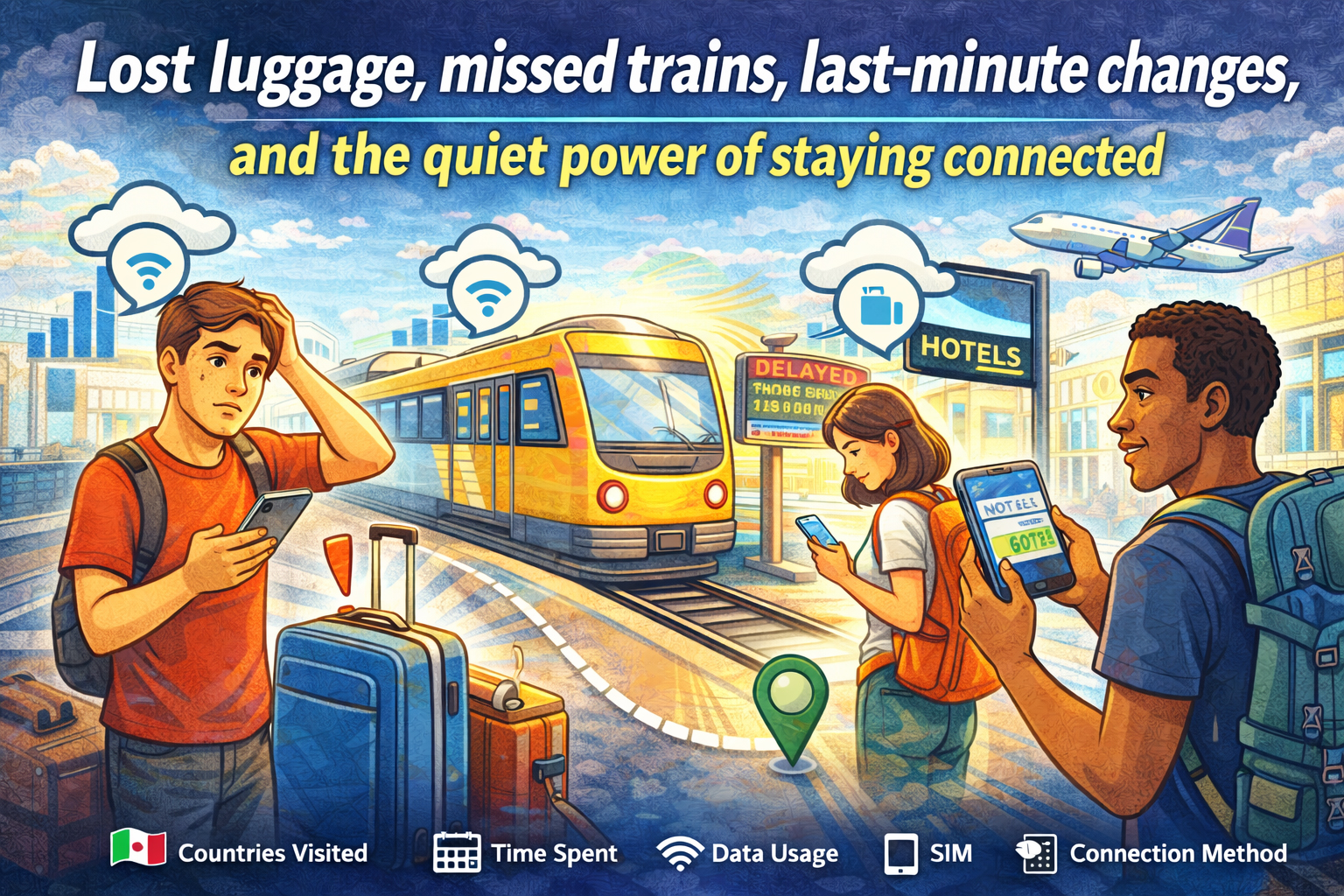
Lost luggage, missed trains, last-minute changes, and the quiet power of staying connected - travelers solving travel issues with eSIM

Lost luggage, missed trains, last-minute changes, and the quiet power of staying connected

Every traveler collects stories. Some are about beautiful views, incredible meals, and unexpected friendships. Others begin with a sinking feeling. A missed train. A lost bag. A canceled flight. A street sign you can’t read.

In those moments, the difference between stress and control often comes down to one simple thing: cellular signal.

There was a time when being overseas meant being temporarily unreachable. No maps, no ride apps, no instant help. Today, connectivity travels with you. And for many modern travelers, an eSIM has quietly become the difference between chaos and calm.

These are the kinds of real-world survival stories that play out every day. Not dramatic enough for headlines. But important enough to shape how a trip unfolds.

And in each one, a simple data connection turns panic into a plan.


The Missed Train That Didn’t Ruin the Trip

It happens fast. A late taxi. A long line for coffee. One wrong platform. Suddenly, the train you planned your day around is pulling away without you.

You’re in a country where you don’t speak the language, and the station boards flicker with destinations you don’t recognize.

In the past, this moment meant finding an information desk and hoping someone could help. Now, it’s a different kind of response.

Phone out. Data on.

Within minutes:

  • A new route is found on a maps app

  • A later train is booked online

  • A message goes out to the hotel about the delayed arrival

Instead of standing still, you’re moving again. A missed train becomes a detour instead of a disaster.

This is where an eSIM shines. Because your connection doesn’t depend on finding Wi-Fi in a crowded station. It’s already there, ready the moment plans change.


The Lost Luggage That Still Found Its Way Home

Standing at the baggage carousel while it spins and empties is a special kind of suspense. Everyone else leaves. The belt stops. Your bag is nowhere in sight.

Now what?

Without a connection, the process can feel slow and uncertain. But with reliable data, the next steps happen quickly.

Airline apps track the missing bag. Claim forms get filled out online. The hotel address gets sent directly to the airline. Notifications arrive when the bag is located and on its way.

You can even check nearby stores, order a few essentials, and get through the first night without your things.

Luggage gets lost. It’s part of travel. But staying connected means you’re never left guessing what happens next.


The Night Arrival in an Unfamiliar City

Landing in a new country after dark is always a little disorienting. The streets look different. The language sounds different. Even the signs feel unfamiliar.

Now imagine your hotel is across town, public transit is limited at night, and the taxi stand is crowded.

This is when a smartphone becomes your lifeline.

With data ready to go, you can:

  • Open a rideshare app and request a pickup

  • Double-check the hotel address

  • Share your location with someone back home

  • Translate directions if needed

Instead of wandering, you move with purpose. Instead of uncertainty, there’s a clear path from airport to door.

The difference is quiet but powerful. You don’t have to think about whether your phone will connect. It just does.


The Wrong Turn That Turned Into a Better Day

Some of the best travel memories begin with a wrong turn.

But in the moment, it doesn’t feel romantic. You’re in a neighborhood you don’t recognize. The street names don’t match your map. And you’re not sure which way leads back.

This is where instant access to navigation makes all the difference.

With mobile data:

  • You reorient in seconds

  • You find the nearest transit stop

  • You discover a café or landmark you never planned to see

Getting lost stops being stressful and starts becoming part of the experience.

A strong connection doesn’t just help you get un-lost. It helps you explore with confidence.


The Last-Minute Hotel Change

Flights get delayed. Connections get missed. Sometimes the hotel you planned to reach just isn’t reachable anymore.

Instead of arriving exhausted and searching for help, travelers with a steady connection can solve the problem on the spot.

Book a nearby room.
Check reviews.
Confirm availability.
Get directions instantly.

In the space of a few minutes, the night is back on track.

Without signal, this becomes a much longer, more complicated process. With signal, it’s just another quick adjustment.


The Emergency Call Home

Not every travel story is about inconvenience. Sometimes, things get serious.

A sudden illness. A stolen wallet. A situation where you need to reach someone quickly.

In those moments, being connected matters in a deeper way.

You can:

  • Call home through an app like OneSim VoIP

  • Contact your bank immediately

  • Find the nearest clinic or pharmacy

  • Access translation tools to explain what’s happening

It’s not just about data. It’s about reassurance. The ability to reach help, to explain, to solve problems as they happen.

And often, that connection starts the moment your plane lands, thanks to a travel eSIM already installed and ready to work. And with OneSim VoIP you can access SMS and voice. The best thing about OneSim VoIP is that, unlike other VoIP Apps, both sides don’t need to have the app, you can even call landlines!


The Work Emergency Abroad

For digital nomads and business travelers, the stakes can be even higher.

An urgent email arrives. A client needs a file. A meeting time changes.

When work travels with you, connectivity isn’t optional.

With reliable mobile data, you can:

  • Join a video call from a taxi

  • Send files from a train platform

  • Respond to urgent messages without searching for Wi-Fi

The trip continues, but your responsibilities stay in motion too.

And because an eSIM keeps you connected across countries, you don’t have to think about whether your data will work at the next stop.


The Confidence Factor

All of these moments have one thing in common.

They start with uncertainty. And they end with a solution powered by connection.

That’s the real value of staying connected while traveling. Not just the convenience, but the confidence.

Confidence to try new places.
Confidence to change plans.
Confidence to handle the unexpected.

Because you know that if something goes wrong, your phone is more than a camera. It’s your map, your translator, your booking desk, your safety net.


From “No Bars” to No Panic

The phrase “no bars” used to mean isolation. Silence. Waiting.

Today, the goal is simple: avoid that moment altogether.

A travel eSIM helps make that possible by giving you:

  • Instant connectivity when you land

  • Coverage across multiple countries

  • No need to swap physical SIM cards

  • Reliable access to data when you need it most

It doesn’t make problems disappear. But it makes them manageable.

And that’s the difference between panic and problem-solving.


Travel Will Always Be Unpredictable

That’s part of the magic.

Trains run late. Bags get lost. Plans change. Streets twist. Weather shifts.

But modern travel comes with tools that help you adapt as quickly as the world changes around you.

The ability to pull out your phone and find a solution in seconds can turn the worst moments into stories you laugh about later.

Stories that begin with a problem.
And end with a signal.

Because sometimes, survival on the road doesn’t come from planning every detail.

It comes from knowing that wherever you are, you’re still connected.

The Cost of Staying Connected: Global Data Prices by the Mile

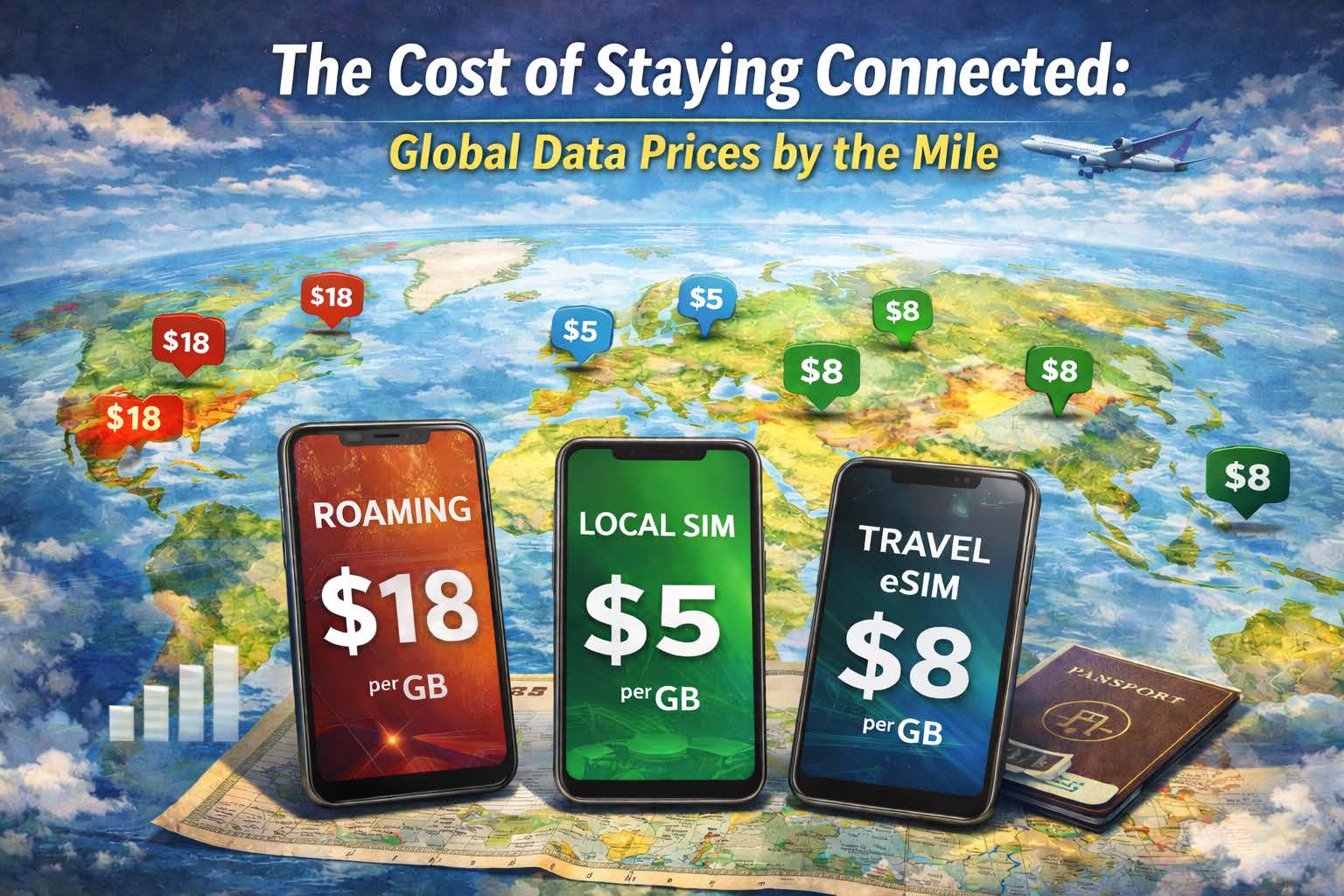
Global map showing the difference in costs of SIM card types

How roaming, local SIMs, and eSIMs compare when your journey crosses borders

There’s a moment every traveler knows. You land, switch your phone off airplane mode, and pause. Will this next tap cost pennies… or dollars?

Connectivity has become as essential as your passport. Maps, boarding passes, banking apps, rideshares, and work tools all depend on mobile data. But the real cost of staying online around the world can vary wildly. A quick check of email in one country might cost less than a coffee, while streaming a short video in another could quietly burn through a week’s budget.

Think of global data as a moving price tag that changes by the mile. As you travel from city to city and country to country, your cost per megabyte shifts like exchange rates. Understanding how roaming, local SIMs, and travel eSIMs compare can make the difference between smart planning and surprise charges.

Welcome to the economics of staying connected on the road.


Why Data Costs Change Across Borders

Unlike fuel prices posted on a highway sign, mobile data costs are hidden behind networks, agreements, and infrastructure. Each country has different carriers, competition levels, and regulations. Some places have fast, affordable connectivity everywhere. Others still treat mobile data as a premium resource.

When you travel, your phone must connect to a local network through one of three main paths:

  1. International roaming through your home carrier

  2. A local SIM purchased in-country

  3. A travel eSIM with multi-country coverage

Each option carries its own pricing logic, convenience level, and hidden tradeoffs.


The Roaming Reality: Convenience at a Price

Roaming is the easiest path. You land, your phone connects, and everything works exactly as it did at home.

But simplicity often comes at the highest cost.

Traditional roaming plans are built on partnerships between carriers. Your home provider pays the local network for access and passes that cost along to you. In some cases, they add daily fees or per-megabyte rates that quickly stack up.

The result can feel like paying international shipping for every bit of data you use.

Roaming tends to make sense when:

  • You’re traveling for a very short time

  • You need instant connectivity for calls and texts

  • You don’t want to change anything on your device

But for longer trips or data-heavy usage, the math gets complicated quickly. A week of roaming can cost more than an entire month of prepaid data in many regions.


The Local SIM Strategy: Cheapest, But Not Always Easiest

Local SIM cards often offer the lowest cost per gigabyte. Once you’re connected to a domestic plan, you’re essentially paying what residents pay.

That’s the upside.

The downside is the process. Buying a local SIM means:

  • Finding a shop at the airport or in the city

  • Providing ID in some countries

  • Swapping out your primary SIM

  • Potentially losing access to your main phone number and not knowing your new number until you are in country and far away from your friends and family

For single-country trips, this can work well. If you’re staying in one place for weeks or months, local pricing is hard to beat.

But the moment your trip crosses a border, the advantage fades. That local SIM may not work in the next country. Suddenly you’re repeating the process again. New SIM, new plan, new setup.

What starts as a budget move can turn into a cycle of constant switching.


The Travel eSIM Middle Ground

Travel eSIMs emerged to bridge the gap between convenience and cost.

Instead of paying high roaming rates or juggling multiple physical SIM cards, you install a digital profile that connects to partner networks across multiple countries. When you move, the connection moves with you.

From a cost perspective, travel eSIMs often sit in the middle:

  • More affordable than roaming

  • Slightly higher per-GB than local SIMs

  • Far more flexible across borders

  • With OneSimCard, you know your new phone number ahead of your trip and can give it to friends and family

For travelers who cross multiple countries in one trip, the overall value becomes clear. You avoid repeated purchases, save time, and keep a steady, predictable connection.


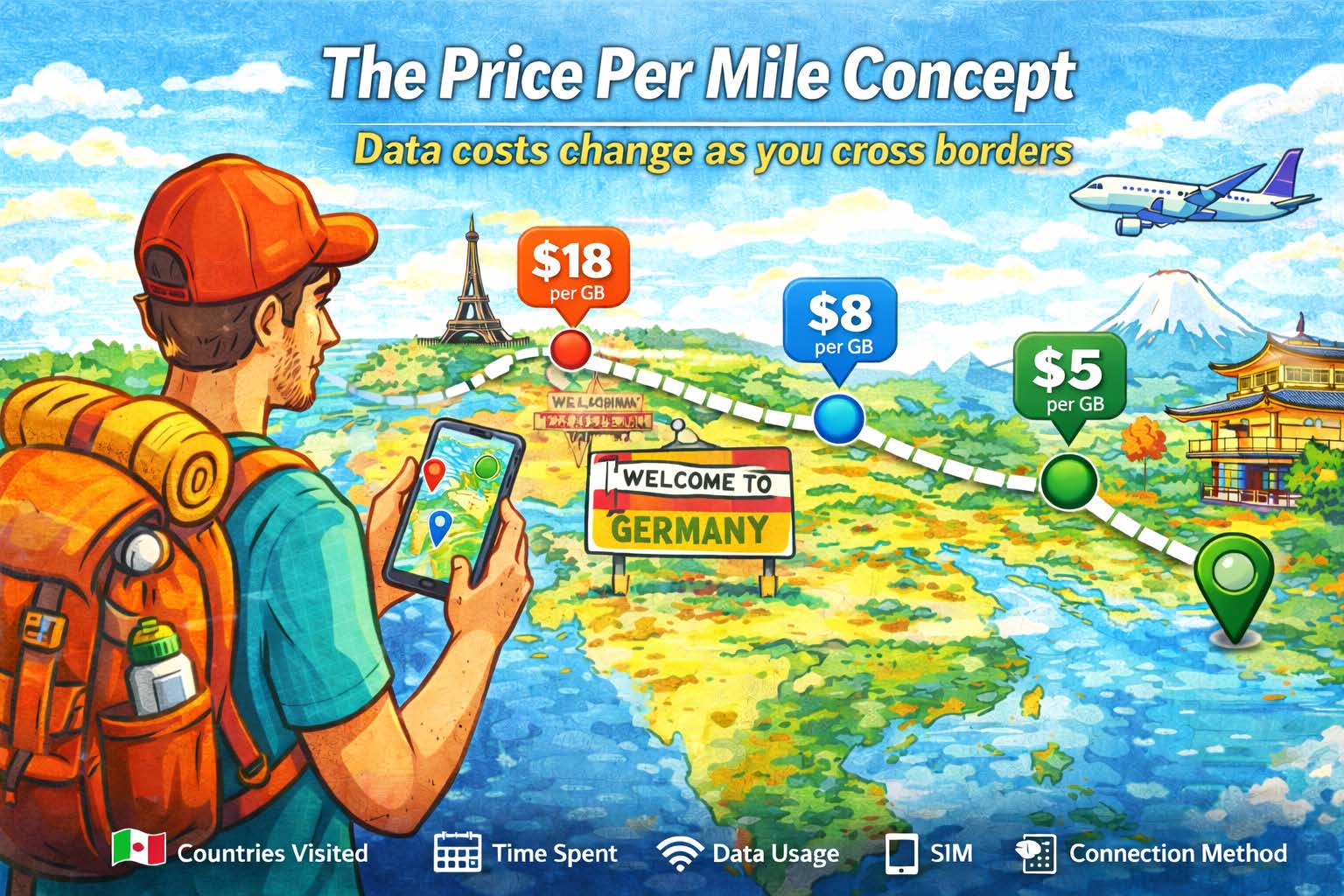
The Price Per Mile Concept

Cost per mile of international connectivity

Imagine plotting data prices on a map the same way you track gas stations during a road trip.

In major cities with strong competition, mobile data tends to be cheaper. Dense infrastructure, multiple carriers, and high demand push prices down.

In remote regions or smaller markets, costs can rise. Limited infrastructure means fewer options and higher wholesale rates.

When traveling internationally, your effective “price per mile” depends on:

  • How many countries you visit

  • How long you stay in each place

  • How much data you use

  • Which connection method you choose

A single-country trip might favor a local SIM. A multi-country route often leans toward eSIM. A quick business trip might justify roaming for speed.

There’s no one-size-fits-all answer. There’s only the right choice for your journey.


The Hidden Costs Beyond Price

Data pricing isn’t just about dollars per gigabyte. There are other factors that shape the true cost of staying connected.

Time

Searching for SIM shops, waiting in line, and setting up new plans takes time you could spend exploring or working.

Continuity

Switching SIM cards can interrupt access to your primary number, banking alerts, or two-factor authentication.

Coverage

Some plans work well in cities but struggle in rural areas. Multi-network access can make a noticeable difference.

Stress

Unexpected charges, slow speeds, and connection gaps can turn small issues into big headaches.

When you consider these factors together, the “cheapest” option isn’t always the most economical in the long run.


How Digital Nomads Think About Connectivity Costs

For remote workers, data isn’t a luxury. It’s infrastructure.

A freelancer uploading files, a developer joining video calls, or a content creator sharing media depends on reliable, steady connectivity. The goal isn’t just low cost. It’s predictable performance.

This is where the value equation shifts.

Instead of asking, “What’s the cheapest gigabyte?” many nomads ask:

  • Will this work everywhere I go?

  • Will I stay connected across borders?

  • Can I avoid constant setup and downtime?

For long-term travel, consistency often matters more than squeezing out the lowest possible price in each location.


The Visual Map of Global Data Value

If you could see global data prices drawn across a world map, it might look like a patchwork quilt.

Some regions would glow with affordable, fast connectivity. Others would show higher prices or limited coverage. And across it all, you’d see three overlapping layers:

  • Roaming, with wide reach but higher costs

  • Local SIMs, with low prices but limited range

  • Travel eSIMs, offering balance across distance

The best choice depends on how your path crosses that map.

A single destination favors simplicity.
A long stay favors local integration.
A multi-country adventure favors flexibility.


Making the Smart Choice for Your Trip

Before your next journey, think about your data plan the way you think about your route.

Ask yourself:

  • Am I staying in one country or moving frequently?

  • Do I need constant access for work or navigation?

  • How important is keeping my main number active?

  • Do I want the lowest possible cost, or the most consistent experience?

These answers will guide you toward the best option for your situation.


Staying Connected Without Surprises

In the end, the true cost of connectivity isn’t just measured in gigabytes. It’s measured in freedom.

The freedom to open your map without hesitation.
To book a ride without searching for Wi-Fi.
To send a message from a train crossing a border.

When you understand how roaming, local SIMs, and travel eSIMs compare, you can choose a path that fits your travel style and your budget.

Because every mile you travel shouldn’t feel like a meter running in the background.

It should feel like the world getting a little more connected, one signal bar at a time.

The Complete eSIM Compatibility Guide for iPhone and Android

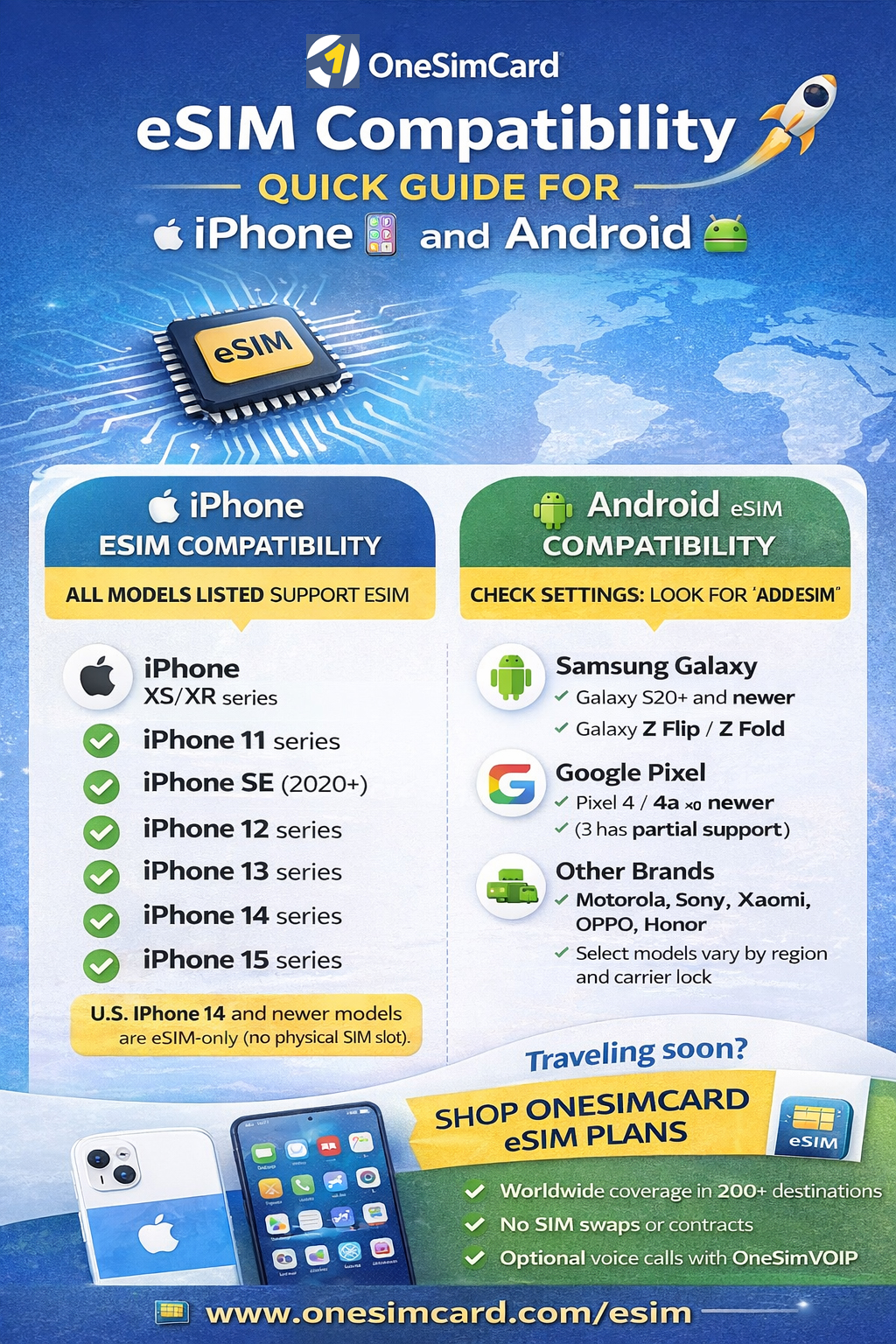
eSIM Compatible devices infographic

Covering major brands and models (and what travelers should check before they fly)

eSIM technology has moved from “nice-to-have” to “standard feature” on modern smartphones, especially for travelers.
If you’re planning to use a travel eSIM, the first question is simple:
Does your phone support eSIM?

This guide covers which iPhones and Android devices support eSIM, how to confirm compatibility in seconds,
and what to watch for with regional variants and carrier restrictions. If you’re traveling soon, you’ll also find setup tips
to help you connect quickly with a OneSimCard eSIM.

Traveler shortcut: If you see “Add eSIM” (iPhone) or “Add eSIM / SIM Manager” (Android) in Settings, your phone is almost certainly eSIM-compatible.

What Is eSIM and Why Compatibility Matters

An eSIM (embedded SIM) is a digital SIM built into your phone’s hardware. Instead of inserting a plastic SIM card,
you download a mobile plan using a QR code or activation link. For travelers, this means faster setup, easier switching between plans,
and no fragile SIM trays to deal with at 2 a.m. in an airport.

Compatibility matters because not every phone supports eSIM, and some models support it only in certain countries or carrier versions.
Confirming compatibility before purchase avoids the most common travel connectivity headache: “I bought a plan… but my phone can’t install it.”

Quick Comparison Table (At-a-Glance)

Device family eSIM support What travelers should know
iPhone (XS/XR and newer) Yes on modern models U.S. iPhone 14+ are eSIM-only. Most newer iPhones support dual SIM (physical + eSIM or dual eSIM).
Samsung Galaxy (S20+ and newer; Z Flip/Fold) Usually yes Some carrier-locked or regional variants may disable eSIM. Unlocked models are best for travel.
Google Pixel (Pixel 4 and newer) Yes Pixels are among the most travel-friendly for eSIM. Great for switching plans and quick activation.
Other Android brands (Motorola/Sony/Xiaomi/OPPO/Honor) Model & region dependent Check Settings for “Add eSIM” and verify your exact model variant (some regions omit eSIM).

iOS iPhone eSIM Compatibility Guide

Apple adopted eSIM early, and today nearly all modern iPhones support eSIM.
If you’re traveling with an iPhone XS/XR or newer, you’re in good shape.

✅ iPhones that support eSIM

  • iPhone XS / XS Max
  • iPhone XR
  • iPhone 11 / 11 Pro / 11 Pro Max
  • iPhone SE (2nd gen and newer)
  • iPhone 12 / mini / Pro / Pro Max
  • iPhone 13 / mini / Pro / Pro Max
  • iPhone 14 / Plus / Pro / Pro Max
  • iPhone 15 / Plus / Pro / Pro Max (and newer)

Key iPhone notes for travelers

  • U.S. iPhone 14+ models are eSIM-only (no physical SIM tray).
  • Most newer iPhones support dual SIM (physical + eSIM or dual eSIM, depending on model).
  • You can store multiple eSIM profiles and switch plans as needed.

Android Android eSIM Compatibility (Major Brands)

Samsung Galaxy eSIM support

Many Samsung flagship devices support eSIM, including the Galaxy S and Z series. Keep in mind that carrier-locked or region-specific variants can sometimes restrict eSIM functionality.

  • Galaxy S20 / S20+ / S20 Ultra (varies by region)
  • Galaxy S21 / S22 / S23 / S24 series
  • Galaxy Z Flip and Z Fold series (Flip3+ / Fold2+)

Google Pixel eSIM support

Pixel phones are among the most eSIM-friendly Android devices, making them excellent for international travel.

  • Pixel 4 and newer (including 4a/5/6/7/8 families)
  • Pixel 3/3 XL: partial support (model dependent)

Other Android brands (model dependent)

  • Motorola: select Razr and Edge models
  • Sony Xperia: select newer models
  • Xiaomi / OPPO / Honor: select flagships (regional availability varies)
  • Huawei: select models (note: Google services may be limited)

Regional Differences and Carrier Locks

Even if your phone model supports eSIM, regional variants can change what you actually get.
Some devices sold in certain markets may include dual physical SIM slots and no eSIM support.
Additionally, carrier-locked phones can restrict eSIM installation or block non-carrier profiles.

For the best travel experience, use an unlocked phone. If you’re unsure,
check with your carrier before you travel.

✅ How to Check eSIM Compatibility in Less than a Minute

iPhone

  1. Open Settings
  2. Tap Cellular (or Mobile Data)
  3. Look for Add eSIM or Add Cellular Plan

Android

  1. Open Settings
  2. Tap Network & Internet or Connections
  3. Look for SIM Manager / Add eSIM

Bonus check: On many Android phones, dial *#06#. If an EID is displayed, your device supports eSIM.

✈️ Best Practices Before You Travel

  • Install your eSIM on Wi-Fi before you depart.
  • Enable Data Roaming on the eSIM line when abroad (this is normal for travel eSIMs).
  • Keep your QR code/activation details saved securely (treat it like a password).
  • Update your phone OS to the latest version for best network performance and eSIM stability.

Why OneSimCard is Perfect for Travelers

Once you confirm compatibility, the next step is choosing a travel eSIM that fits your itinerary.
OneSimCard is built for international travelers who want simple activation and reliable global coverage.

  • Coverage in 200+ destinations
  • Flexible plans designed for travel (short trips to long stays)
  • Option to add voice via the OneSim VoIP app

Ready to get connected?

Shop OneSimCard eSIM plans
and activate in minutes.

Related reading: Travel eSIM tips & guides

How Secure Are eSIMs? What Every Traveler Should Know

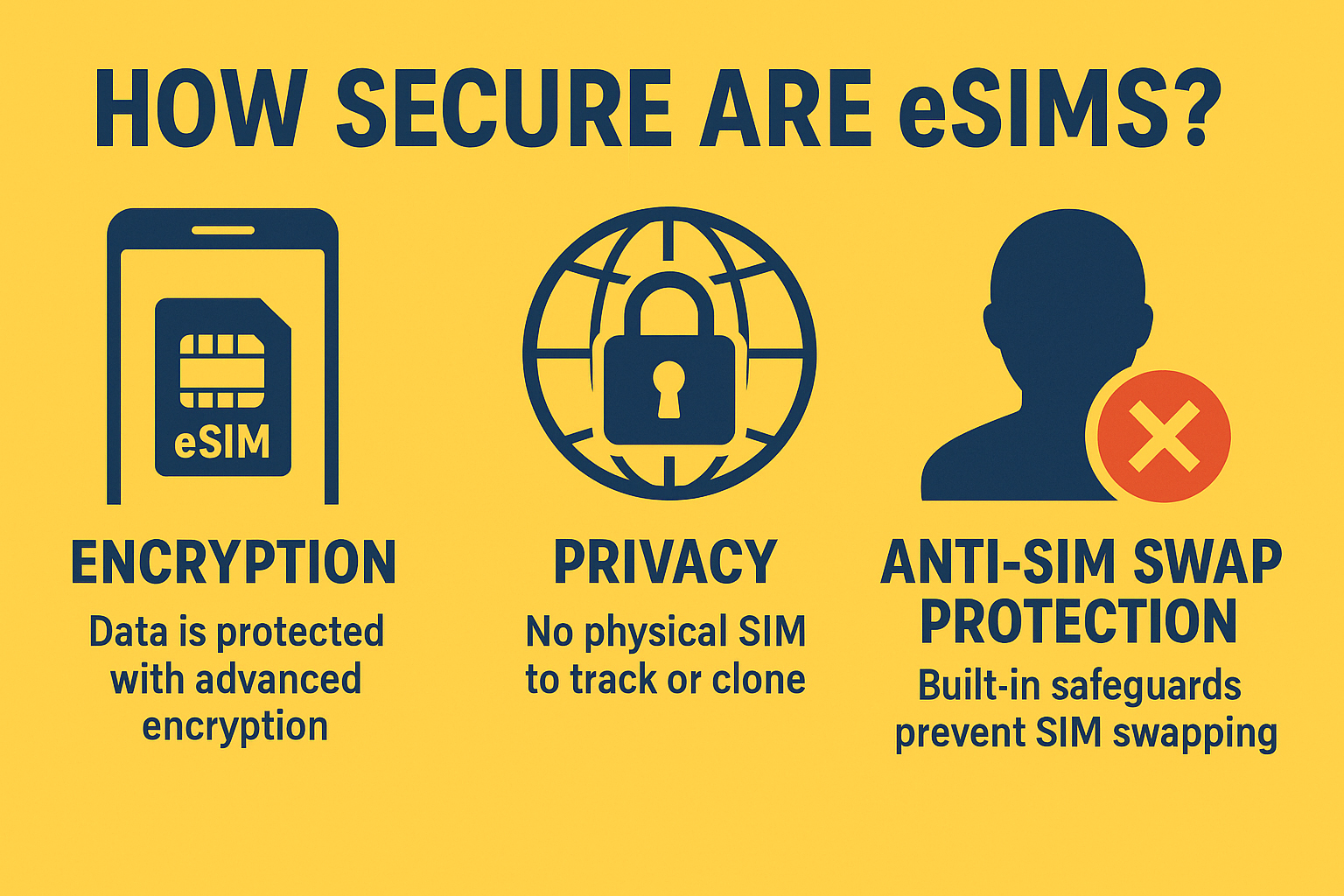
How secure are eSIMs?

Privacy, Encryption, and SIM Swapping Myths — Explained

As travelers continue switching from plastic SIM cards to digital eSIMs, one question comes up again and again: “Are eSIMs secure?”

The short answer: Yes — eSIMs are not only secure, they’re significantly safer than traditional SIM cards.

But like any digital tool, understanding how eSIM security works — and what threats to look out for — is essential, especially for travelers moving between countries, Wi-Fi networks, and mobile carriers.

This guide breaks down the privacy protections, encryption technology, and myths surrounding eSIMs so you can travel smarter and stay connected with confidence.


What Is an eSIM, and Why Is It More Secure?

An eSIM (embedded SIM) is a rewritable chip built directly into your smartphone, tablet, or IoT device. Unlike a removable SIM card, an eSIM can’t be physically swapped, stolen, or cloned without your knowledge.

Instead of inserting a chip, you download a secure digital profile from your carrier or provider — like OneSimCard — and activate it instantly.

Why That Matters for Security

  • No physical access: Thieves can’t remove or replace your eSIM like a traditional SIM.

  • Encrypted provisioning: Each eSIM profile is delivered over an encrypted connection, verified by the device’s secure element.

  • Tamper-resistant hardware: eSIMs live inside a protected chip that’s isolated from the operating system, reducing the risk of malware access.

  • Carrier-verified identities: Every eSIM profile comes with a digital signature that ensures authenticity.

Essentially, an eSIM eliminates the most common source of SIM fraud — physical manipulation.


Encryption: How eSIMs Keep Your Data Private

Every time your phone connects to a network, the eSIM uses advanced encryption and mutual authentication to verify both your device and the carrier’s system.

Here’s what that means in plain English:

  1. Mutual authentication ensures that only legitimate networks can communicate with your device — and vice versa.

  2. 128-bit or higher encryption scrambles your mobile identity and data so that it’s unreadable to outsiders.

  3. Remote profile management happens through secure carrier channels, protected by digital certificates.

So, even if you’re on a public airport Wi-Fi or connecting through roaming networks abroad, your mobile identity and data remain encrypted.


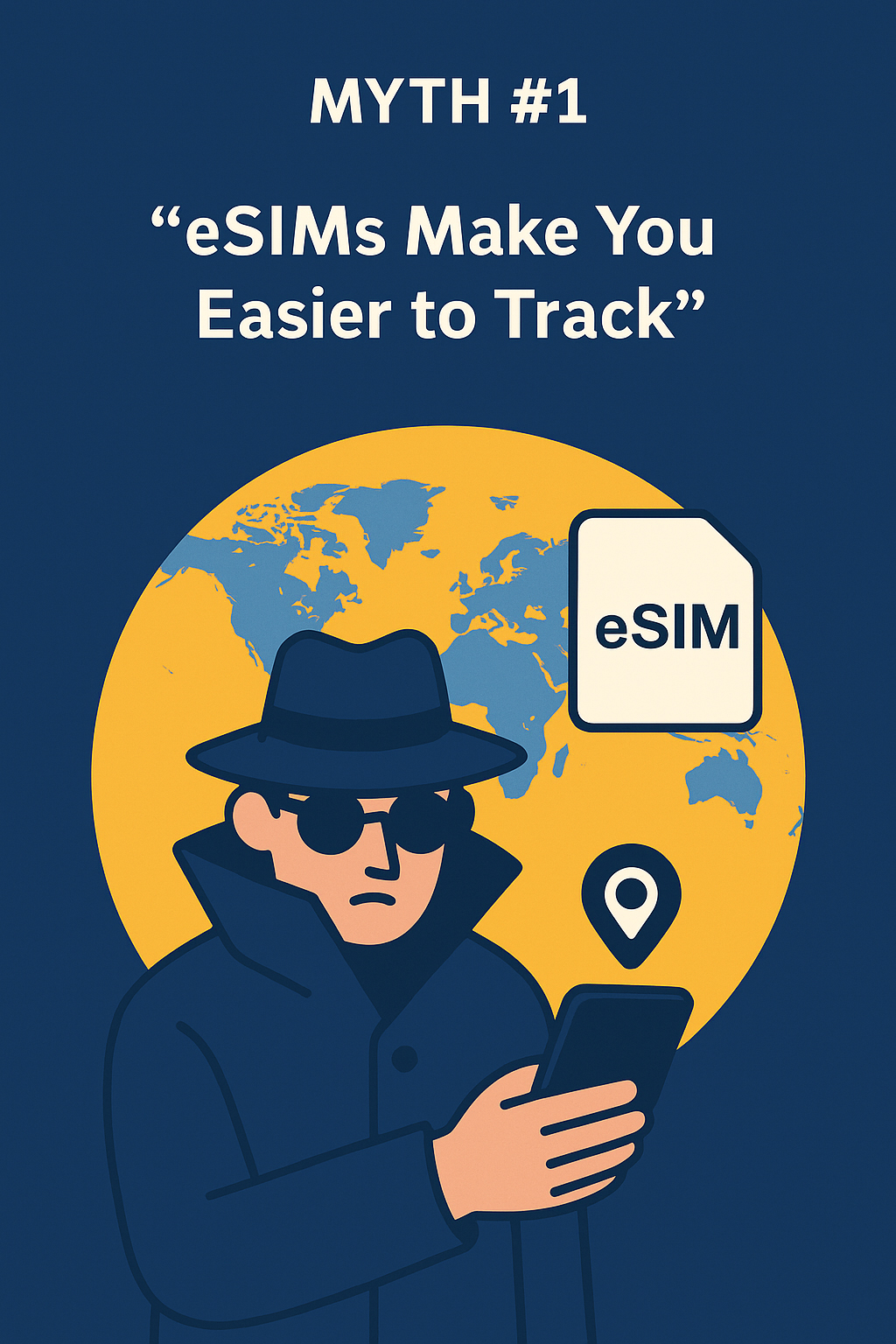
️‍ Myth #1: “eSIMs Make You Easier to Track”
This is a common misconception, but eSIMs do not make you more traceable than physical SIMs.

Mobile carriers always require an identifier (IMSI) to route calls and data — that’s true for both SIM and eSIM devices. What changes with eSIM is control:

  • You can switch providers instantly without disclosing new personal data to multiple stores or resellers.

  • OneSimCard’s eSIMs use multiple international identities, minimizing the sharing of your real number across borders.

  • Because there’s no physical SIM, third-party data brokers or thieves can’t clone or read your SIM details.

In fact, many privacy-focused travelers prefer eSIMs because they reduce the number of entities handling your data.


Myth #2: “eSIMs Are Vulnerable to Hacking”
In reality, eSIMs have more layers of security than removable SIMs.

Traditional SIMs can be cloned, stolen, or compromised via phishing. eSIMs, by contrast, require several things to go wrong simultaneously:

  • Physical access to your device

  • Device passcode bypass

  • Carrier authentication override (protected by certificates)

Each of these layers includes encryption and identity verification, making successful attacks extremely unlikely.

To date, there are no known large-scale eSIM hacks. By design, eSIMs comply with stringent GSMA security standards — the same framework used by global carriers and banks for digital authentication.


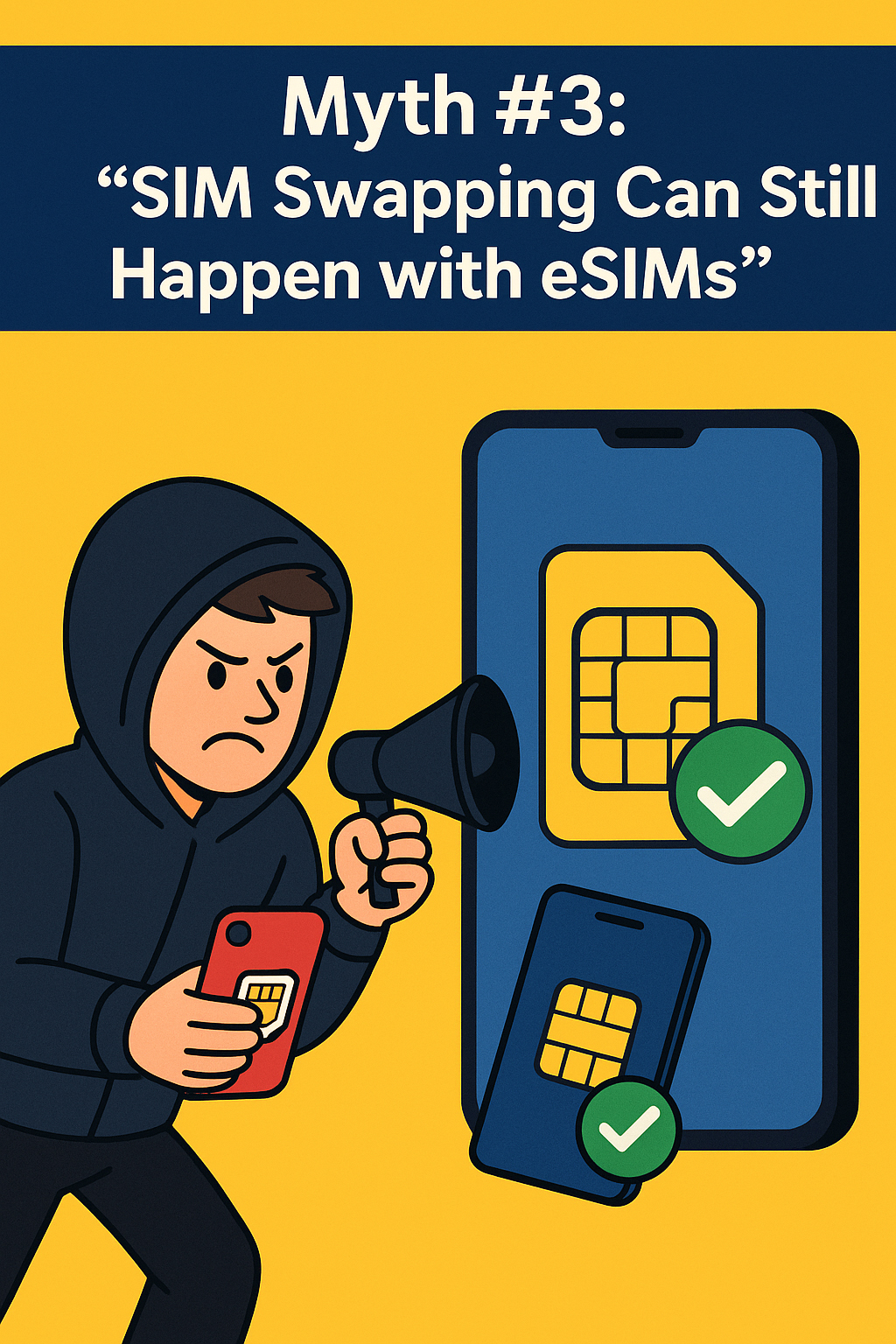
Myth #3: “SIM Swapping Can Still Happen with eSIMs”
SIM swapping — where hackers trick a carrier into transferring your number to their SIM — has become a serious problem in recent years.

However, eSIM technology dramatically reduces that risk.

Here’s why:

  • Carriers use multi-factor verification before transferring eSIM profiles.

  • Every eSIM installation must be authorized from your device, often requiring biometrics or a passcode.

  • Profiles can’t be downloaded or duplicated without your device’s unique identifier (EID).

In other words, even if a hacker convinces a carrier to create a new eSIM profile, they’d still need your phone’s secure hardware to activate it.

For travelers, this means your mobile identity is safer in digital form than plastic form.


Real-World Travel Scenarios: How eSIMs Protect You

✈️ Airport SIM Swaps — Eliminated

In the past, travelers had to buy local SIMs from kiosks, handing over passports and personal info. eSIMs remove that exposure — everything happens securely online through trusted providers like OneSimCard.

Public Wi-Fi Attacks — Minimized

When you connect via eSIM, your cellular data bypasses unencrypted Wi-Fi risks entirely. That’s critical when checking banking apps or booking flights from airports and hotels.

Lost or Stolen Phones

Even if someone steals your device, your eSIM can’t be removed and resold. You can remotely disable or wipe the profile using Apple’s “Find My” or Android’s “Find My Device.”

Cross-Border Roaming

With OneSimCard’s multi-network redundancy, your eSIM automatically connects to the most secure available partner — no need to switch SIMs or trust local vendors.


How eSIMs Handle Personal Data

All eSIM provisioning is governed by GSMA’s Remote SIM Provisioning (RSP) standard, which defines exactly how your profile is created, stored, and deleted.

Key security principles include:

  • End-to-end encryption: No one — not even the carrier — can view your actual authentication keys.

  • Secure profile storage: eSIM data lives inside a hardware-based “secure enclave,” isolated from apps or system files.

  • Controlled access: Only authorized carriers can send updates or delete profiles.

When you delete a OneSimCard eSIM profile, the system erases it from both your device and the carrier database — no lingering data remains.


Traveler Tips for Maximum eSIM Security

Even with built-in protections, good digital hygiene goes a long way:

  1. Use a reputable provider — Stick with established brands like OneSimCard that comply with GSMA and GDPR privacy regulations.

  2. Lock your device — Enable biometric login (Face ID, fingerprint, or PIN).

  3. Don’t share your QR code — Treat your eSIM activation code like a password.

  4. Update regularly — Keep your phone’s OS current to ensure the latest security patches.

  5. Avoid sketchy networks — Rely on your eSIM’s cellular data instead of public Wi-Fi when handling sensitive info.


The Bottom Line: eSIMs Are Safer Than Traditional SIMs

For travelers, eSIMs are a leap forward in both convenience and protection. The combination of hardware-level encryption, remote management, and tamper-proof provisioning makes them a powerful shield against modern threats like SIM swapping, phishing, and data theft.

When you travel with a OneSimCard eSIM, your connectivity is not just global — it’s secure by design. You control your data, your identity, and your network access from anywhere in the world.


✅ Final Takeaway

Are eSIMs secure? Absolutely.
Are they safer than traditional SIMs? Without a doubt.

For travelers who value privacy and peace of mind, an eSIM offers the most secure way to stay connected across borders.


Stay Secure — Stay Connected

Your journey shouldn’t come with security compromises.

Activate your OneSimCard eSIM today and enjoy global data, privacy, and confidence — wherever you roam.

Get Your Secure OneSimCard eSIM Now

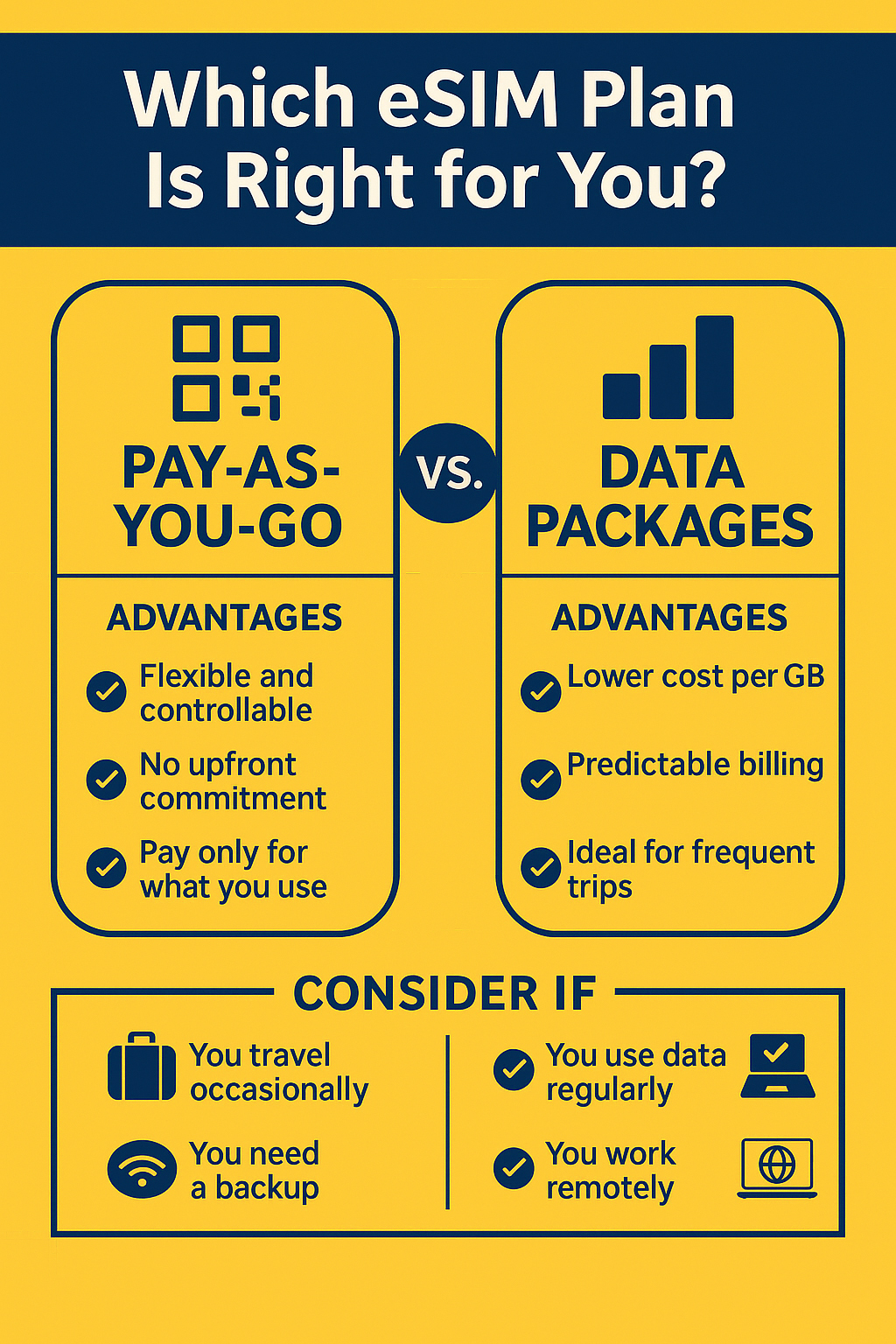
How to Choose the Right eSIM Plan: Pay-As-You-Go vs. Data Packages

Pay-As-You-Go vs Data Package infographic for eSIM

Choosing the right travel eSIM plan can make or break your international trip. Whether you’re a weekend wanderer, a digital nomad, or a frequent flyer, your connectivity needs will differ — and so will your costs.

The two main models travelers encounter are pay-as-you-go eSIMs and prepaid data packages. Each has advantages depending on how often and how much you use data while abroad. Let’s break them down so you can make an informed decision and save money on your next journey.


Understanding eSIM Plan Pricing Models

Before you can compare eSIM data plans, it’s important to understand the three main pricing structures used by global eSIM providers.

Pay-As-You-Go Explained

With a pay-as-you-go (PAYG) eSIM, you only pay for the data you actually use. There’s no upfront commitment or monthly fee — perfect if your data needs vary from one trip to another. You can top up at any time, and your balance simply decreases as you consume data.

Advantages:

  • Great for short trips or uncertain usage

  • No wasted data or expiration pressure

  • Ideal backup for emergencies or secondary devices

Considerations:

  • Typically higher per-GB cost than bulk data plans

  • Requires active monitoring of your balance, or OneSimCard’s convenient auto-recharge option.

Prepaid Data Packages

These data packages are sold in specific sizes — for example, 1GB, 5GB, or 10GB bundles that expire after a set time (usually 7, 14, or 30 days). You pay upfront, and the eSIM provides consistent data speeds and coverage.

Advantages:

  • Much Lower cost per GB

  • Predictable spending

  • Simple to manage for longer stays

Considerations:

  • Unused data expires

  • You may need to top up before the plan ends

Subscription-Based Models

Some providers now offer monthly eSIM subscriptions, charging a flat fee for ongoing data access in one or more regions. These appeal to frequent travelers, but they often come with fixed limits or auto-renewal requirements.


✈️ When Pay-As-You-Go eSIM Plan Makes Sense

For certain travelers, PAYG eSIMs are the smartest and most flexible option.

Occasional Travelers

If you take just a few international trips a year, it doesn’t make sense to commit to recurring plans. PAYG lets you stay connected during short vacations or weekend getaways without pre-paying for unused data.

Light Data Users

Some travelers rely mostly on hotel Wi-Fi and only need mobile data for maps or ride-hailing apps. PAYG plans are perfect here — you pay a little, use a little, and avoid waste.

Backup Connectivity

Even if you primarily rely on local SIM cards or Wi-Fi, having a PAYG eSIM installed ensures you’re never stranded without data when crossing borders or losing signal from your primary SIM.

In short, PAYG equals control — perfect for those who value flexibility over volume.


When a Data Package eSIM Plan Is Better

If you’re abroad frequently or use your phone as a mobile office, data packages are the more cost-effective solution.

Long-Term Travelers and Expats

For anyone staying abroad for weeks or months, prepaid eSIM packages offer stable pricing and dependable connectivity. You can easily renew the same plan or switch to another country’s bundle through your eSIM portal.

Business Travelers

Professionals need reliability and predictability. Data packages eliminate surprise top-ups, offering a steady stream of data for email, video calls, and navigation without running out mid-meeting.

Digital Nomads and Remote Workers

If you’re working from Lisbon one week and Bali the next, having a regional eSIM plan ensures coverage across multiple countries at a flat rate. This helps simplify billing and guarantees network consistency for streaming, uploading, and video conferencing.


How to Compare Costs Between eSIM Providers

With so many global eSIM brands competing for travelers’ attention, it’s worth learning how to do an eSIM pricing comparison properly.

Example Pricing Overview (1GB in Europe)

Provider 1GB Validity Approx. Cost
OneSimCard eSIM $4.50 14 days Multi-network access
Airalo $7.50 7 days Single-network coverage
Holafly $19 Unlimited High upfront cost
Nomad $8 30 days Regional
Ubigi $9 30 days Auto top-up required

(Pricing as of 2025 – subject to change)

Effective Cost per GB

To evaluate the true value, divide your plan cost by its duration and total data. For example, a 5GB / 30-day plan for $25 costs $5 per GB, which may outperform a cheaper plan that expires after 7 days.

Look beyond the sticker price. Factors like coverage, speed, and network redundancy matter just as much as cost.


Why OneSimCard Offers the Best Balance

Choosing between pay-as-you-go and data packages doesn’t have to be all or nothing — with OneSimCard, you can mix and match both.

  • Transparent pricing: No hidden fees, surcharges, or forced subscriptions.

  • OneSimVoIP app: Add optional voice and SMS to any eSIM data plan.

  • Customizable bundles: Buy what you need — whether it’s 500MB for a weekend or 20GB for a month-long project.

  • Global reliability: Multi-network access in 200+ countries ensures your connection never drops mid-journey.

With OneSimCard, you’re not tied to a single plan type — your eSIM adapts to your travel lifestyle.


Find the Right Plan for Your Trip

Whether you’re a casual vacationer or a full-time remote worker, understanding travel eSIM plans helps you stay connected without overspending.

Pay-as-you-go gives flexibility and control; data packages offer predictable value and stability. With OneSimCard, you get the best of both worlds — coverage, clarity, and cost efficiency.

Find the Right Plan for Your Trip — Activate Your OneSimCard eSIM Now!

Troubleshooting eSIM Issues While Abroad

Troubleshooting eSIMsReal-World Help for Travelers: Signal Loss, APN Setup & More. Troubleshooting eSIMs is simple!
When looking for international SIM cards, eSIMs have transformed international travel. Instead of juggling physical SIM cards or paying outrageous roaming fees, travelers can now activate data plans instantly with a quick QR scan. But even though eSIMs make staying connected easier, problems can still arise — especially when hopping between countries or networks. Whether you’re in Paris, Phuket, or Patagonia, here’s a practical guide to troubleshooting eSIM issues while abroad.


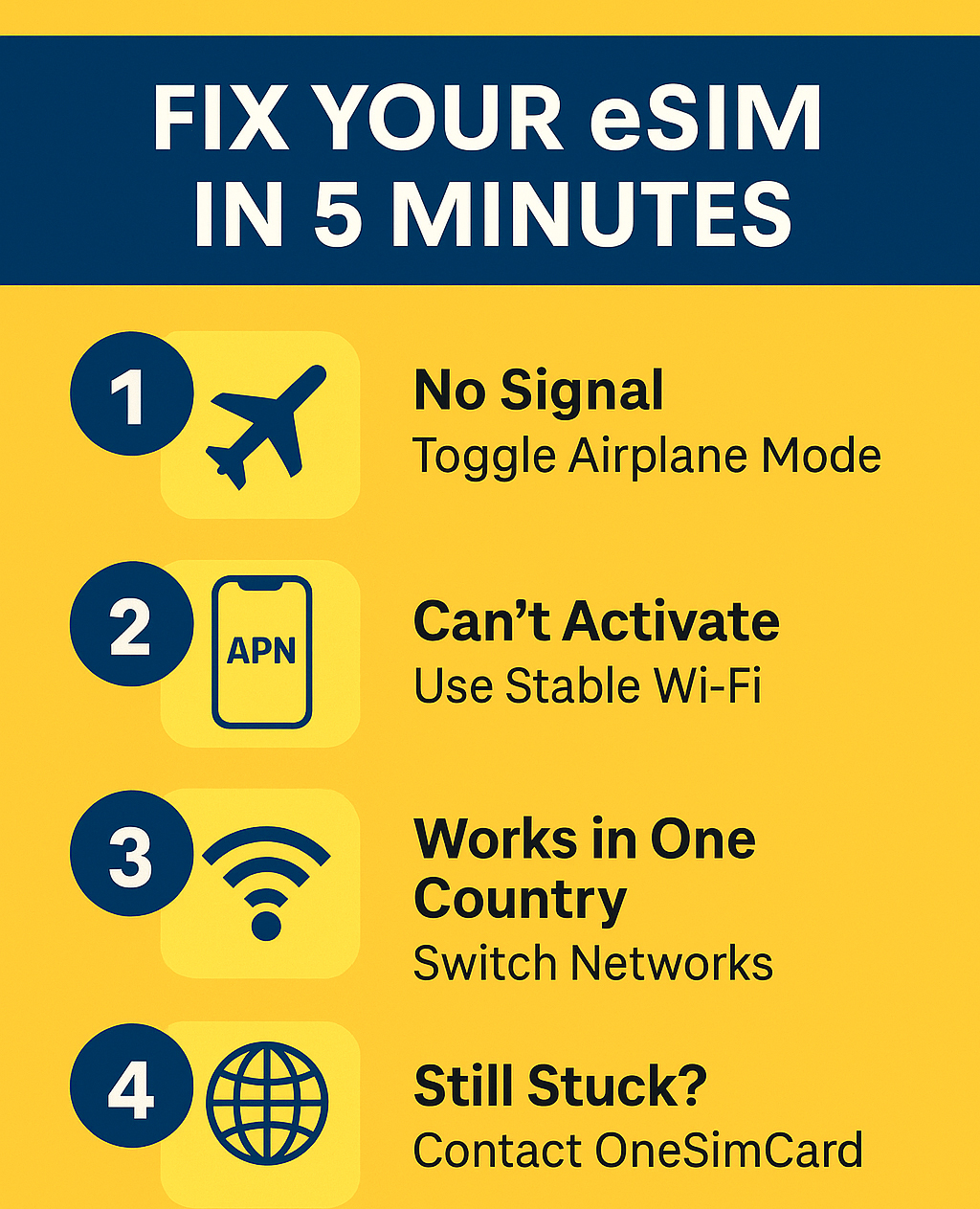
1. No Signal or “No Service” After Activation

This is the most common issue travelers face after installing an eSIM. You’ve scanned the QR code, it shows as “active,” but your phone still says “No Service.”

✅ Step-by-Step Fix:

  1. Turn Airplane Mode On and Off
    Wait 30 seconds and disable it — this forces your phone to rescan for available networks.

  2. Manually Select a Network

    • Go to Settings → Cellular → Network Selection (iPhone) or Settings → Connections → Mobile Networks → Network Operators (Android).

    • Toggle Automatic off, then pick one of the listed networks manually.

    • If you’re using a OneSimCard eSIM, try selecting one of our preferred roaming partners in your country.

  3. Restart Your Device
    Simple but effective — restarting clears temporary network glitches.

  4. Check if Data Roaming is On

    • For eSIMs, roaming must be enabled to access local partner networks abroad.

    • Navigate to Settings → Cellular → eSIM Plan → Data Roaming → On.

Pro Tip: In some regions, 2G or 3G networks are no longer supported. If your phone is older or set to connect automatically, switch to 4G/LTE only for better results.


⚙️ 2. Can’t Access Mobile Data (Even with Signal)

You have bars of signal but no internet — pages won’t load, maps can’t refresh, and apps spin endlessly. This typically means your APN (Access Point Name) isn’t set up correctly.

✅ Step-by-Step Fix:

  1. Check APN Settings

    • iPhone:
      Settings → Cellular → Your eSIM Plan → Cellular Data Network

    • Android:
      Settings → Mobile Network → Access Point Names

  2. Enter the Correct APN Information

    • For OneSimCard eSIM, the APN is typically: OSC
      (unless otherwise noted in your installation email).

    • Leave Username, Password, and Proxy fields blank.

  3. Restart Data Connection

    • Turn off Mobile Data for 10 seconds, then turn it back on.

    • Reopen your browser or try a speed test to confirm connectivity.

⚠️ Common Mistake: Many travelers forget to switch the “default data line” to their eSIM.
Go to Settings → Cellular Data → Select Your eSIM to ensure data routes through the correct plan.


3. eSIM Not Downloading or Activating

If your eSIM profile fails to download or install, it could be due to poor Wi-Fi, expired QR codes, or device compatibility.

✅ Step-by-Step Fix:

  1. Ensure You Have a Stable Wi-Fi Connection
    Activation requires internet access. If hotel Wi-Fi is unreliable, use a hotspot or café connection.

  2. Scan the QR Code Again

    • Go to Settings → Cellular → Add eSIM (or Mobile Plan).

    • Re-scan your OneSimCard QR code from your email or app.

    • If it’s expired, request a fresh activation link from support. This may require getting a new eSIM.

  3. Check Device Compatibility
    Only devices with built-in eSIM support will work. See our Complete eSIM Compatibility Guide for iPhone and Android for reference.

  4. Update Your Operating System
    Outdated software can block installation. Update to the latest version of iOS or Android before retrying.


4. eSIM Plan Doesn’t Appear in Settings

Sometimes, travelers install their eSIM successfully, but it doesn’t show under “Cellular Plans” or disappears after an update.

✅ Step-by-Step Fix:

  1. Restart Your Device — this often restores the display.

  2. Check Your Primary SIM Settings
    If you’re using a physical SIM simultaneously, ensure it isn’t set to “data only” while your eSIM is disabled.

  3. Reinstall the eSIM Profile

    • Delete the current profile under Settings → Cellular Plans → Remove eSIM

    • Re-scan the QR code to reinstall it fresh.

Pro Tip: Always save a backup of your eSIM QR code before traveling — many users delete their activation email by mistake!


5. Data Works in One Country but Not Another

Multi-country eSIMs (like OneSimCard’s) are designed for roaming, but occasionally, coverage may vary due to regional network preferences or restrictions.

✅ Step-by-Step Fix:

  1. Manually Switch Carriers

    • Turn off Automatic Network Selection.

    • Try another partner network in your current country (list provided in your OneSimCard app or welcome email).

  2. Enable Data Roaming
    Even if it worked before, moving across borders sometimes resets roaming permissions.

  3. Restart Device After Crossing Borders
    This refreshes your connection with the new country’s local network.

Tip for Frequent Travelers: Enable the OneSimCard eSIM Portal to monitor live connections, toggle networks remotely, and check data balances in real-time. Also, BE PATIENT!! Sometimes when you cross boarders it takes up to 15 minutes to find the right carrier(s)!


6. Battery Draining Faster Than Usual

Using dual SIMs (physical + eSIM) can slightly increase power usage because your phone pings two networks simultaneously.

✅ Step-by-Step Fix:

  • Turn off the SIM you’re not using.

  • Disable Background App Refresh for high-data apps like Maps or Instagram.

  • Use Low Power Mode while on the go.

⚙️ eSIMs themselves don’t drain extra battery — it’s the additional background network activity that does.


7. Calls or Texts Aren’t Working

If you can access data but can’t make calls or send SMS, the issue usually lies in your phone’s “Default Voice Line” settings or VoIP configuration.

✅ Step-by-Step Fix:

  1. Set Your eSIM as the Default Line for Calls
    Settings → Cellular → Default Voice Line → Choose eSIM

  2. Check Preferred Network Type
    Switch to “4G/VoLTE Preferred.” Some regions no longer support 3G voice networks.

  3. Use OneSimVoIP App for Calls
    If your plan is data-only, you can still make and receive calls with the OneSimVoIP app — available on iOS and Android.


8. When to Contact Support

If you’ve tried all the above steps and your eSIM still isn’t working:

  • Check your plan’s data balance or expiration date in your OneSimCard account.

  • Make sure your device IMEI isn’t carrier-locked.

  • Contact OneSimCard Support with the following info:

    • Device model and OS version

    • Country you’re in

    • Signal status and network name

Our team can run a live diagnostic and often resolve issues within minutes.

The Complete International eSIM Compatibility Guide for iPhone and Android

What Is an eSIM — and Why It Matters

An eSIM (embedded SIM) is a digital version of the traditional plastic SIM card. Instead of inserting a physical chip, you simply download a mobile profile directly to your smartphone.

For travelers, this means you can:

  • Activate international data instantly without visiting a store

  • Switch between local and global plans in seconds

  • Keep multiple numbers or data profiles on one device

  • Avoid roaming fees and lost SIM cards

As eSIM adoption grows, most new phones from Apple, Samsung, Google, and other brands now include this feature. Let’s explore which models support it — and how to check if yours does.

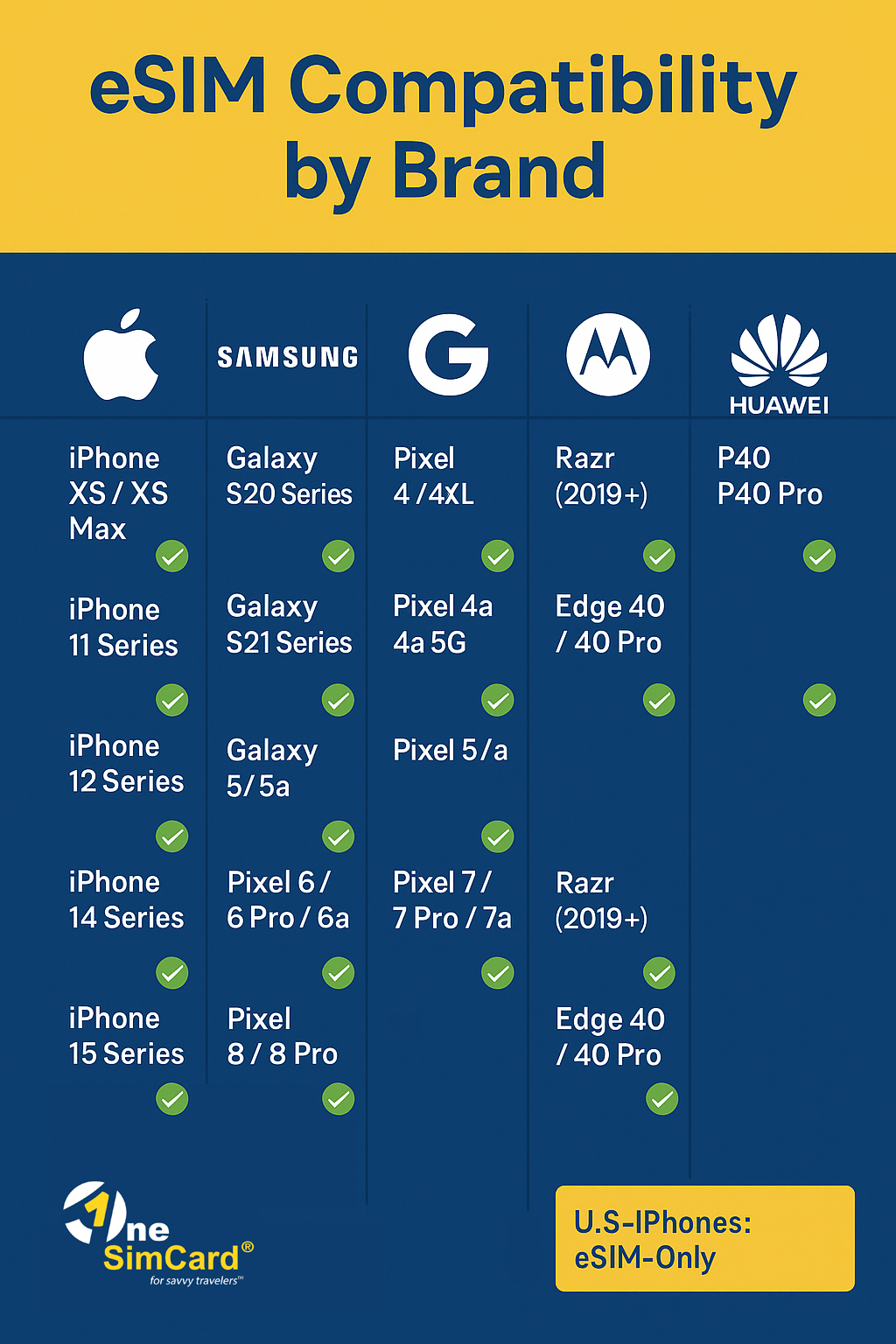
Infographic Chart Showing eSIM compatibility for iPhone, Samsung, Google, Motorola and Huawei devices
Compatible Phones – Quick Reference

Apple iPhone eSIM Compatibility

Apple was the first major brand to push eSIM adoption, starting in 2018.

iPhone Model eSIM Supported Dual eSIM Capability
iPhone XS / XS Max ✅ Yes ❌ One eSIM + one physical SIM
iPhone XR ✅ Yes
iPhone 11 / 11 Pro / 11 Pro Max ✅ Yes
iPhone 12 / 12 mini / 12 Pro / 12 Pro Max ✅ Yes ✅ Dual eSIM supported (iOS 15+)
iPhone 13 / 13 mini / 13 Pro / 13 Pro Max ✅ Yes
iPhone 14 Series ✅ Yes ✅ (U.S. models are eSIM-only)
iPhone 15 / 15 Plus / 15 Pro / 15 Pro Max ✅ Yes ✅ (U.S. models are eSIM-only)

Pro Tip: If you bought your iPhone in the U.S. (starting with the iPhone 14), it likely has no physical SIM slot — meaning you’re already using eSIM by default.

How to check your iPhone for eSIM support:

  1. Go to Settings → Cellular (or Mobile Data)

  2. Tap Add eSIM or Add Cellular Plan

  3. If you see the option to scan a QR code, your phone supports eSIM.


Android eSIM Compatibility

Unlike Apple, Android phones vary more widely across manufacturers and regions. But most premium and newer mid-range devices support eSIM.

Samsung eSIM Support

Model eSIM Supported Notes
Galaxy S20 / S20+ / S20 Ultra ✅ Yes Region-specific (not all carriers enable it)
Galaxy S21 / S21+ / S21 Ultra ✅ Yes Dual SIM with eSIM support
Galaxy S22 / S22+ / S22 Ultra ✅ Yes Global support
Galaxy S23 / S23+ / S23 Ultra ✅ Yes Full eSIM functionality
Galaxy Z Flip / Flip3 / Flip4 / Flip5 ✅ Yes Compact dual-SIM flexibility
Galaxy Z Fold / Fold2 / Fold3 / Fold4 / Fold5 ✅ Yes Ideal for frequent travelers

Note: Some carrier-locked versions may disable eSIM — always confirm with your provider or use OneSimCard eSIM for universal activation.


Google Pixel eSIM Support

Model eSIM Supported
Pixel 3 / 3 XL (some models) ✅ Partial
Pixel 4 / 4 XL ✅ Yes
Pixel 4a / 4a 5G ✅ Yes
Pixel 5 / 5a ✅ Yes
Pixel 6 / 6 Pro / 6a ✅ Yes
Pixel 7 / 7a / 7 Pro ✅ Yes
Pixel 8 / 8 Pro ✅ Yes

Pixels are among the most eSIM-friendly phones — they work across dozens of global networks, making them ideal for international travelers using OneSimCard eSIM.


Other Android Brands

Brand Compatible Models eSIM Notes
Motorola Razr 2019+, Edge 40, Edge 40 Pro ✅ Yes, on select models
Huawei P40, P40 Pro, Mate 40 Pro ✅ Yes, but limited Google support
OPPO Find X3 Pro, Find X5, Reno 8 Pro ✅ eSIM support growing rapidly
Xiaomi 13 Series, 13T Pro ✅ Supported in select regions
Honor Magic5 Pro ✅ Supported
Sony Xperia 10 III+, Xperia 5 IV, Xperia 1 V ✅ Yes

Regional Variations to Know

Not all models sold in every market have eSIM enabled.
For example:

  • Some Samsung phones in South America or Asia ship without eSIM activation.

  • iPhones purchased in China or Hong Kong may have dual physical SIM slots instead.

  • Pixel devices are generally universal, but activation depends on the local carrier.

✅ Always confirm your model’s eSIM capability by visiting your phone’s manufacturer support page or checking in the SIM settings menu.

Call to action to buy eSIM


Why Travelers Love eSIM

For anyone using an international eSIM like OneSimCard, compatibility means freedom:

  • Instant activation: Scan a QR code before your flight.

  • No waiting for delivery: Perfect for last-minute trips.

  • Switch plans anytime: Use one eSIM for Europe, another for Asia.

  • Stay connected: Keep your home number active while using local data.

With more than 200 countries covered, OneSimCard eSIMs work on major devices listed above — ensuring your phone stays connected whether you’re hiking in the Alps or working remotely from Bali.


Final Thoughts

eSIM technology is transforming how we travel, communicate, and stay connected. With nearly all major phones now supporting it, you can leave behind the hassle of swapping plastic SIMs — and enjoy instant, global data at your fingertips.

Whether you’re using the latest iPhone 15, Samsung Galaxy S23 Ultra, or Google Pixel 8, a OneSimCard eSIM ensures seamless connectivity across borders, at local rates, with no contracts or roaming surprises.

So before your next trip, check your phone’s eSIM settings, grab a OneSimCard eSIM with our App on Apple App Store or Google Play Store, and enjoy the freedom of truly borderless communication.

How to Install and Activate eSIM in 5 Minutes

Install eSIM

Gone are the days of swapping tiny SIM cards, juggling multiple phone numbers, or waiting in line at a local carrier store when you travel abroad. With a OneSimCard eSIM, you can get connected in minutes — no tools, no shipping delays, no stress.

Whether you’re a digital nomad, a business traveler, or a vacationer, setting up your OneSimCard eSIM is quick and easy. In fact, the entire process — from purchase to activation — takes about five minutes.

Here’s a simple, step-by-step guide to help you install and activate your OneSimCard eSIM like a pro.


What Is an eSIM (and Why You’ll Love It)

An eSIM (short for embedded SIM) is a digital version of the traditional SIM card. Instead of inserting a physical chip into your phone, you simply download your mobile data plan directly onto your device by scanning a QR code.

That means:

  • No waiting for shipping or mailing delays.

  • No tiny SIM cards to lose or swap.

  • No roaming charges from your home carrier.

  • Instant connectivity in over 200 countries and territories.

With OneSimCard eSIM, you can stay online almost anywhere in the world — right after purchase.


Step 1: Check Your Device Compatibility

Before installing, make sure your smartphone, tablet, or device supports eSIM technology.

Most modern phones are eSIM-ready, including:

  • Apple: iPhone XS, XR, 11, 12, 13, 14, 15, and later (including Pro and Mini models)

  • Samsung: Galaxy S20, S21, S22, S23, S24 series; Galaxy Z Flip and Fold series; Galaxy Note 20+

  • Google: Pixel 3 and later models

  • Other brands: Many Xiaomi, Oppo, Motorola, and Huawei devices now support eSIM

If you’re unsure, visit your device’s Settings > Cellular or Mobile Networks > Add eSIM — if that option exists, your device is eSIM-compatible.

Pro Tip: Make sure your device is carrier unlocked, so it can accept eSIM profiles from any provider.


Step 2: Purchase Your OneSimCard eSIM

Head over to onesimcard.com . You can also download the Mobile App for iPhone and Android here:

Apple App store button

Google Play eSIM button

At checkout, you’ll receive an activation email containing your QR code and setup instructions.

You can also view your activation details by logging into your OneSimCard account dashboard.


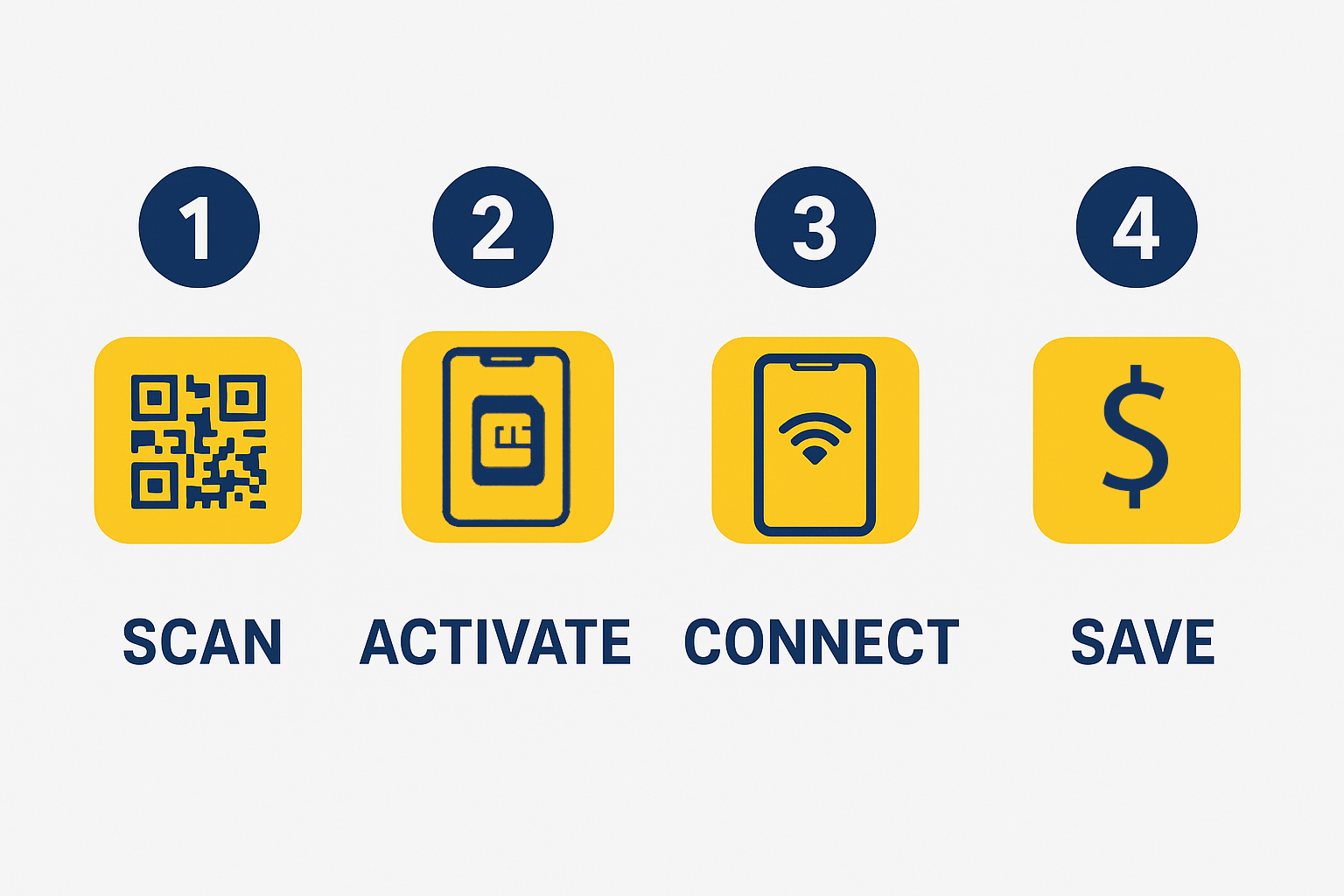
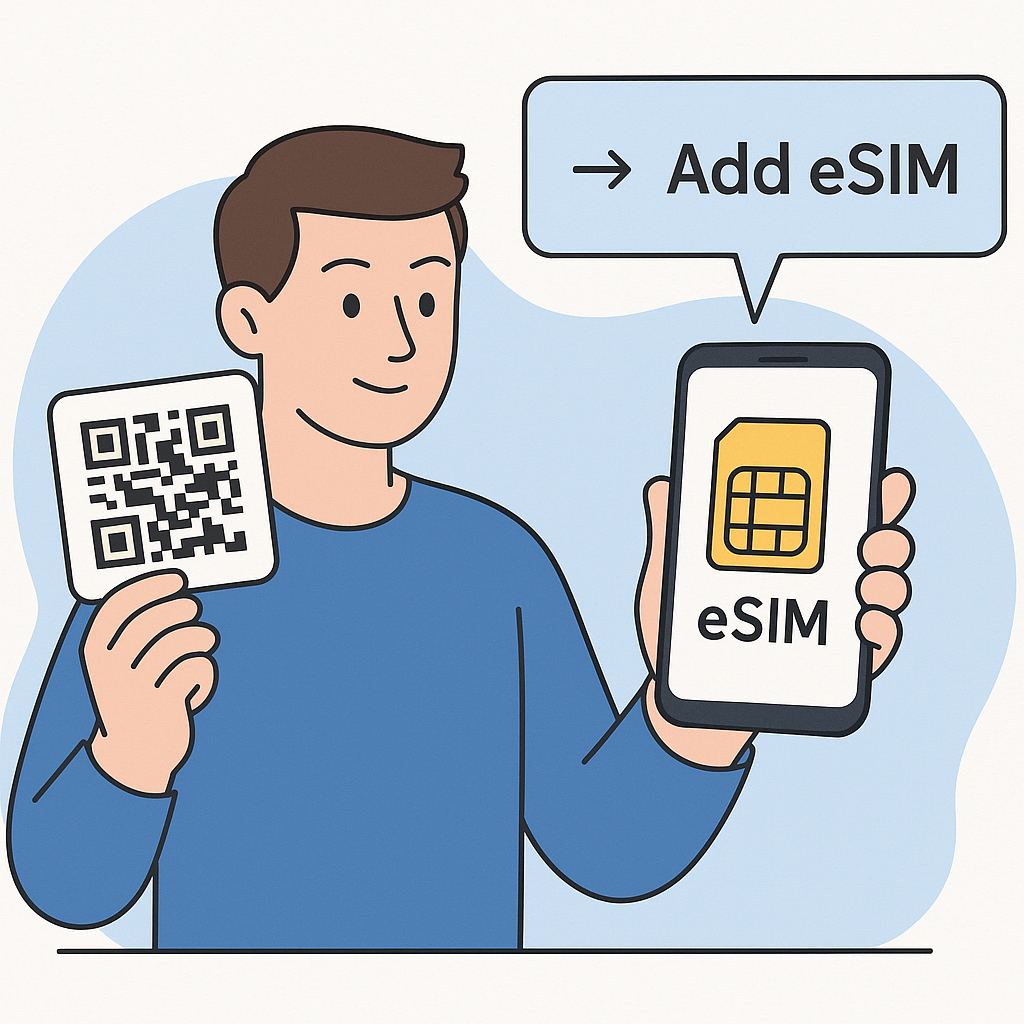
Step 3: Scan the QR Code to Install Your eSIM

This is the easiest and fastest step — your eSIM is ready to install within minutes after you receive your email.

For iPhone:

  1. Go to Settings > Cellular (or Mobile Data).

  2. Tap Add eSIM or Add Cellular Plan.

  3. Scan the QR code provided in your OneSimCard activation email.

  4. Tap Add Cellular Plan when prompted.

  5. You can also watch a quick video here to see how to scan the QR code without needing a second device.

For Android (Samsung or Google Pixel):

  1. Open Settings > Connections > SIM Manager (or Network & Internet > SIMs).

  2. Select Add eSIM or Download SIM instead.

  3. Tap Scan QR code and point your camera at your OneSimCard QR code.

  4. Confirm and download the profile.

  5. You can also watch a quick video here to see how to scan the QR code without needing a second device.

Once installed, you’ll see a new OneSimCard cellular plan appear in your list of mobile networks.

Tip: You can rename the eSIM profile (for example, “OneSimCard eSIM”) to keep it easy to recognize.


Step 4: Activate Data and Configure Settings

Now that your eSIM is installed, it’s time to turn on data service.

  1. Go to Settings > Cellular (or SIM Manager).

  2. Make sure your OneSimCard eSIM is toggled ON.

  3. Select Cellular Data Network and ensure Data Roaming is enabled for this plan.

Don’t worry — OneSimCard’s global data plans don’t charge “roaming fees” in the traditional sense. You’re simply using our global multi-network connectivity.

After enabling data, your phone should automatically connect to the strongest available network in your area.

If it doesn’t connect immediately, simply:

  • Turn Airplane Mode ON and then OFF again, or

  • Restart your device.

Your OneSimCard eSIM will then connect to a partner network and you’ll be online within seconds.


Step 5: Test Your Connection

Once connected, open your browser or favorite app to confirm your data is active.
You can also:

  • Check your signal bars (you should see LTE, 4G, or 5G).

  • Log into your OneSimCard portal to view data usage and remaining balance.

If you want to make international calls, download and sign into the OneSim VoIP App — it lets you make and receive calls and texts using your OneSimCard number, even over data.

That’s it! You’re live in minutes.


Bonus: Manage Your eSIM Anywhere

Once installed, your OneSimCard eSIM is fully digital — meaning you can manage everything remotely:

  • Top-up or add data instantly from your account dashboard.

  • View usage and billing details in real time.

  • Add multiple plans for future trips (you can store several eSIMs on one device).

  • Pause or delete eSIMs anytime you wish.

With OneSimCard, you’re in full control of your global connectivity — without ever needing to swap a physical SIM.


Why OneSimCard eSIM Is the Smarter Choice

There are many eSIM providers out there, but OneSimCard stands apart for travelers who value coverage, reliability, and support.

Here’s why:

  • Global Reach: Coverage in over 200 countries and territories.

  • Instant Activation: Get connected in minutes, not days.

  • Secure Connectivity: Built-in encryption and multi-network redundancy.

  • Customer Support: Help when you need it, wherever you are.

  • Flexible Data Options: Choose by region, duration, or data volume.

Whether you’re traveling for business, study, or adventure, OneSimCard’s eSIM makes staying connected simple, affordable, and fast.


Troubleshooting Tips

If you run into any issues during setup, here are a few quick checks:

  • QR Code Error: Make sure your device has an active internet connection while scanning.

  • No Signal: Try restarting your device or toggling Airplane Mode.

  • Data Not Working: Confirm “Data Roaming” is enabled and “OneSimCard” is selected for cellular data.

  • Still Stuck? Contact OneSimCard Support via chat or email — we’re here to assist.


Final Thoughts

In a world that moves fast, your connectivity should too. Installing and activating a OneSimCard eSIM takes just a few minutes — yet gives you instant, reliable data access across the globe.

No stores. No waiting. No SIM swapping.
Just scan, connect, and go.

With OneSimCard, the world is literally at your fingertips.

Stay connected. Travel smarter. Go global with OneSimCard eSIM.

Android eSIM Lets You Switch Networks Like a Local Anywhere


Cartoon person holding an Adroid eSIM phone
eSIM for Android

Imagine landing in a new country, stepping off the plane, and instantly having mobile service that feels like home, no frantic searches for a local SIM card, no confusing activation processes. Sounds too good to be true, doesn’t it? Thanks to the innovation of the Android eSIM, this seamless experience is becoming the new normal.

In a world where staying connected is essential , whether for work, travel, or just peace of mind , Android eSIM technology is transforming the way people access mobile networks globally. No longer shackled by physical SIM cards or expensive roaming fees, users can now switch networks as easily as changing apps on their phone. Intrigued? Read on to discover how Android eSIM lets you switch networks like a local anywhere, with convenience and cost-efficiency at its core.

What Is an Android eSIM and Why Does It Matter?

First, what exactly is an Android eSIM?

An eSIM, or embedded SIM, is a tiny chip embedded inside your phone. Unlike traditional SIM cards, which are physical and must be inserted or swapped out, an Android eSIM is programmable remotely. This means no more fumbling with tiny plastic cards or hunting for stores abroad to buy local SIMs.

Here’s why this matters profoundly:

Feature Traditional SIM Card Android eSIM
Physical Card Yes, must insert or replace No, embedded in the device
Network Switching Manual swap required Remote provisioning instantly
Convenience Limited to card availability Instant activation globally
Roaming Costs Often high Reduced by local profiles
Device Compatibility Most phones Supported by many Android phones

For globe-trotters or business travellers, this offers unparalleled freedom and savings. Instead of paying hefty roaming charges or risking being offline, one can download a local network profile from anywhere at any time.

Switching Networks Like a Local: How Does It Work?

So how does this work? The eSIM holds many operator profiles as data. You pick one in your phone’s settings or app, tap to start, and boom, you’re on a local network. No lines, no card swaps.

Say you get to Paris. Instead of looking for a local SIM, you open your phone, pick a French network, and get online right then. It’s like carrying many phones, but all in one.

This is great if you:

  • Travel cross borders often
  • Need fast, sure phone use without wait
  • Want to skip high roaming fees

Android eSIM lets you keep your home number while adding a local line or switch to just a local plan. That choice is worth its weight in gold.

Android eSIM vs. Traditional SIM: A Comparative Overview

Here’s a quick look to help you see the shift:

Aspect Traditional SIM Android eSIM
Physical Handling Must insert or pull out No need to touch
Activation Speed Buy and insert needed Download and start fast
Multiple Numbers One SIM per slot only Store many profiles
Device Compatibility Most phones Newer Android phones
Roaming Flexibility Limited and costly High, easy local switch

This shows how much easier and smart Android eSIM makes your phone use.

How to Activate Android eSIM: Step-by-Step

Setting up eSIM isn’t rocket science. Here’s how to do it:

  • Check Device Compatibility

Make sure your Android phone supports eSIM. Most recent Google Pixels, Samsung Galaxy S series, and other flagship models do.

  • Choose a Provider

Look for a carrier or provider offering eSIM plans for your travel destination or needs.

  • Purchase the eSIM Plan

Buy online. Usually, you’ll get a QR code or activation details sent by email.

  • Scan the QR Code

Go to your phone’s settings under Mobile Network > Add Carrier, and scan the QR code to download the profile.

  • Activate and Switch

Activate immediately or switch between saved profiles as you need.

This takes just minutes, compared to the old SIM card hunt that could eat hours.

Common Questions About Android eSIM

●     Will I be locked to one carrier?

No. eSIM profiles are carrier-neutral. You can switch providers freely.

●     What if I lose my phone?

Since there’s no physical SIM, it can’t be stolen or swapped. You can remotely deactivate your profiles.

●     Can I still use a traditional SIM?

Most phones support both eSIM and physical SIM, so you’re covered either way.

Common Concerns About Android eSIM Addressed

Many hesitate to adopt new tech without knowing the pitfalls. Let’s address some common questions about Android eSIM.

●     Will Android eSIM lock users into a specific carrier?

No. eSIM profiles are carrier-neutral, meaning users can switch providers without restrictions.

●     What if the phone is lost or stolen?

Because the SIM is embedded, it cannot be physically removed, enhancing security. Profiles can be remotely deactivated.

●     Is it difficult to revert to physical SIMs?

Not at all. Most phones support both eSIM and physical SIM cards, allowing users to choose based on preference.

Future Trends: What’s Next for Android eSIM?

As the industry advances, Android eSIM adoption is expected to surge, supported by:

  • More carriers worldwide offering eSIM plans
  • Improved device compatibility across price ranges
  • Integration with IoT and wearable devices
  • Users can look forward to even more seamless, global connectivity in the near future.

Android eSIM Benefits at a Glance

Benefit Description Impact on Users
Cost Efficiency Access local rates, avoid roaming fees Save money on mobile bills
Instant Activation Download and activate profiles remotely Convenience and time-saving
Multi-Network Support Store multiple network profiles Flexibility to switch easily
Enhanced Security Embedded chip reduces theft risk Peace of mind
Broad Device Compatibility Supported on latest Android devices Widely accessible

Why Choose Android eSIM Now?

With travel rebounding and global communication more critical than ever, switching to an Android eSIM isn’t just smart, it’s necessary. The convenience, cost savings, and security advantages make it a no-brainer for anyone wanting to stay connected without the usual headaches of international mobile service.

Why settle for costly roaming or bulky SIM cards when Android eSIM offers a slick, local-like experience anywhere in the world?

Take Action: Try Android eSIM Today!

Curious if your phone supports Android eSIM? Ready to ditch roaming fees forever? The time to explore eSIM technology is now. Check your device’s settings, browse providers offering global eSIM plans, and step into the future of mobile connectivity. The world is literally at your fingertips.