

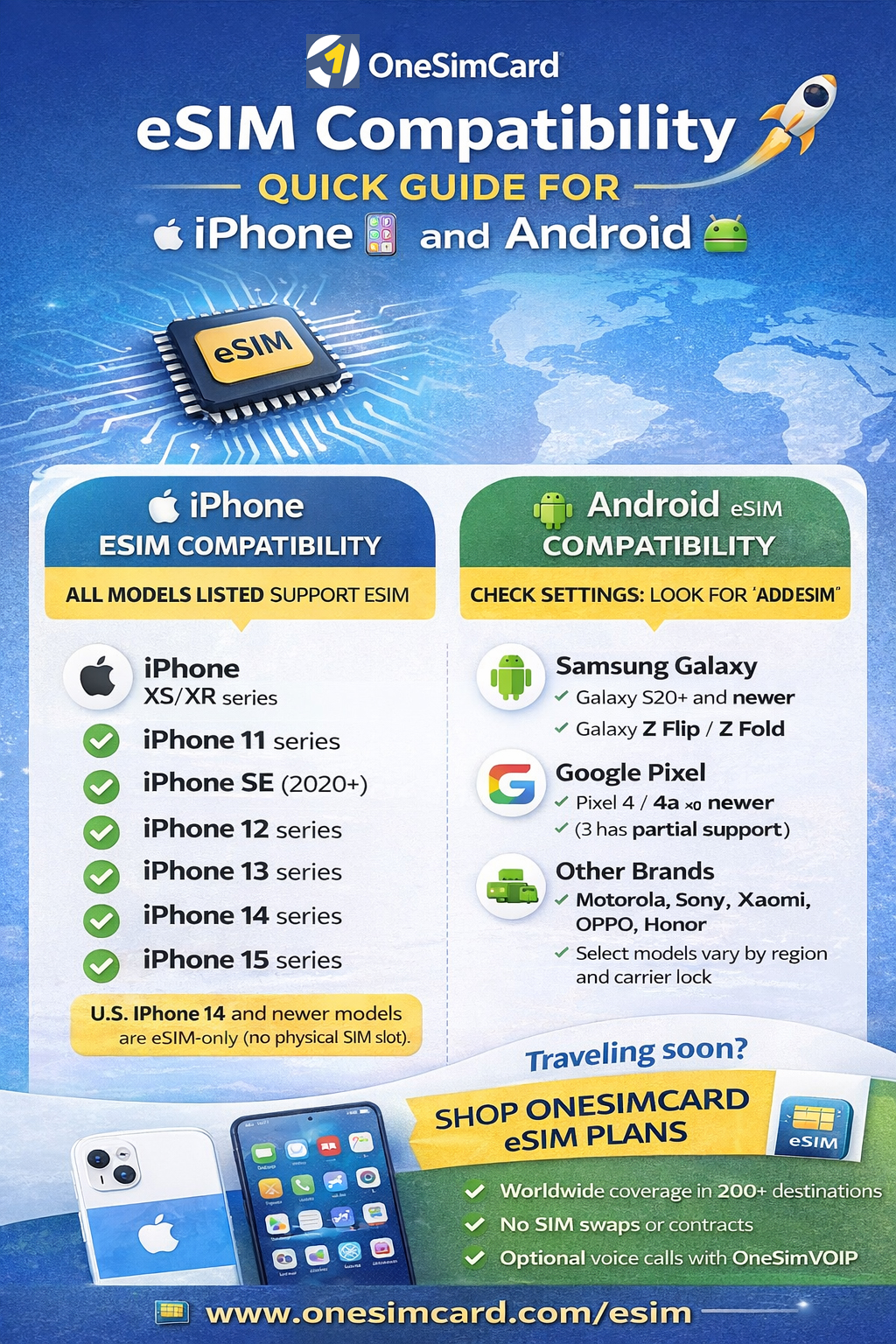
Covering major brands and models (and what travelers should check before they fly)
eSIM technology has moved from “nice-to-have” to “standard feature” on modern smartphones, especially for travelers.
If you’re planning to use a travel eSIM, the first question is simple:
Does your phone support eSIM?
This guide covers which iPhones and Android devices support eSIM, how to confirm compatibility in seconds,
and what to watch for with regional variants and carrier restrictions. If you’re traveling soon, you’ll also find setup tips
to help you connect quickly with a OneSimCard eSIM.
Quick jump:
What Is eSIM and Why Compatibility Matters
An eSIM (embedded SIM) is a digital SIM built into your phone’s hardware. Instead of inserting a plastic SIM card,
you download a mobile plan using a QR code or activation link. For travelers, this means faster setup, easier switching between plans,
and no fragile SIM trays to deal with at 2 a.m. in an airport.
Compatibility matters because not every phone supports eSIM, and some models support it only in certain countries or carrier versions.
Confirming compatibility before purchase avoids the most common travel connectivity headache: “I bought a plan… but my phone can’t install it.”
Quick Comparison Table (At-a-Glance)
| Device family | eSIM support | What travelers should know |
|---|---|---|
| iPhone (XS/XR and newer) | Yes on modern models | U.S. iPhone 14+ are eSIM-only. Most newer iPhones support dual SIM (physical + eSIM or dual eSIM). |
| Samsung Galaxy (S20+ and newer; Z Flip/Fold) | Usually yes | Some carrier-locked or regional variants may disable eSIM. Unlocked models are best for travel. |
| Google Pixel (Pixel 4 and newer) | Yes | Pixels are among the most travel-friendly for eSIM. Great for switching plans and quick activation. |
| Other Android brands (Motorola/Sony/Xiaomi/OPPO/Honor) | Model & region dependent | Check Settings for “Add eSIM” and verify your exact model variant (some regions omit eSIM). |
iOS iPhone eSIM Compatibility Guide
Apple adopted eSIM early, and today nearly all modern iPhones support eSIM.
If you’re traveling with an iPhone XS/XR or newer, you’re in good shape.
✅ iPhones that support eSIM
- iPhone XS / XS Max
- iPhone XR
- iPhone 11 / 11 Pro / 11 Pro Max
- iPhone SE (2nd gen and newer)
- iPhone 12 / mini / Pro / Pro Max
- iPhone 13 / mini / Pro / Pro Max
- iPhone 14 / Plus / Pro / Pro Max
- iPhone 15 / Plus / Pro / Pro Max (and newer)
Key iPhone notes for travelers
- U.S. iPhone 14+ models are eSIM-only (no physical SIM tray).
- Most newer iPhones support dual SIM (physical + eSIM or dual eSIM, depending on model).
- You can store multiple eSIM profiles and switch plans as needed.
Android Android eSIM Compatibility (Major Brands)
Samsung Galaxy eSIM support
Many Samsung flagship devices support eSIM, including the Galaxy S and Z series. Keep in mind that carrier-locked or region-specific variants can sometimes restrict eSIM functionality.
- Galaxy S20 / S20+ / S20 Ultra (varies by region)
- Galaxy S21 / S22 / S23 / S24 series
- Galaxy Z Flip and Z Fold series (Flip3+ / Fold2+)
Google Pixel eSIM support
Pixel phones are among the most eSIM-friendly Android devices, making them excellent for international travel.
- Pixel 4 and newer (including 4a/5/6/7/8 families)
- Pixel 3/3 XL: partial support (model dependent)
Other Android brands (model dependent)
- Motorola: select Razr and Edge models
- Sony Xperia: select newer models
- Xiaomi / OPPO / Honor: select flagships (regional availability varies)
- Huawei: select models (note: Google services may be limited)
Regional Differences and Carrier Locks
Even if your phone model supports eSIM, regional variants can change what you actually get.
Some devices sold in certain markets may include dual physical SIM slots and no eSIM support.
Additionally, carrier-locked phones can restrict eSIM installation or block non-carrier profiles.
For the best travel experience, use an unlocked phone. If you’re unsure,
check with your carrier before you travel.
✅ How to Check eSIM Compatibility in Less than a Minute
iPhone
- Open Settings
- Tap Cellular (or Mobile Data)
- Look for Add eSIM or Add Cellular Plan
Android
- Open Settings
- Tap Network & Internet or Connections
- Look for SIM Manager / Add eSIM
Bonus check: On many Android phones, dial *#06#. If an EID is displayed, your device supports eSIM.
✈️ Best Practices Before You Travel
- Install your eSIM on Wi-Fi before you depart.
- Enable Data Roaming on the eSIM line when abroad (this is normal for travel eSIMs).
- Keep your QR code/activation details saved securely (treat it like a password).
- Update your phone OS to the latest version for best network performance and eSIM stability.
Why OneSimCard is Perfect for Travelers
Once you confirm compatibility, the next step is choosing a travel eSIM that fits your itinerary.
OneSimCard is built for international travelers who want simple activation and reliable global coverage.
- Coverage in 200+ destinations
- Flexible plans designed for travel (short trips to long stays)
- Option to add voice via the OneSim VoIP app
Ready to get connected?
Shop OneSimCard eSIM plans
and activate in minutes.
Related reading: Travel eSIM tips & guides